Drag the slider to adjust text size.
Kodi has revolutionized the way we consume media, offering a versatile platform for streaming movies, TV shows, and, of course, music. Whether you’re a casual listener or a die-hard audiophile, having the right music addons can transform your Kodi experience. In this article, we’ll explore the 5 best music Kodi addons in 2026, ensuring you have access to a world of tunes right at your fingertips.
🔒 Protect Your Kodi Streaming
Avoid ISP tracking and stream Kodi safely using one of the fastest and most trusted VPN services.
✔ Works with Kodi & Firestick
✔ No Logs Privacy Protection
✔ 30-Day Money Back Guarantee
Recommended for safe and private Kodi streaming
What Makes a Great Music Kodi Addon?
Before diving into the list, it’s essential to understand what sets a great music addon apart. A top-tier addon should offer:
– A vast library of songs and artists
– High-quality streaming
– User-friendly interface
– Regular updates and reliable performance
– Compatibility with various music genres
Now, let’s explore the best music Kodi addons in 2026 that meet these criteria.
1. Spotify Kodi Addon
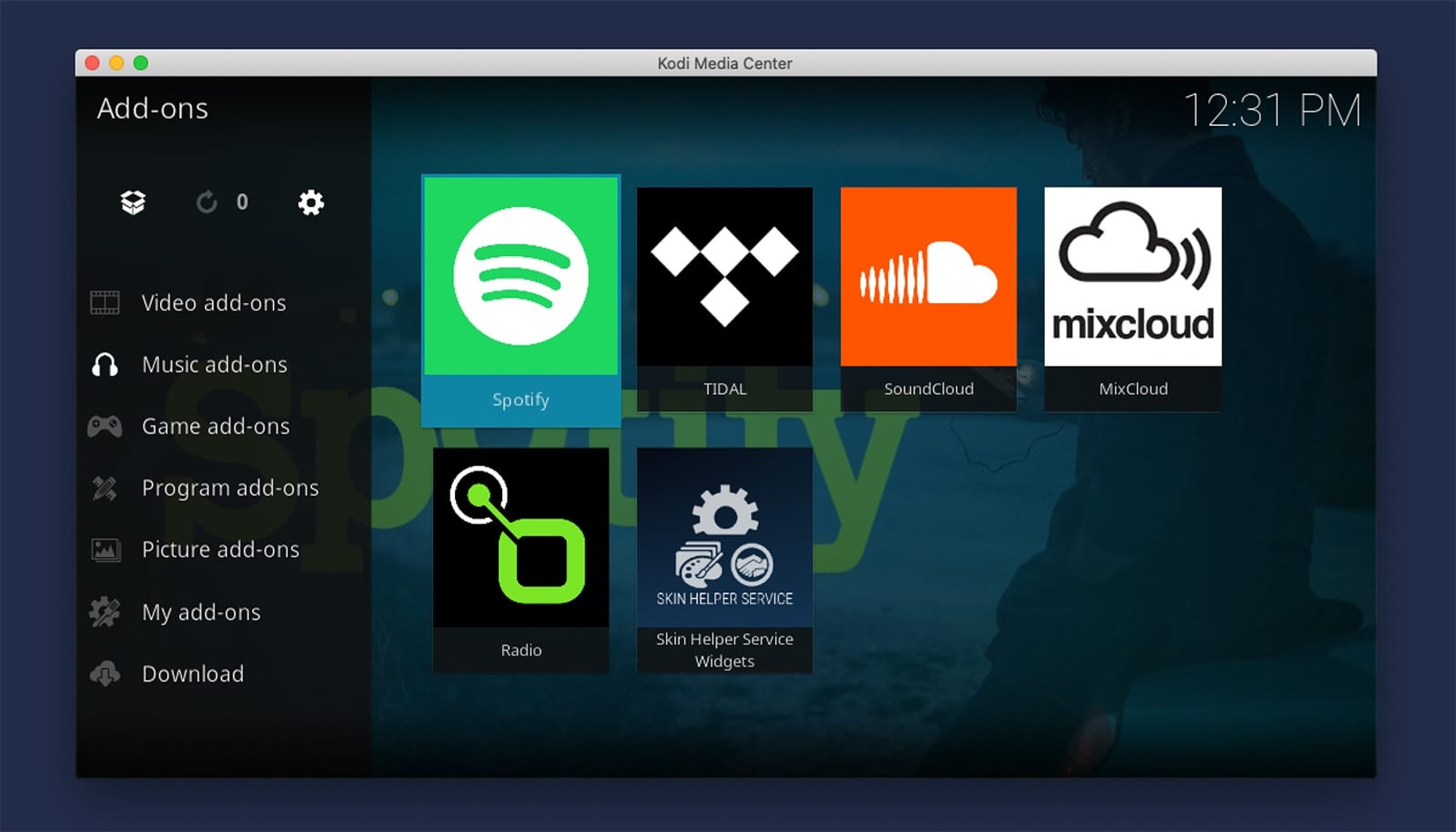
Spotify needs no introduction. As one of the most popular music streaming platforms globally, it’s no surprise that the Spotify Kodi addon is a favorite among users. This addon integrates seamlessly with Kodi, allowing you to access millions of songs, curated playlists, and personalized recommendations.
Key Features:
– Access to Spotify’s entire music library
– High-quality audio streaming
– Integration with Kodi’s interface
– Support for offline playback (with a premium account)
The Spotify Kodi addon is perfect for those who want a familiar and reliable music streaming experience.
2. Tidal Kodi Addon
For audiophiles who prioritize sound quality, the Tidal Kodi addon is a game-changer. Tidal is renowned for its high-fidelity audio, offering lossless streaming that brings out the best in your music.
Key Features:
– Lossless audio streaming
– Access to exclusive content and albums
– Curated playlists and recommendations
– Support for Dolby Atmos and Master Quality Authenticated (MQA) tracks
If you’re passionate about sound quality, the Tidal Kodi addon is a must-have.
3. SoundCloud Kodi Addon
SoundCloud is a haven for independent artists and emerging talent. The SoundCloud Kodi addon brings this vibrant community to your Kodi setup, allowing you to discover new music and support up-and-coming creators.
Key Features:
– Access to millions of tracks from independent artists
– User-generated playlists and mixes
– Support for podcasts and audio content
– Integration with Kodi’s library management
The SoundCloud Kodi addon is ideal for those who love exploring new and unique music.
4. Radio Paradise Kodi Addon
If you’re a fan of curated radio experiences, the Radio Paradise Kodi addon is a perfect choice. This addon offers a hand-picked selection of songs, blending genres and styles to create a unique listening experience.
Key Features:
– Curated playlists by professional DJs
– High-quality audio streaming
– Support for multiple genres and styles
– Regular updates with new tracks
The Radio Paradise Kodi addon is perfect for those who enjoy discovering music in a more relaxed, radio-style format.
5. YouTube Music Kodi Addon
YouTube Music is another powerhouse in the music streaming world. The YouTube Music Kodi addon brings the platform’s extensive library to your Kodi setup, offering music videos, live performances, and more.
Key Features:
– Access to music videos and live performances
– Integration with YouTube Music’s library
– Support for personalized recommendations
– High-quality audio and video streaming
The YouTube Music Kodi addon is perfect for those who want a multimedia music experience.
How to Install Music Kodi Addons
Installing music Kodi addons is a straightforward process. Here’s a quick guide:
- Open Kodi and navigate to the Add-ons section.
- Click on Download or Browse Add-ons.
- Search for your desired music addon (e.g., Spotify Kodi addon).
- Click on the addon and select Install.
- Once installed, open the addon and log in or set it up as required.
For more detailed instructions, refer to the addon’s official documentation or community forums.
Conclusion
Kodi offers a wealth of options for music lovers, and the 5 best music Kodi addons in 2026 listed above are sure to enhance your listening experience. Whether you’re into mainstream hits, high-fidelity audio, or discovering new talent, there’s an addon for everyone.
Remember to always use legal and authorized addons to ensure a safe and enjoyable experience. Happy listening!
FAQs
Q: Are these addons free to use?
A: Most addons are free, but some (like Spotify and Tidal) require a subscription for full access.
Q: Can I use these addons on any device?
A: Yes, Kodi is compatible with various devices, including Windows, Mac, Android, and more.
Q: How do I troubleshoot addon issues?
A: Check for updates, clear cache, or consult the addon’s support community.
By following this guide, you’ll be well on your way to enjoying the best music Kodi addons in 2026. Happy streaming!