Drag the slider to adjust text size.
Kodi remains one of the most popular media center platforms, offering users access to a vast library of movies and TV shows through various addons. In March 2026, several Kodi addons stand out for their reliability, content quality, and ease of use. Whether you’re a beginner or an experienced user, this guide covers the best Kodi addons for streaming free movies and TV shows.
🔒 Protect Your Kodi Streaming
Avoid ISP tracking and stream Kodi safely using one of the fastest and most trusted VPN services.
✔ Works with Kodi & Firestick
✔ No Logs Privacy Protection
✔ 30-Day Money Back Guarantee
Recommended for safe and private Kodi streaming
What Are Kodi Addons?
Kodi addons are extensions that enhance the functionality of the Kodi media player. They allow users to stream movies, TV shows, live sports, and more from various sources. Some addons are official, while others are third-party, offering a wider range of content.
Top Kodi Addons for Free Movies & TV (March 2026)
1. The Crew
The Crew is a versatile Kodi addon that offers a mix of movies, TV shows, live TV, and sports. It’s known for its user-friendly interface and extensive library of content. The addon pulls streams from multiple sources, ensuring high-quality playback.
⚠️ WARNING: Before installing this Kodi addon, it is strongly recommended to use a VPN to protect your privacy while streaming.
👉 Get 76% NordVPN DealKey Features:
– Regularly updated content
– Integration with Real-Debrid for premium links
– Trakt.tv support for tracking watched content
2. Seren
Seren is a premium Kodi addon that focuses on high-quality streaming. It integrates with Real-Debrid and Trakt.tv, providing users with a seamless experience. Seren is ideal for those who want reliable links and a clean interface.
⚠️ WARNING: Before installing this Kodi addon, it is strongly recommended to use a VPN to protect your privacy while streaming.
👉 Get 76% NordVPN DealKey Features:
– Premium link support
– Advanced filtering options
– Minimal buffering
3. Venom
Venom is a popular Kodi addon for streaming movies and TV shows. It offers a vast library of content, including the latest releases and classic titles. Venom is easy to navigate and provides multiple streaming options.
Key Features:
– Frequent updates
– Multiple source links
– Integration with Trakt.tv
4. Gaia
Gaia is a powerful Kodi addon that focuses on high-quality streaming. It integrates with premium services like Real-Debrid and Premiumize, ensuring users have access to the best available links. Gaia is perfect for those who prioritize quality over quantity.
⚠️ WARNING: Before installing this Kodi addon, it is strongly recommended to use a VPN to protect your privacy while streaming.
👉 Get 76% NordVPN DealKey Features:
– Advanced search functionality
– 4K and HD content support
– Customizable settings
5. Peacock
Peacock is an official Kodi addon that provides access to NBCUniversal’s streaming service. It offers a mix of free and premium content, including movies, TV shows, and live events. Peacock is a great option for users who want legal and reliable streaming.
Key Features:
– Free and premium tiers
– Live TV and sports
– Original content
6. Pluto TV
Pluto TV is another official Kodi addon that offers live TV and on-demand content. It’s completely free and features a wide range of channels, including movies, news, and entertainment. Pluto TV is ideal for users who enjoy live streaming.
Key Features:
– Over 250 live channels
– On-demand movies and shows
– No subscription required
7. YouTube
YouTube is a must-have Kodi addon for anyone who enjoys user-generated content. It allows users to access their YouTube subscriptions, playlists, and recommendations directly within Kodi. The addon is free and easy to use.
Key Features:
– Access to millions of videos
– Integration with Google account
– Live streaming support
How to Install Kodi Addons
Installing Kodi addons is straightforward. Here’s a quick guide:
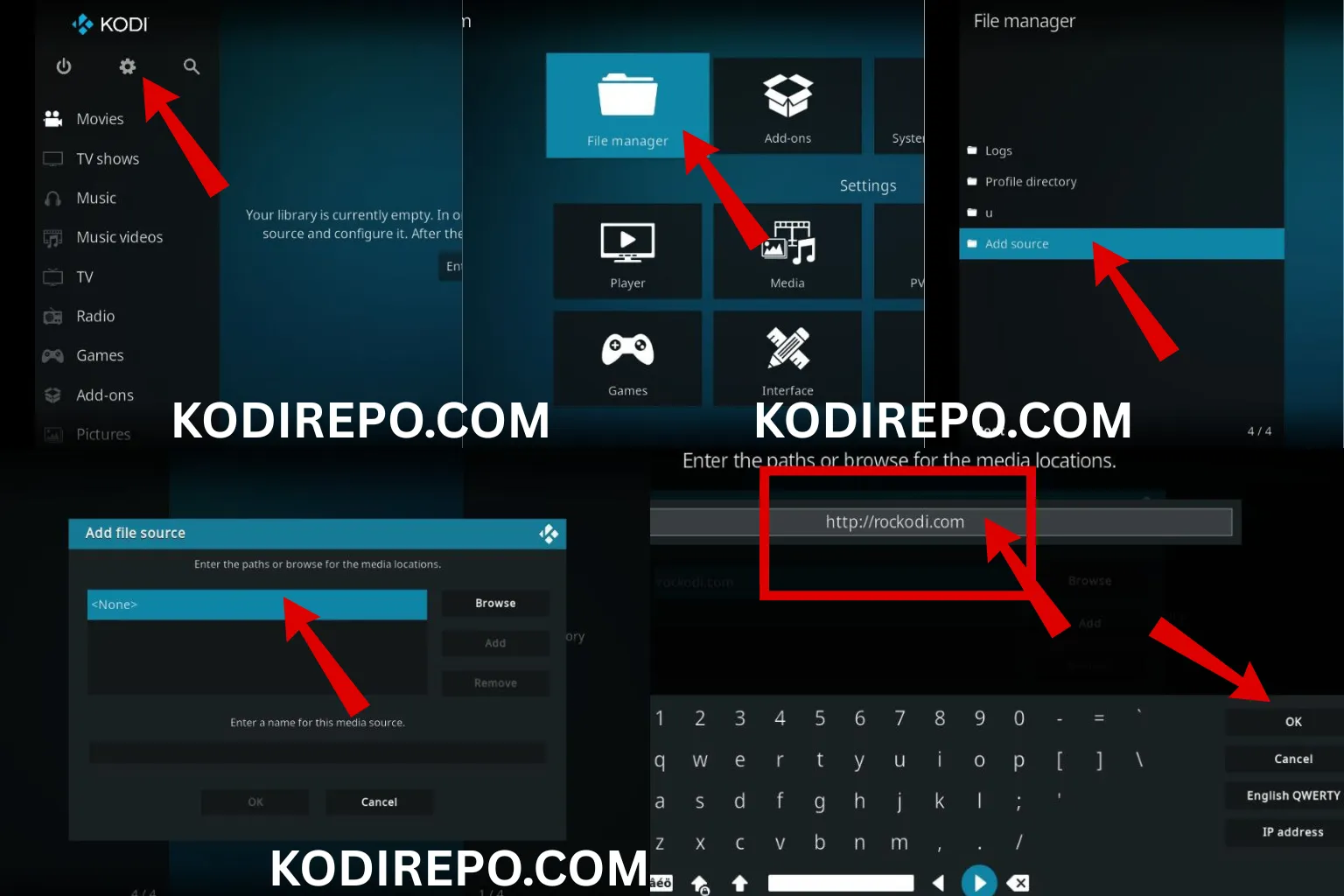
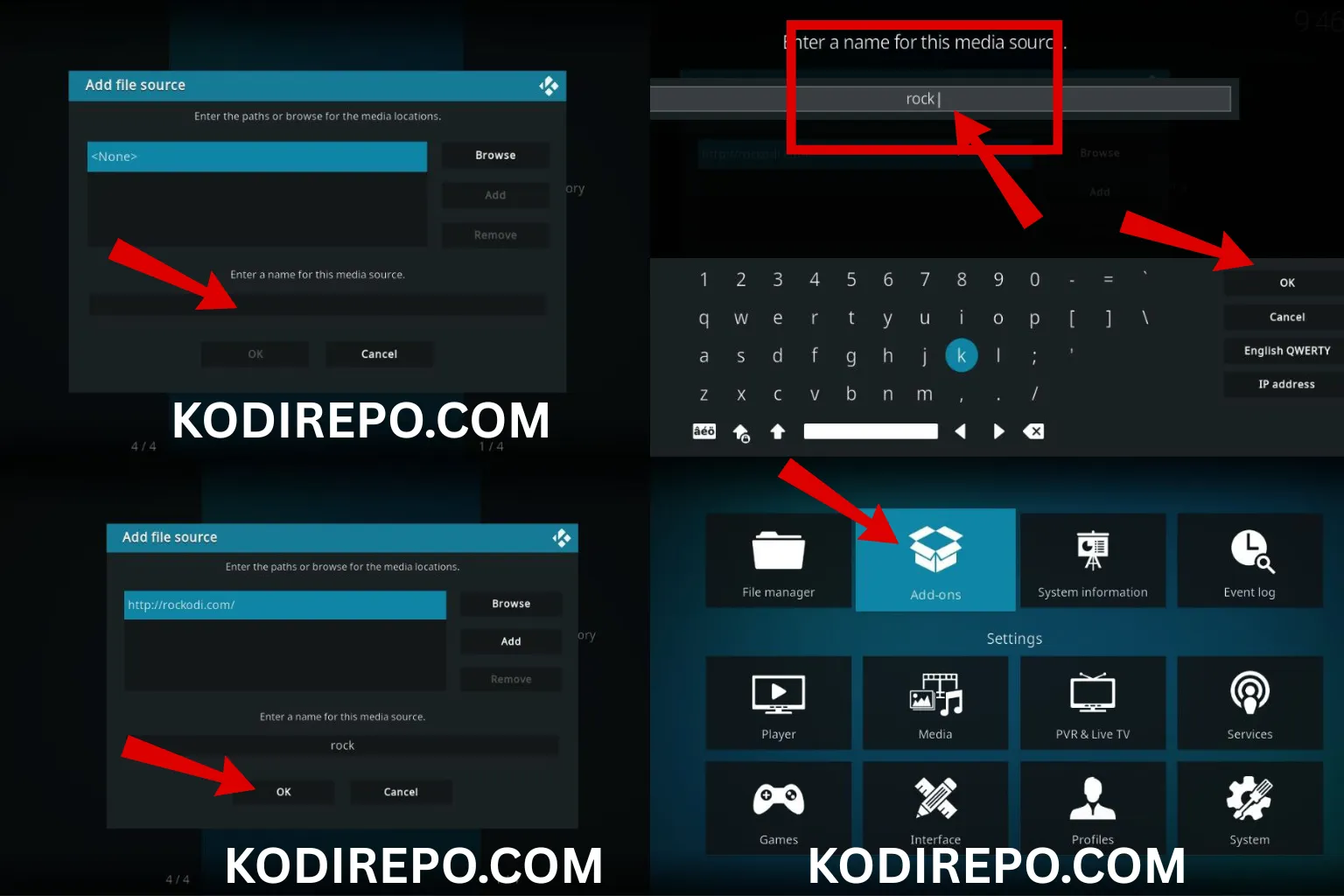
- Enable Unknown Sources:
Go to Settings > System > Add-ons > Unknown Sources and toggle it on.
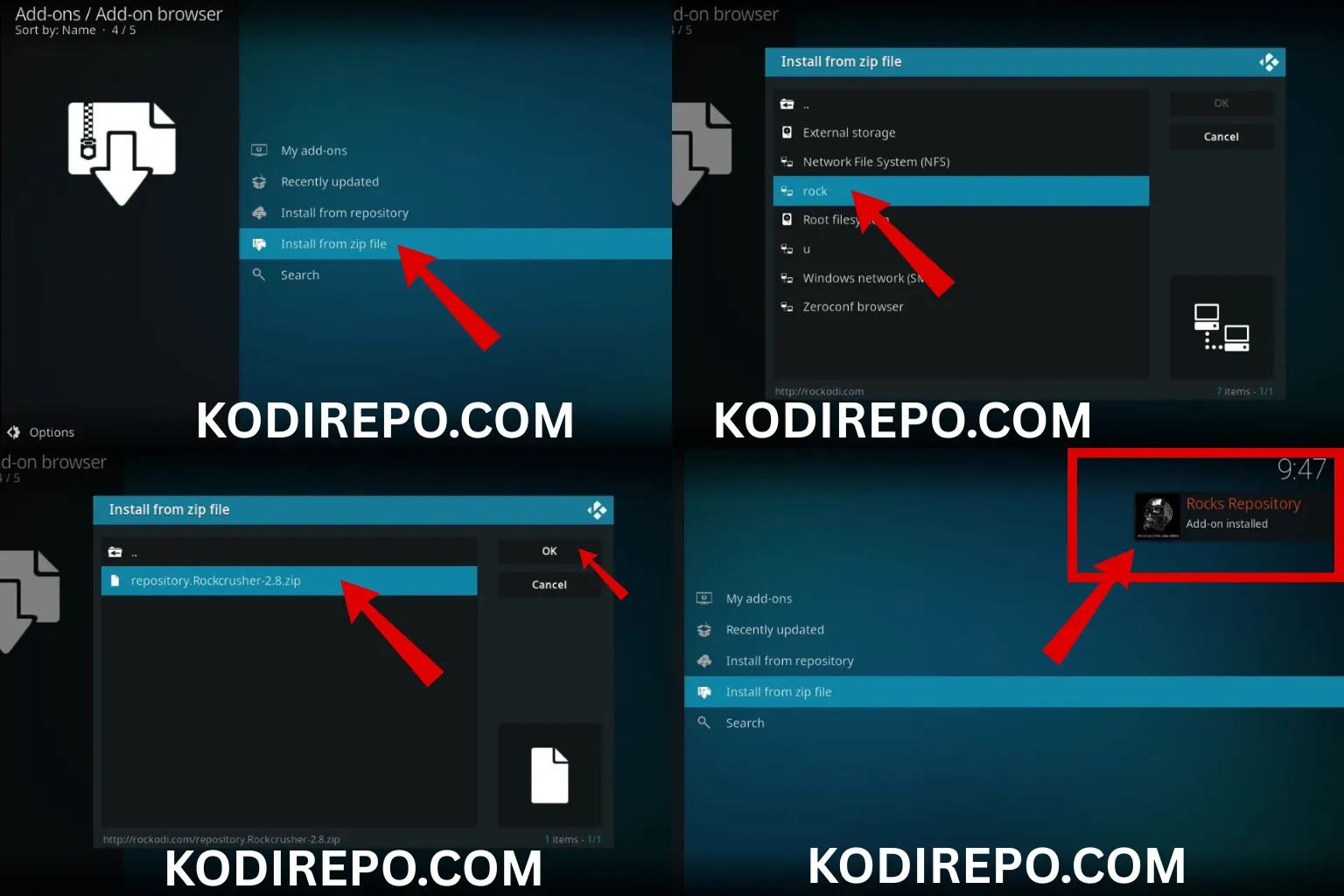
Install a Repository:
- Download the repository ZIP file from a trusted source.
Go to Add-ons > Install from ZIP file and select the repository.
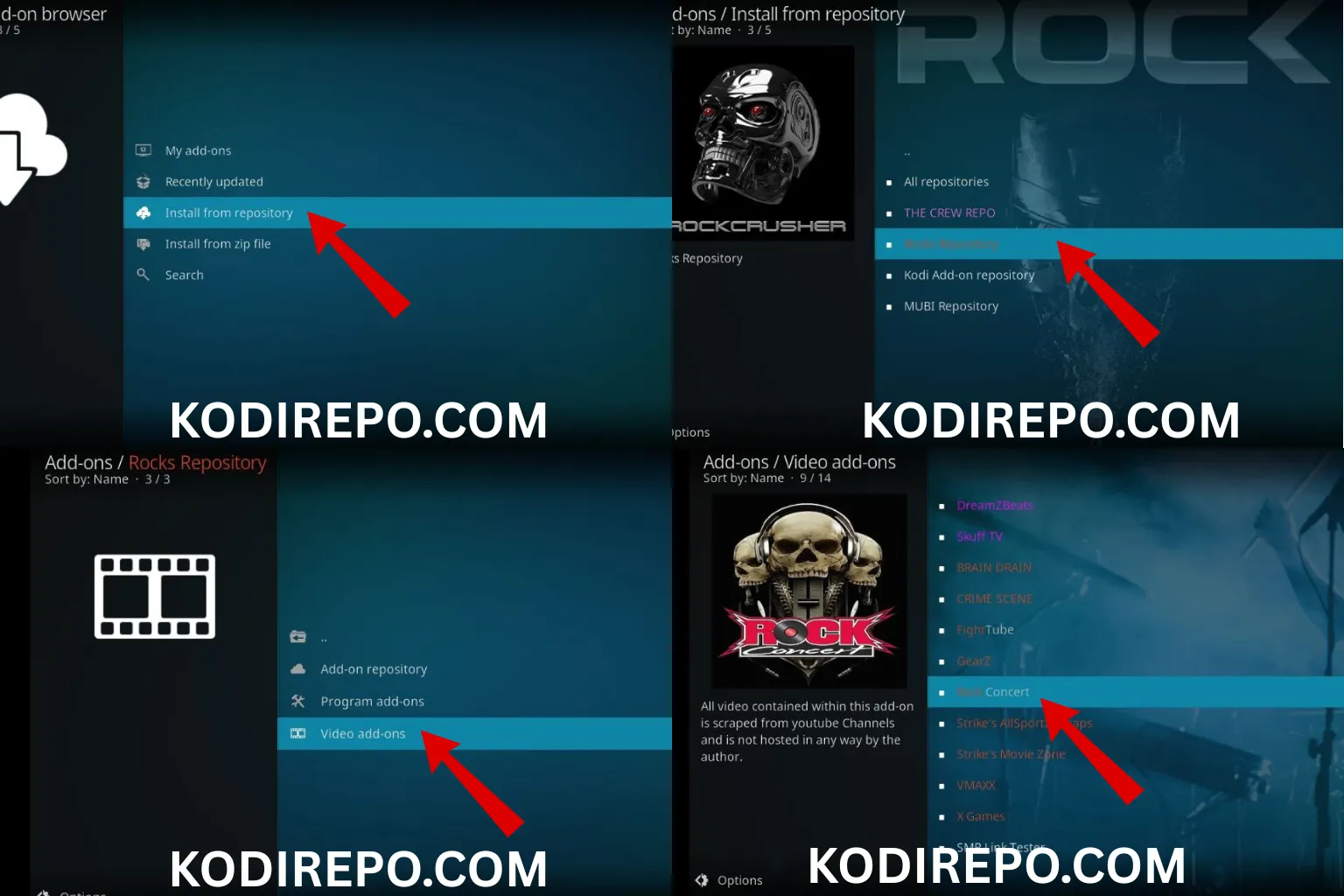
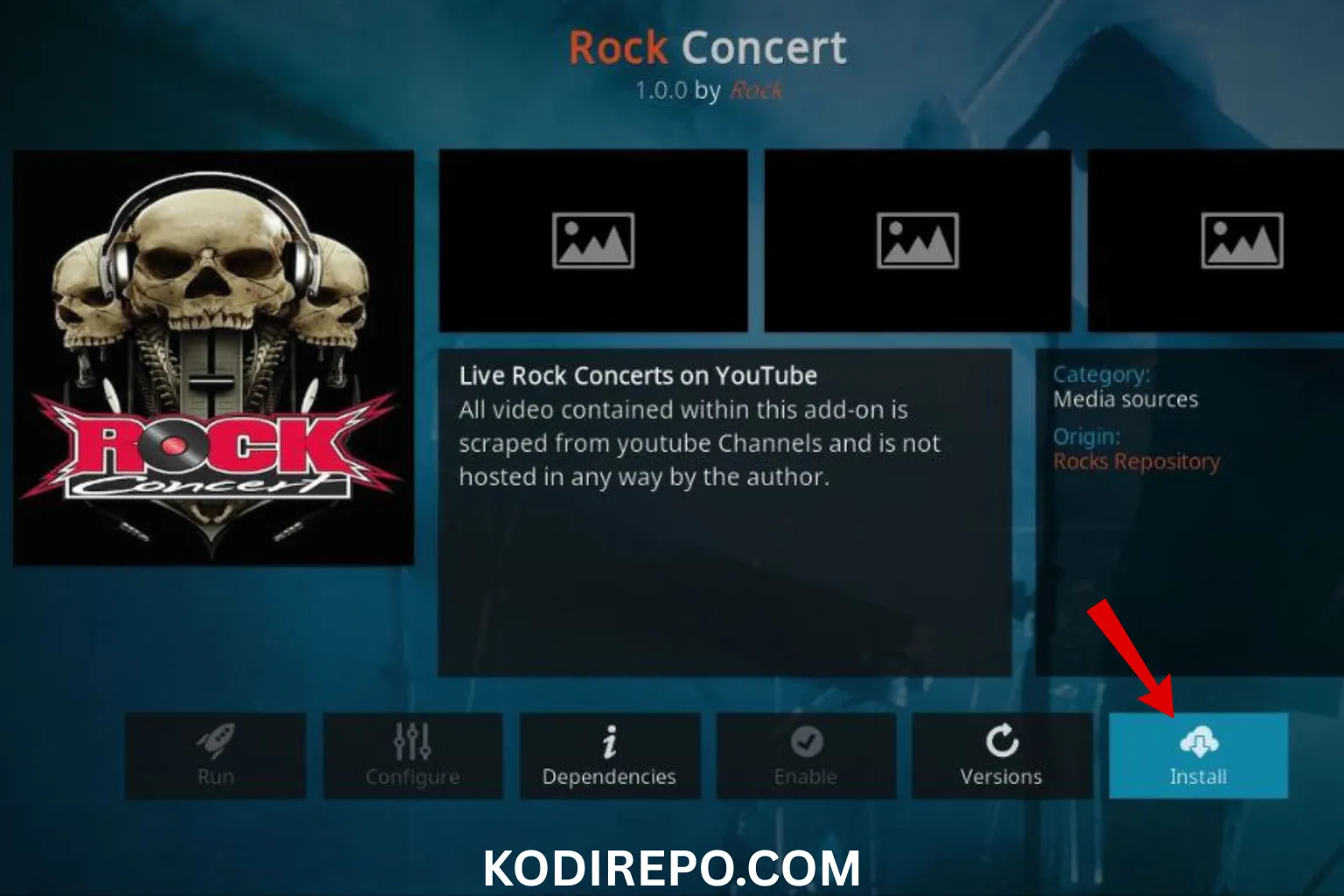
Install the Addon:
- Navigate to Add-ons > Install from repository > Video add-ons and select your desired addon.
Tips for Safe Streaming
While Kodi addons offer free access to content, it’s essential to stream safely. Here are some tips:
- Use a VPN: Protect your privacy and bypass geo-restrictions.
- Stick to Official Addons: Avoid third-party addons that may host pirated content.
- Keep Kodi Updated: Ensure you’re using the latest version for security and performance.
Conclusion
Kodi addons provide a fantastic way to stream free movies and TV shows. In March 2026, addons like The Crew, Seren, and Venom stand out for their reliability and content quality. Whether you’re a beginner or a seasoned user, these addons offer something for everyone. Remember to stream responsibly and enjoy your favorite content with ease.
FAQs
Q: Are Kodi addons legal?
A: Official addons like Peacock and Pluto TV are legal. Third-party addons may host pirated content, so use them cautiously.
Q: Do I need a VPN for Kodi?
A: While not mandatory, a VPN is recommended for privacy and security.
Q: Can I use Kodi on multiple devices?
A: Yes, Kodi is compatible with various devices, including Firestick, Android, and Windows.