Drag the slider to adjust text size.
Looking for the best legal Kodi addons in 2026? You’re in the right place. Whether you’re new to Kodi or have been using it for years, finding reliable, safe, and legal addons can be challenging. In this guide, I’ll walk you through the top legal Kodi addons that work perfectly in 2026, along with installation tips and troubleshooting advice based on years of hands-on experience.
🔒 Protect Your Kodi Streaming
Avoid ISP tracking and stream Kodi safely using one of the fastest and most trusted VPN services.
✔ Works with Kodi & Firestick
✔ No Logs Privacy Protection
✔ 30-Day Money Back Guarantee
Recommended for safe and private Kodi streaming
Why Choose Legal Kodi Addons?
Before diving into the list, it’s important to understand why legal Kodi addons matter. Legal addons ensure you’re streaming content without copyright violations, protecting both you and your device from potential issues. Plus, legal addons typically offer better stability, regular updates, and customer support.
What Makes an Addon “Legal”?
Legal Kodi addons are those that stream content from official sources, such as:
– Official network websites
– Licensed streaming services
– Public domain content
– Free, ad-supported media
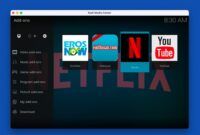
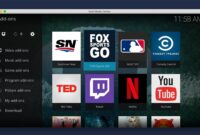
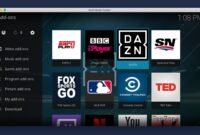
Top 35+ Legal Kodi Addons for 2026
Here’s my curated list of the best legal Kodi addons available this month:
1. Pluto TV
Pluto TV offers hundreds of live TV channels and on-demand movies completely free. It’s one of the most popular legal Kodi addons with a user-friendly interface.
2. Tubi TV
Tubi TV provides thousands of movies and TV shows from major studios. The content is ad-supported but completely legal.
3. Crackle
Sony’s Crackle addon offers a mix of movies, TV shows, and original programming. It’s free and legal, though you’ll encounter occasional ads.
4. YouTube
The official YouTube addon lets you access your subscriptions, playlists, and trending videos directly within Kodi.
5. Plex
If you have a Plex server, the Kodi Plex addon is essential for streaming your personal media library.
6. TED Talks
For educational content, the TED Talks addon provides access to thousands of inspiring talks and presentations.
7. NBC Sports
Sports fans can enjoy live sports, replays, and highlights through the NBC Sports addon.
8. Fox Sports Go
Another excellent sports addon offering live games and sports analysis.
9. PBS Kids
Perfect for families, PBS Kids provides educational children’s programming.
10. FilmRise
FilmRise offers a wide selection of movies and TV shows across various genres.
11. Popcornflix
Popcornflix provides free movies and TV shows with occasional ads.
12. SnagFilms
SnagFilms specializes in documentaries and independent films.
13. CW Seed
The CW Seed addon offers free access to CW shows and original content.
14. Adult Swim
Fans of animated and live-action comedy can enjoy Adult Swim’s programming.
15. NBC
The NBC addon provides access to current shows, clips, and some full episodes.
16. ABC
Watch ABC’s current lineup and some classic shows through their official addon.
17. CBS
CBS offers recent episodes and some classic content through their Kodi addon.
18. History Channel
History buffs can stream historical documentaries and shows.
19. Smithsonian Channel
Another great option for educational and historical content.
20. Twitch
The official Twitch addon lets you watch live gaming streams and esports.
21. SoundCloud
Music lovers can access millions of tracks through the SoundCloud addon.
22. Vimeo
Vimeo’s addon provides access to creative and artistic videos.
23. Dailymotion
Dailymotion offers a variety of user-generated and professional content.
24. Red Bull TV
Sports and adventure enthusiasts will enjoy Red Bull TV’s extreme sports content.
25. Sky News
Stay updated with live news from Sky News.
26. NBC News
Another excellent news source with live updates and on-demand content.
27. BBC iPlayer (for UK users)
UK residents can access BBC’s extensive library of shows and live TV.
28. ITV Hub (for UK users)
Another UK-specific addon offering ITV’s programming.
29. All Music
A comprehensive music addon with various genres and artists.
30. Radio KISS
Access thousands of internet radio stations worldwide.
31. TuneIn Radio
Another great option for streaming radio stations.
32. Karaoke
For entertainment, the Karaoke addon offers thousands of songs.
33. Cooking Channel
Food enthusiasts can watch cooking shows and recipes.
34. HGTV
Home improvement and real estate fans will enjoy HGTV’s content.
35. Food Network
Another excellent option for cooking and food-related programming.
Installation Tips for Legal Kodi Addons
Using the Official Kodi Addon Repository
The safest way to install addons is through Kodi’s official repository:
- Open Kodi and navigate to Add-ons
- Click the Package Installer icon
- Select Install from repository
- Choose Kodi Add-on repository
- Browse categories and select your desired addon
- Click Install
Manual Installation
Some addons require manual installation:
- Download the addon ZIP file from the official source
- In Kodi, go to Add-ons > Package Installer
- Select Install from ZIP file
- Navigate to your downloaded file and select it
- Wait for the installation confirmation
Troubleshooting Common Issues
Even with legal addons, you might encounter some problems. Here are solutions to common issues:
Addon Not Working
- Check for updates in the repository
- Clear the addon’s cache
- Restart Kodi completely
- Ensure your internet connection is stable
Playback Errors
- Check your internet speed
- Adjust video cache settings
- Try a different video source if available
- Update your video drivers
Addons Missing After Update
- Some addons may be removed from repositories
- Check the addon’s official website for alternatives
- Ensure you’re using a compatible Kodi version
Best Practices for Using Kodi Addons
To get the most out of your Kodi experience:
Keep Kodi Updated
Always use the latest stable version of Kodi for better compatibility and security.
Use a VPN
While using legal addons, a VPN can help protect your privacy and bypass geographic restrictions.
Organize Your Addons
Create categories or favorites to easily access your most-used addons.
Monitor Storage
Regularly clear cache and unnecessary files to prevent Kodi from slowing down.
Legal Considerations
While the addons listed here are legal, always be mindful of:
- Geographic restrictions on certain content
- Age restrictions for mature content
- Copyright laws in your country
Conclusion
The 35+ best legal Kodi addons in 2026 listed above offer a wide variety of content for every interest. By choosing legal options, you ensure a safer, more reliable streaming experience. Remember to keep your addons updated and follow best practices for optimal performance.
Whether you’re looking for movies, TV shows, sports, music, or educational content, there’s a legal Kodi addon for you. Start exploring these options today and enhance your Kodi experience with quality, legitimate content.
Pro Tip: Bookmark this page as I’ll be updating it monthly with new legal Kodi addons and removing any that become unavailable.
Frequently Asked Questions
Are these addons really free?
Most are completely free, though some may include ads to support their services.
Do I need a VPN for legal addons?
While not necessary for legal addons, a VPN can enhance privacy and bypass geographic restrictions.
Why do some addons stop working?
Addons may be removed, updated, or experience temporary issues. Always check for alternatives in the official repository.
Can I use these on any device?
Most legal Kodi addons work on all Kodi-compatible devices, including Windows, Mac, Android, iOS, and various streaming devices.