Drag the slider to adjust text size.
Kodi is one of the most popular media center applications, and one of its greatest strengths is the ability to customize it with various builds. Among these, the Kodi Ultimate Latino Build stands out for Spanish and Latin American users who want a tailored entertainment experience. This build is packed with Latino-focused addons, live TV channels, movies, series, and much more—all organized in an intuitive interface.
🔒 Protect Your Kodi Streaming
Avoid ISP tracking and stream Kodi safely using one of the fastest and most trusted VPN services.
✔ Works with Kodi & Firestick
✔ No Logs Privacy Protection
✔ 30-Day Money Back Guarantee
Recommended for safe and private Kodi streaming
In this guide, we’ll walk you through how to install Kodi Ultimate Latino Build in Kodi step by step. Whether you’re new to Kodi or just looking for a fresh setup, this tutorial will help you get started quickly and safely.
What Is Kodi Ultimate Latino Build?
The Kodi Ultimate Latino Build is a pre-configured Kodi setup designed specifically for Spanish-speaking audiences. It comes loaded with popular Latino addons, live TV streams, sports channels, and on-demand content like movies and TV shows. The build offers a clean, user-friendly interface and eliminates the need to manually install each addon.
It’s ideal for users who want instant access to Latino content without spending hours configuring Kodi from scratch.
Is It Safe and Legal to Use?
Before installing any third-party build, it’s important to consider safety and legality. While Kodi itself is legal, some builds may include addons that access copyrighted content without permission. To protect your privacy and avoid potential issues, it’s highly recommended to use a VPN (Virtual Private Network) when streaming with Kodi.
A VPN encrypts your internet traffic and masks your IP address, keeping your online activity private. This is especially important when using unverified builds or addons.
Prerequisites Before Installation
Before you begin the installation process, make sure you have the following:
- Kodi installed on your device (Windows, Android, Firestick, etc.)
- Unknown Sources enabled in Kodi settings
- A stable internet connection
- A VPN for privacy and security
- A backup of your current Kodi setup (optional but recommended)
Step-by-Step Guide to Install Kodi Ultimate Latino Build
Step 1: Enable Unknown Sources
- Open Kodi and click the gear icon to access Settings.
- Go to System (or System Settings depending on your Kodi version).
- Select Add-ons from the left menu.
- Toggle on Unknown Sources.
- A warning will appear—click Yes to confirm.
Step 2: Install a Build Loader
To install the Ultimate Latino Build, you’ll need a build loader or repository that hosts it. One popular option is Supreme Builds Wizard.
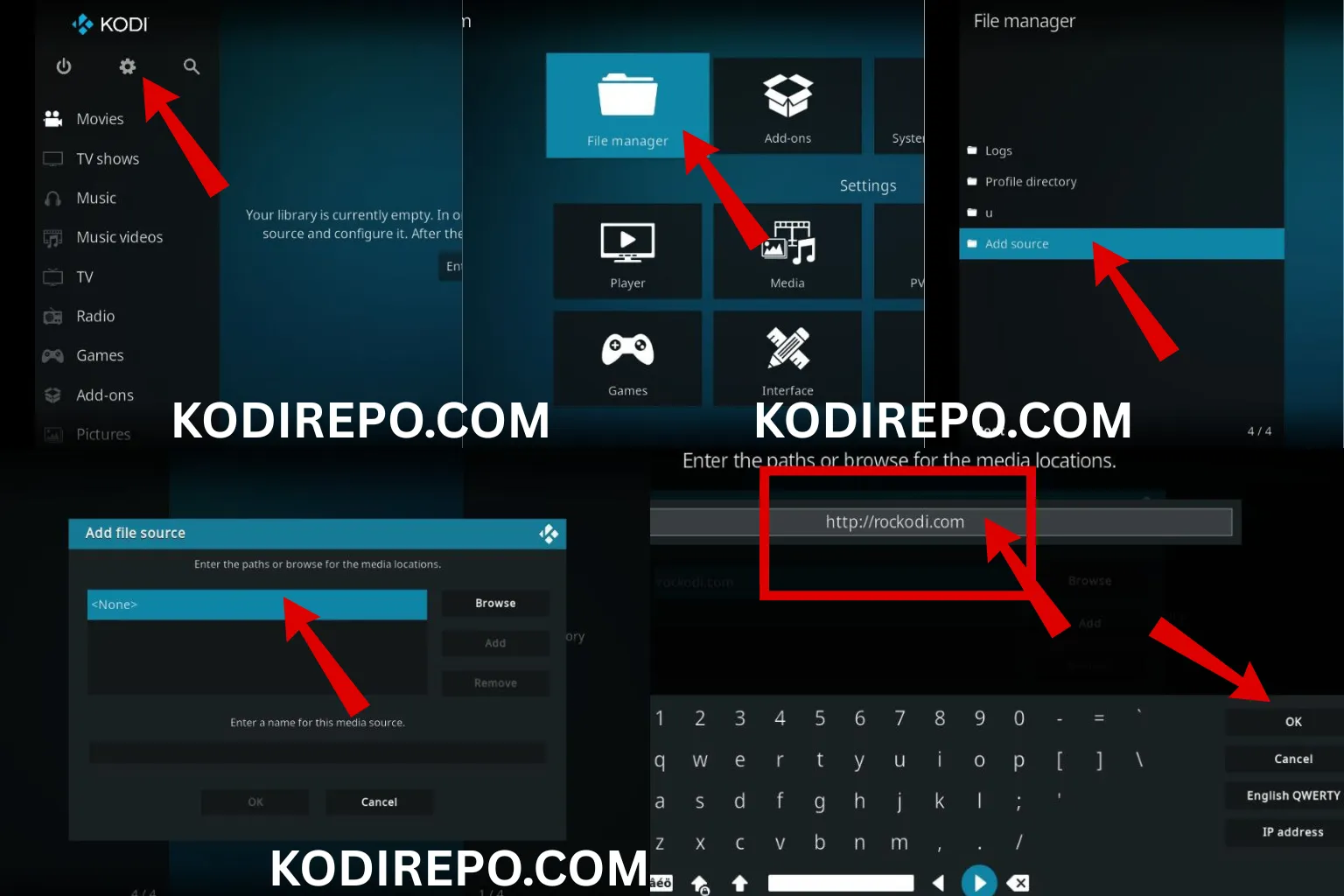
- Return to Settings and select File Manager.
- Click Add Source and then .
- Enter the URL: (
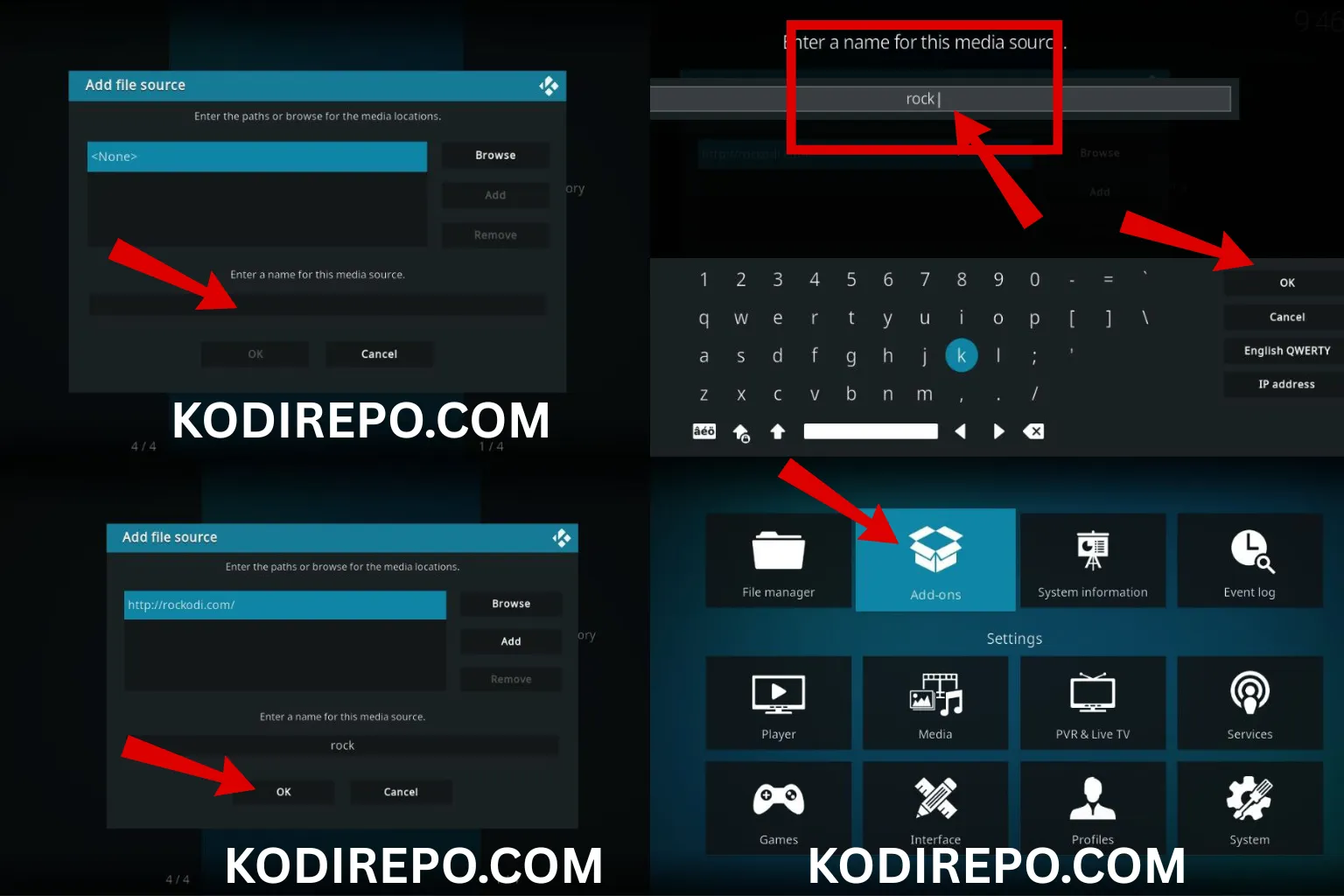
https://latinokodi.live/latino/) (or the official source for the build). - Name the source (e.g., “Supreme”) and click OK.
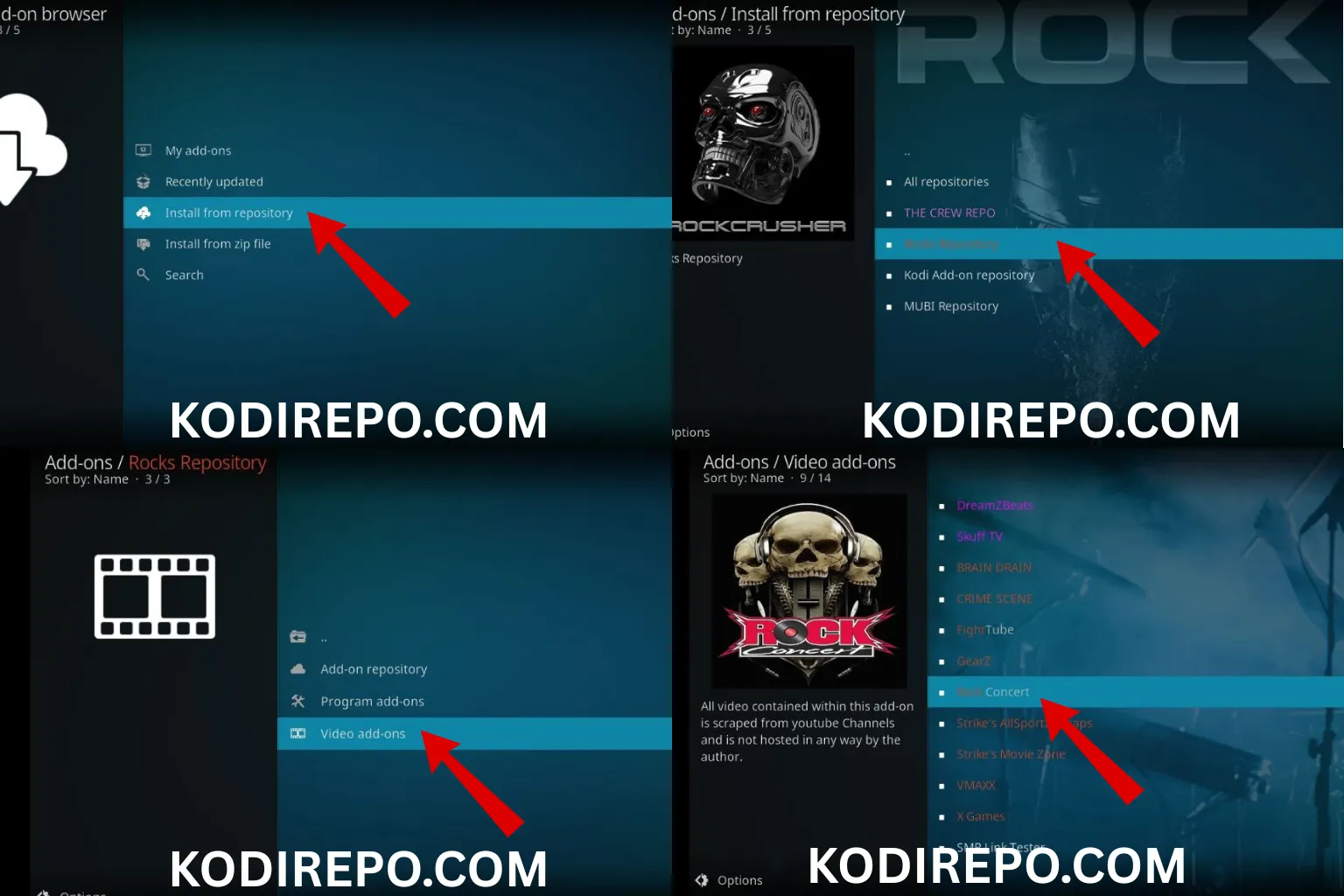
- Go back to the home screen and select Add-ons.
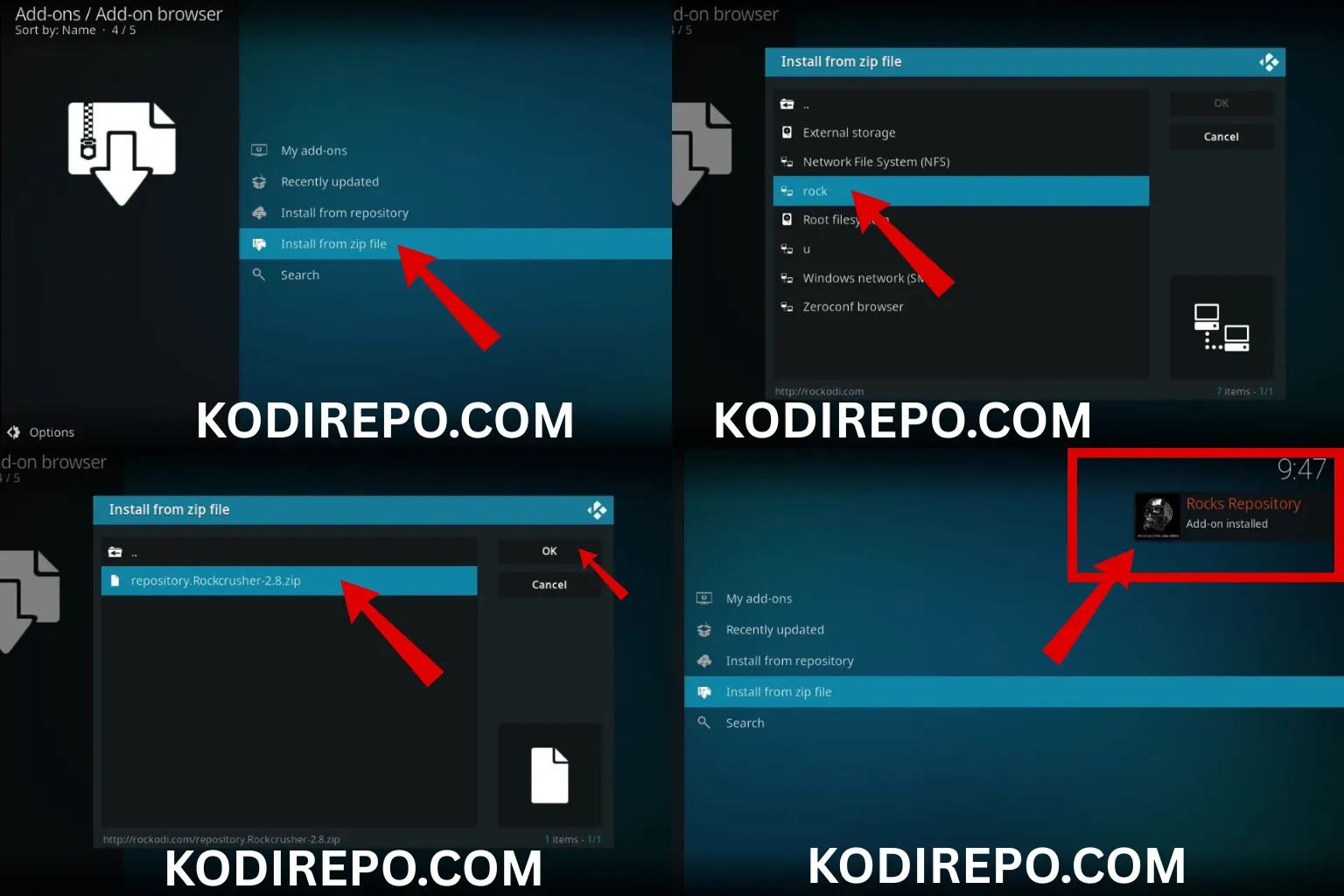
- Click the Package Installer icon (top-left corner).
- Choose Install from zip file > select the source you added > install the repository zip file.
- Once installed, go to Install from repository > select the Supreme Builds repo > Program Add-ons > Supreme Builds Wizard.
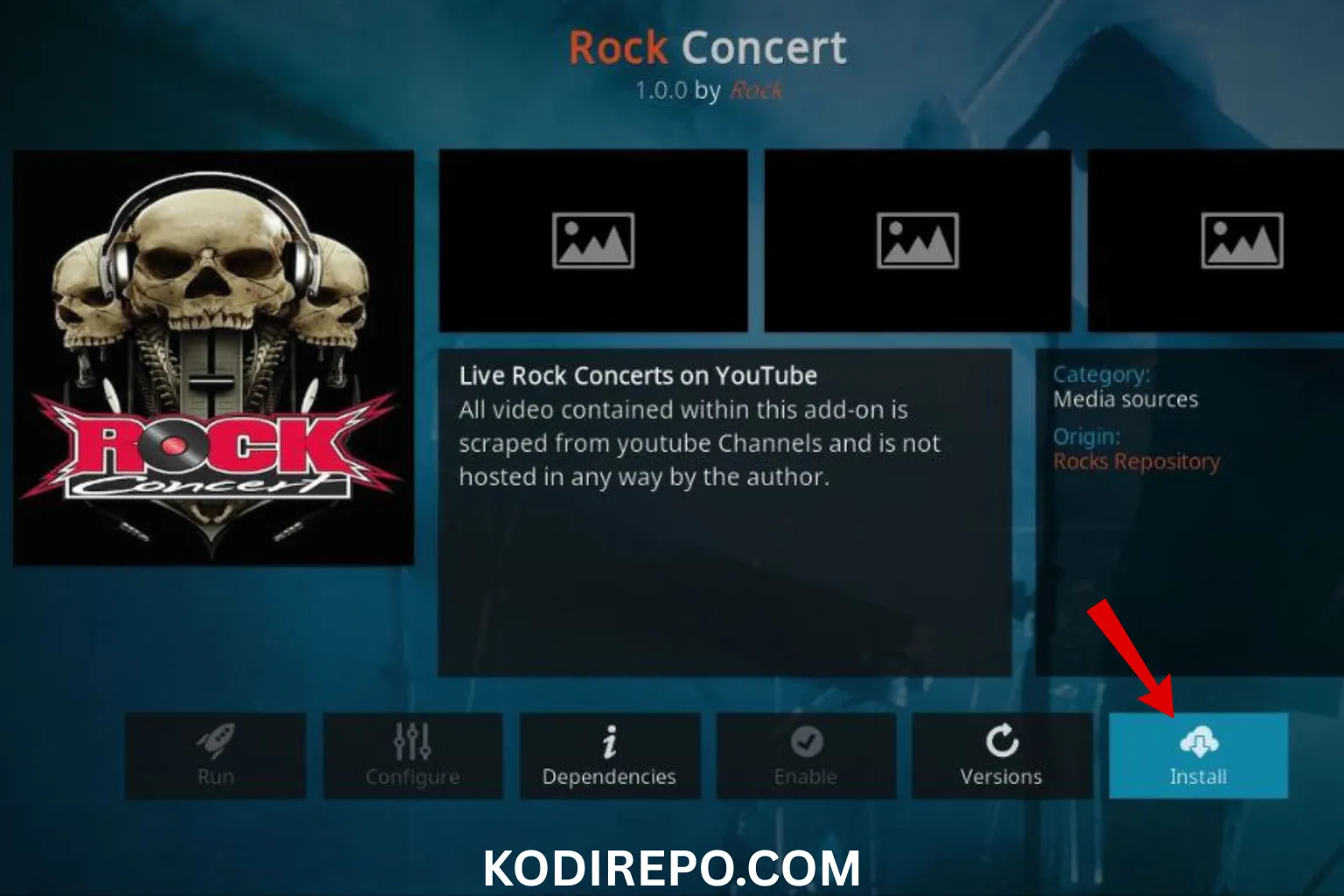
- Install the wizard add-on.
Step 3: Install the Ultimate Latino Build
- Open the Supreme Builds Wizard from the Add-ons menu.
- Select Build Menu or Build Installer.
- Scroll down and look for Ultimate Latino Build in the list.
- Click on it and choose Standard Install (Fresh Install is recommended for a clean setup).
- A prompt will appear asking you to Force Close Kodi—click Yes.
- Kodi will download and install the build automatically.
Step 4: Launch and Enjoy
Once the installation is complete, Kodi will restart with the new build. You’ll see a fresh interface with Latino-themed menus, live TV, movies, series, and more—all ready to use.
Top Features of Kodi Ultimate Latino Build
Here are some of the standout features that make this build a favorite among Latino Kodi users:
- Live TV: Access to Spanish and Latin American channels
- Movies & Series: Extensive library of on-demand content
- Sports: Live sports coverage including soccer, boxing, and more
- User-Friendly Interface: Easy navigation and organized menus
- Regular Updates: Keeps addons and streams up to date
Troubleshooting Common Issues
If you run into problems during or after installation, here are some quick fixes:
- Build won’t install: Check your internet connection and try again.
- Addons not working: Clear cache or update the build.
- Kodi crashes: Restart Kodi or reinstall the build.
- Missing content: Some addons may require additional configuration or login.
Conclusion
Installing the Kodi Ultimate Latino Build is a great way to enjoy a rich, Latino-focused media experience without the hassle of manual setup. With its wide range of content and easy-to-use interface, it’s perfect for both beginners and seasoned Kodi users.
Just remember to use a VPN for privacy, download builds from trusted sources, and keep your Kodi installation updated for the best experience.
Now that you know how to install Kodi Ultimate Latino Build in Kodi, you’re ready to dive into a world of entertainment tailored just for you. Happy streaming!






