Drag the slider to adjust text size.
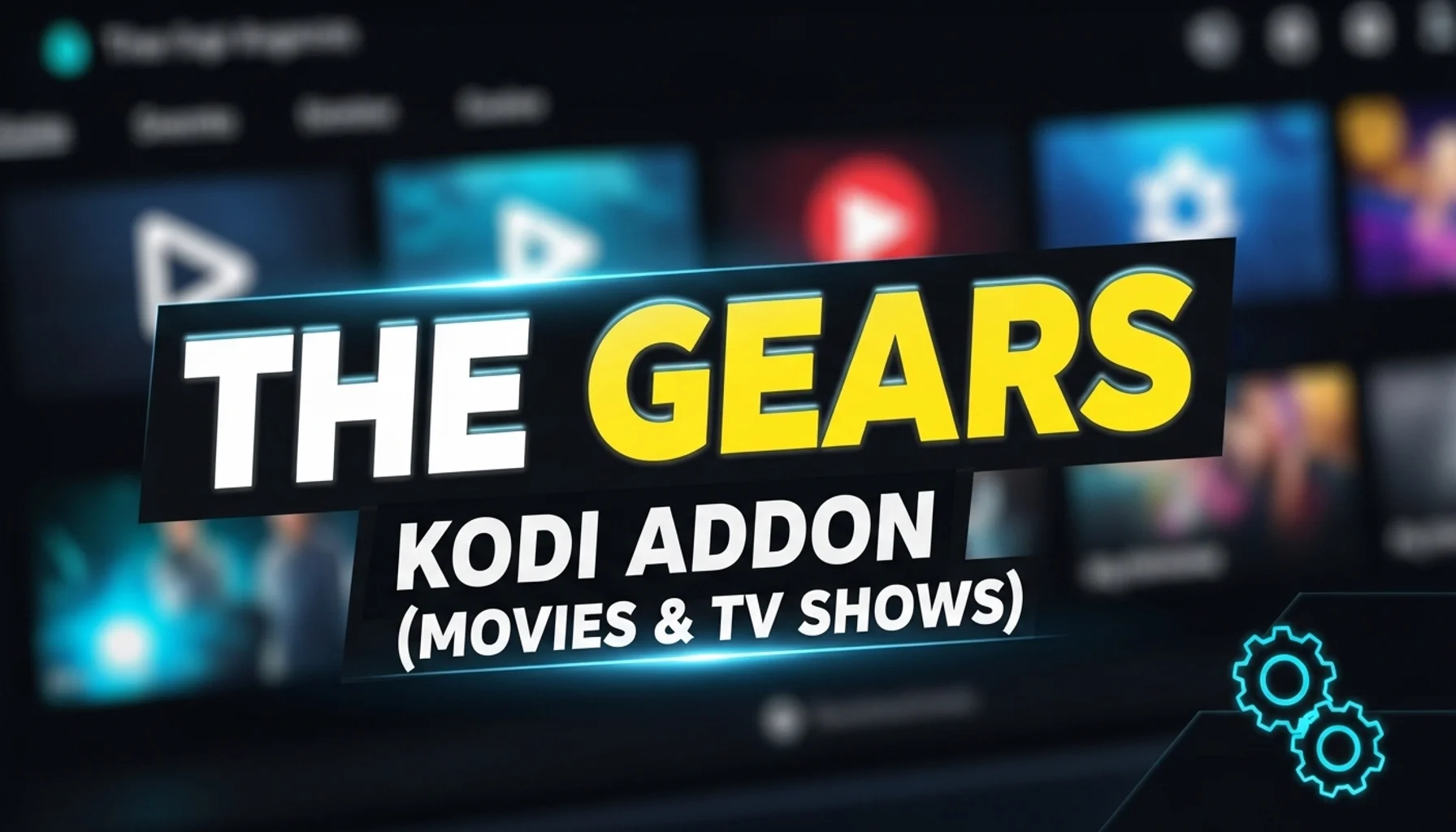
The Gears Kodi Addon is a popular choice among streaming enthusiasts looking for a reliable source of movies and TV shows. With its user-friendly interface and extensive library, it has quickly become a favorite in the Kodi community. Whether you’re a beginner or an experienced user, understanding how to install and use the Gears Kodi Addon can significantly enhance your streaming experience.
🔒 Protect Your Kodi Streaming
Avoid ISP tracking and stream Kodi safely using one of the fastest and most trusted VPN services.
✔ Works with Kodi & Firestick
✔ No Logs Privacy Protection
✔ 30-Day Money Back Guarantee
Recommended for safe and private Kodi streaming
What is the Gears Kodi Addon?
The Gears Kodi Addon is a third-party add-on designed to provide users with access to a vast collection of movies and TV shows. Unlike official add-ons, Gears operates independently, offering content from various sources across the web. This makes it a versatile option for those who want to explore a wide range of entertainment without being limited to mainstream platforms.
Key Features of the Gears Kodi Addon
- Extensive Library: Offers thousands of movies and TV shows across multiple genres.
- High-Quality Streams: Provides links to HD and even 4K content where available.
- User-Friendly Interface: Easy to navigate, even for beginners.
- Regular Updates: The add-on is frequently updated to ensure smooth performance and access to the latest content.
- Search Functionality: Allows users to quickly find specific titles or browse by category.
How to Install the Gears Kodi Addon
Installing the Gears Kodi Addon is a straightforward process, but it requires enabling third-party add-ons in Kodi. Here’s a step-by-step guide:
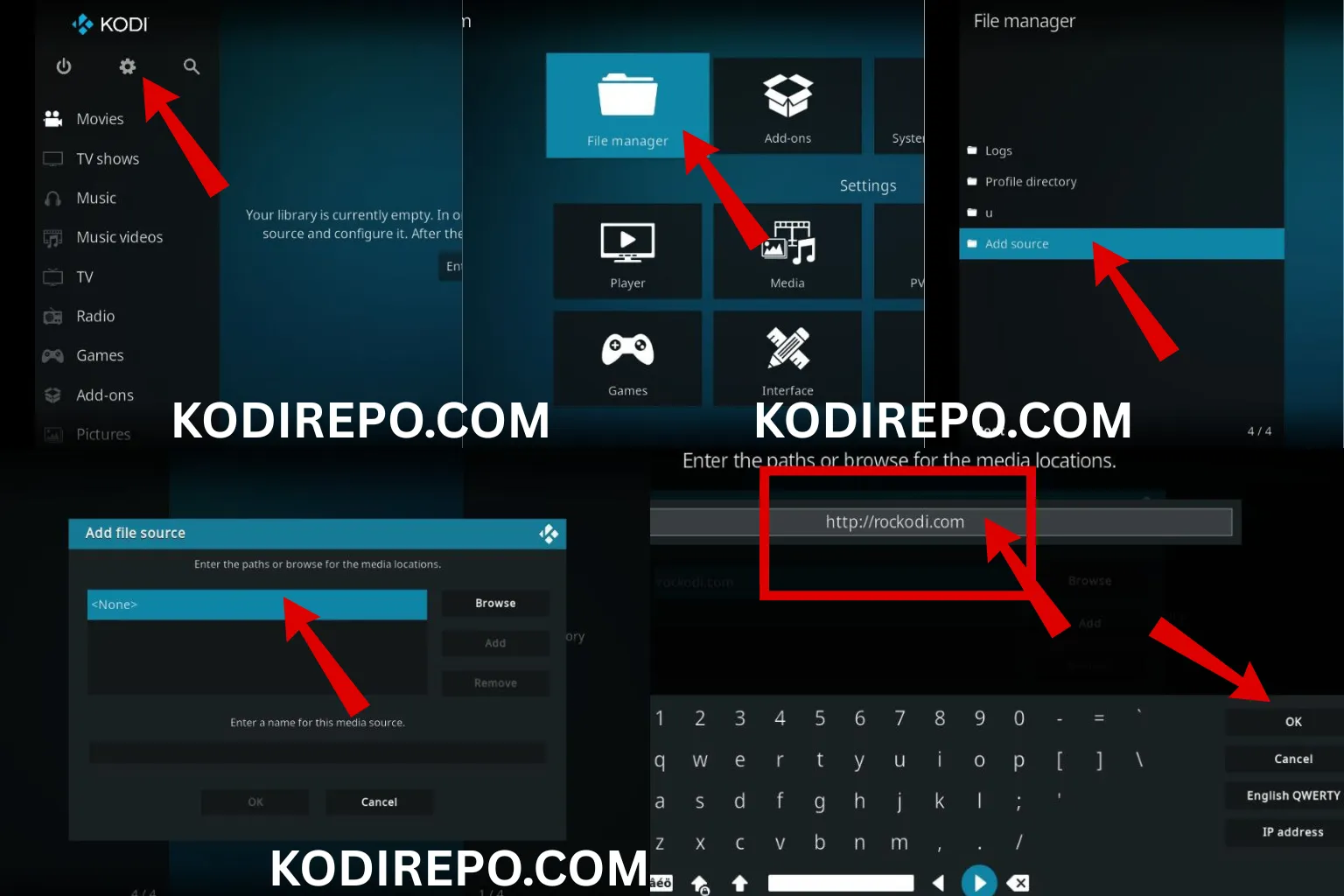
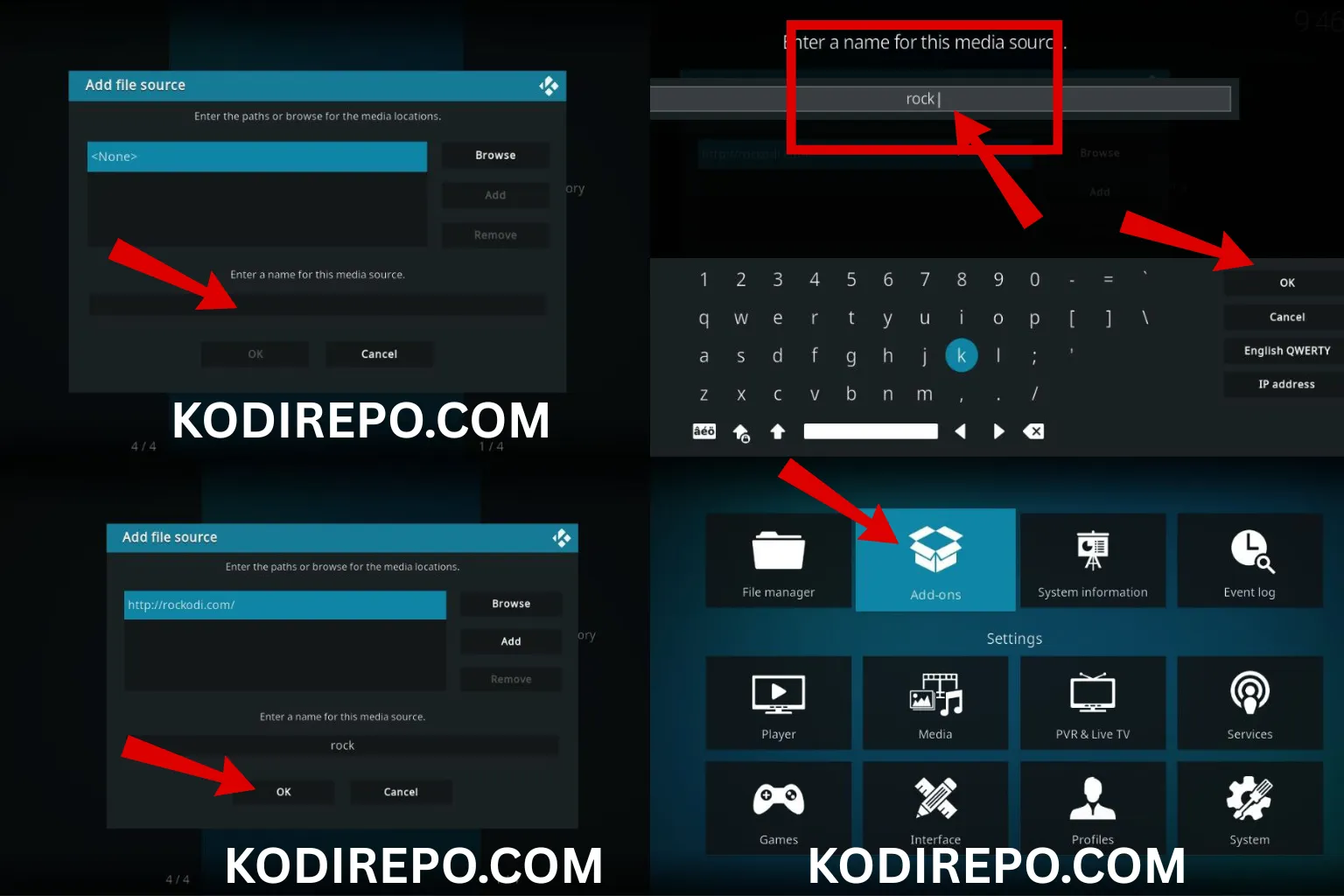
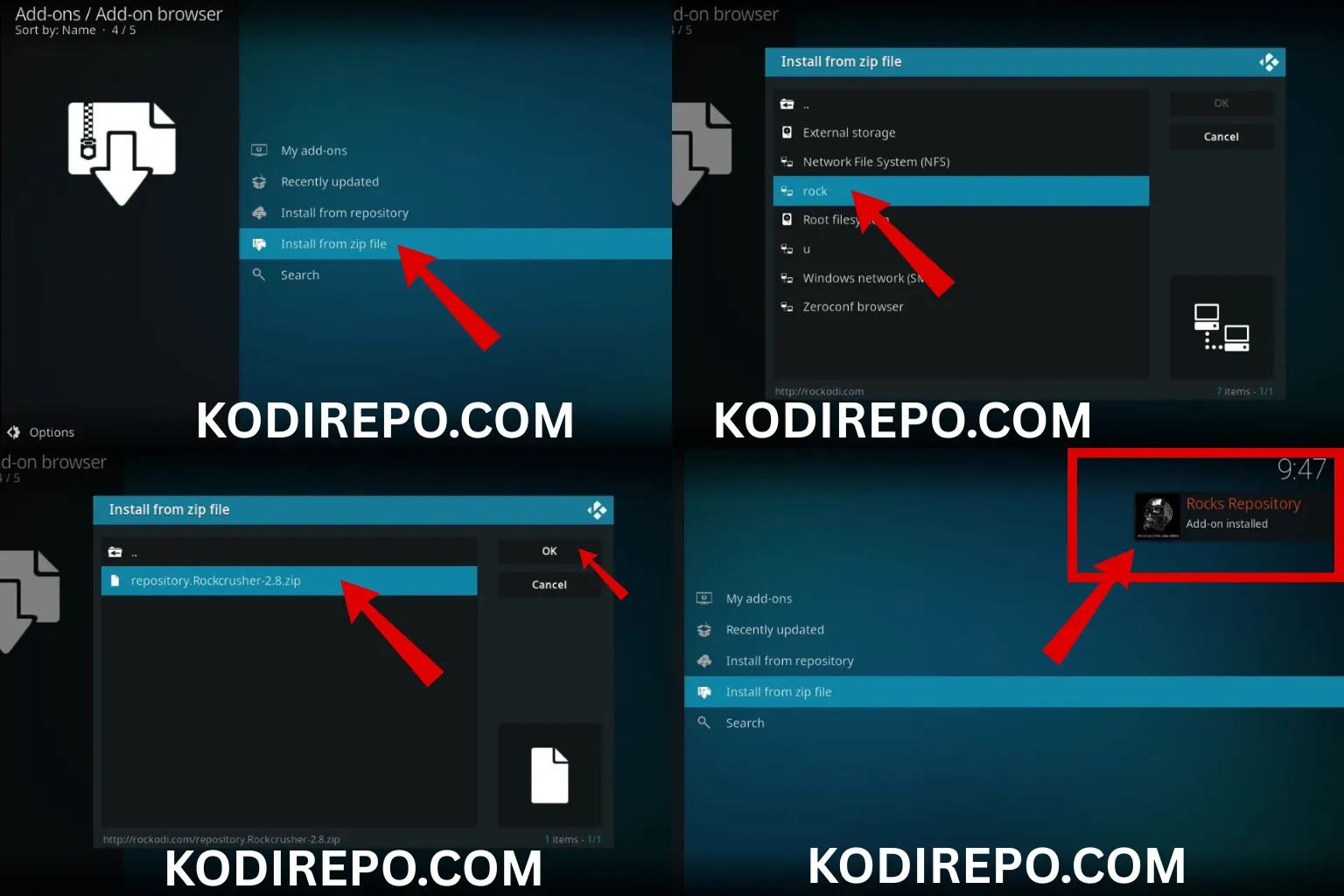
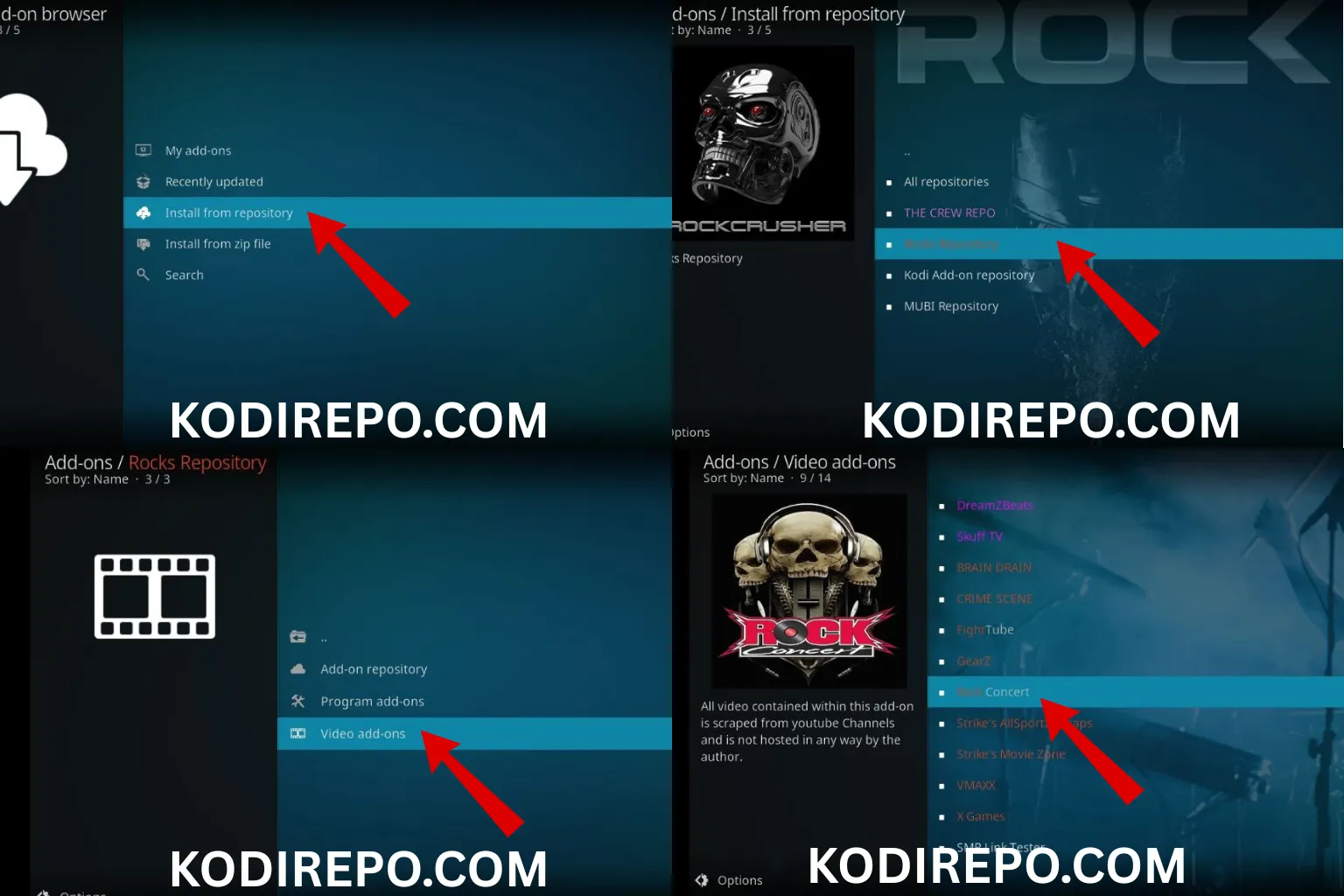
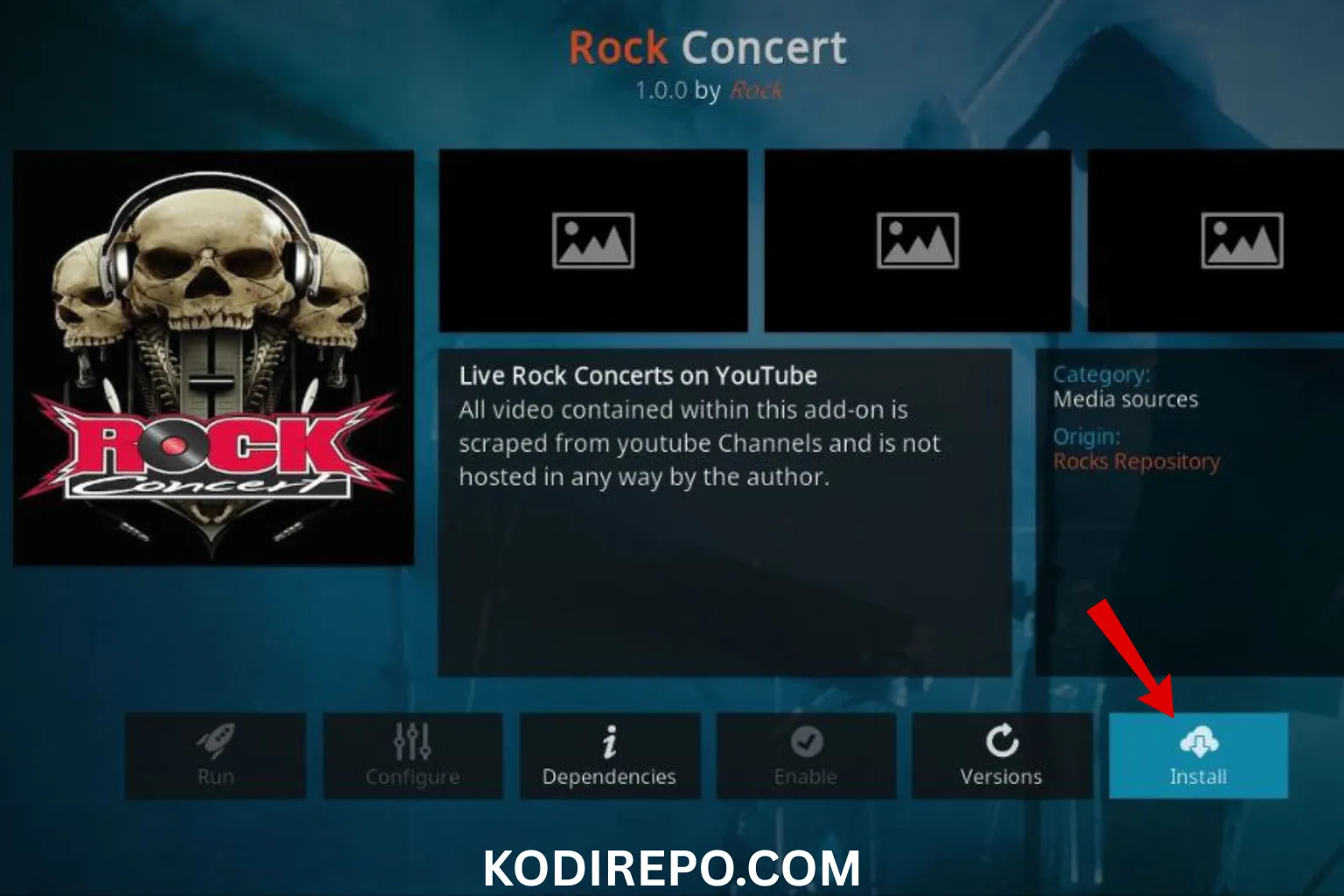
⚠️ WARNING: Before installing this Kodi addon, it is strongly recommended to use a VPN to protect your privacy while streaming.
👉 Get 76% NordVPN Deal- Enable Unknown Sources: Go to Kodi Settings > System Settings > Add-ons, and toggle on “Unknown Sources.”
- Install a File Manager: Navigate to the File Manager and add the source URL for the Gears repository.
- Download the Repository: Return to the home screen, select “Add-ons,” and choose “Install from zip file.” ( https://unhingedthemes.github.io )
- Install the Addon: Once the repository is installed, go to “Install from repository” and select the Gears Addon.
- Launch and Enjoy: After installation, you can access the Gears Addon from the Add-ons menu.
Is the Gears Kodi Addon Safe and Legal?
As with any third-party Kodi add-on, the legality and safety of the Gears Kodi Addon depend on how it is used. While the add-on itself is not illegal, streaming copyrighted content without proper authorization may violate laws in some regions. To ensure safe and legal streaming, consider using a VPN to protect your privacy and avoid potential legal issues.
Tips for Optimizing Your Gears Kodi Experience
- Use a VPN: Protect your online activity and access geo-restricted content.
- Clear Cache Regularly: This helps maintain smooth performance and prevents buffering.
- Keep Kodi Updated: Ensure you’re using the latest version of Kodi for compatibility with add-ons.
- Explore Categories: Take advantage of the add-on’s categorization to discover new content.
Troubleshooting Common Issues
If you encounter issues while using the Gears Kodi Addon, here are some quick fixes:
- Buffering: Check your internet connection or switch to a lower-quality stream.
- Add-on Not Loading: Clear the cache or reinstall the add-on.
- Broken Links: Try alternative sources or wait for the add-on to update its links.
Alternatives to the Gears Kodi Addon
If the Gears Kodi Addon doesn’t meet your needs, consider these alternatives:
- Exodus Redux: Another popular add-on with a vast library of content.
- The Crew: Offers movies, TV shows, and live TV options.
- Seren: Known for its high-quality streams and integration with premium services.
Conclusion
The Gears Kodi Addon is a powerful tool for anyone looking to expand their streaming options. With its extensive library, user-friendly design, and regular updates, it’s a must-try for Kodi users. However, always prioritize safety and legality by using a VPN and avoiding copyrighted content. By following the installation guide and tips provided, you can enjoy a seamless streaming experience with the Gears Kodi Addon.