Drag the slider to adjust text size.
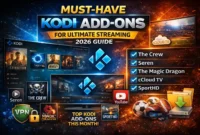
Kodi has long been a favorite among cord-cutters, offering a versatile media center that can be customized with addons to stream movies, shows, and—most importantly—live television. As streaming technology evolves, so do the addons available for Kodi, making it easier than ever to access live TV channels from around the world. In this guide, we’ll explore the 13 best live TV addons for Kodi in 2026, ensuring you can enjoy seamless, high-quality live TV streaming.
🔒 Protect Your Kodi Streaming
Avoid ISP tracking and stream Kodi safely using one of the fastest and most trusted VPN services.
✔ Works with Kodi & Firestick
✔ No Logs Privacy Protection
✔ 30-Day Money Back Guarantee
Recommended for safe and private Kodi streaming
Whether you’re new to Kodi or a seasoned user, these addons cater to a variety of preferences, from sports enthusiasts to news junkies. Let’s dive into the top picks and how they can enhance your Kodi experience.
Why Use Kodi for Live TV Streaming?
Kodi is a free, open-source media player that supports a wide range of devices, including Windows, macOS, Android, and Linux. Its flexibility and customization options make it a go-to platform for streaming live TV. By installing the right addons, you can access thousands of live channels, including sports, news, entertainment, and international content.
However, with so many addons available, it’s essential to choose reliable and up-to-date options. Below, we’ve compiled a list of the best live TV addons for Kodi in 2026, ensuring you get the most out of your streaming experience.
13 Best Live TV Addons for Kodi in 2026
1️⃣ PVR IPTV Simple Client
This is the most popular live TV addon for Kodi. It works with M3U playlist URLs from IPTV providers and integrates directly into Kodi’s Live TV section, making it perfect for organized channel viewing with EPG support.
2️⃣ Samsung TV Plus
A free live TV addon offering a wide variety of international news, movie, and entertainment channels. It’s simple to use and provides reliable free streams without needing a subscription.
3️⃣ Pluto TV
Pluto TV delivers hundreds of free live channels, including movies, sports, reality TV, and news. It’s one of the best legal free streaming options available inside Kodi.
4️⃣ The Crew
The Crew is an all-in-one Kodi addon that includes movies, TV shows, sports, and a dedicated Live TV/IPTV section. It’s regularly updated and very popular among Kodi users.
5️⃣ Plex Live
This addon connects to Plex’s live TV service, offering free channels and streaming content. It works best if you already use Plex.
6️⃣ Roku
Provides access to free Roku live channels through Kodi. It includes news, sports, and entertainment categories.
7️⃣ PBS Live
A great option for watching PBS live broadcasts, educational content, and documentaries directly from Kodi.
8️⃣ cCloud TV
A community-powered live TV addon featuring international channels from various countries. Channel availability may vary over time.
9️⃣ Sport365Live
Mainly focused on live sports streams, this addon provides access to ongoing matches and sporting events worldwide.
🔟 YouTube
The official YouTube addon allows access to live YouTube broadcasts, including news channels, gaming streams, and global live events.
1️⃣1️⃣ IPTV AU
An IPTV-based addon offering categorized live channels. It works well for users looking for structured TV channel lists.
1️⃣2️⃣ Ghost
Ghost includes live TV sections along with movies and TV shows, making it another versatile streaming option.
1️⃣3️⃣ Halcyon
Halcyon offers a mix of live TV and on-demand content, providing an easy-to-navigate streaming experience.
How to Install Live TV Addons on Kodi
Installing live TV addons on Kodi is a straightforward process. Here’s a step-by-step guide:
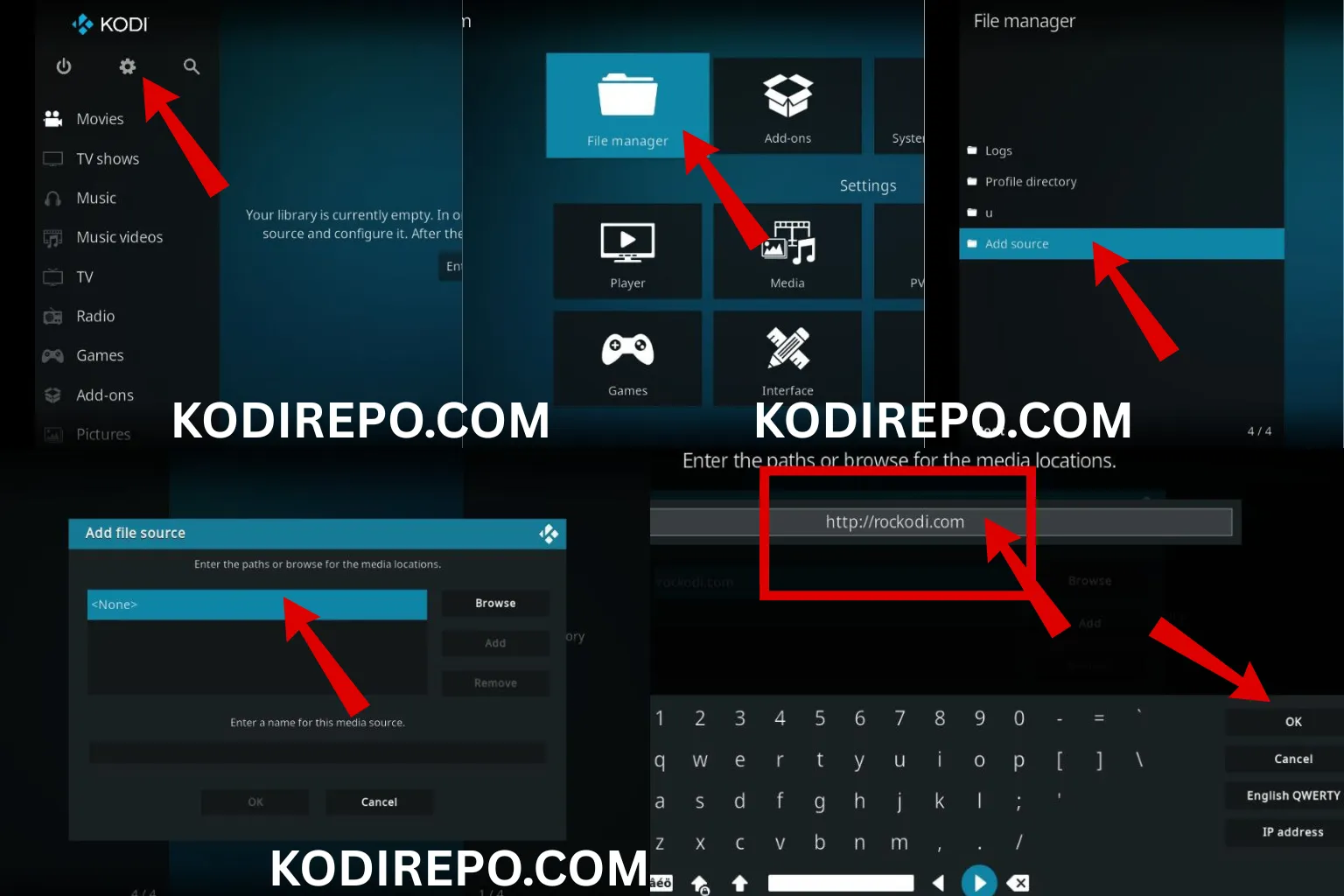
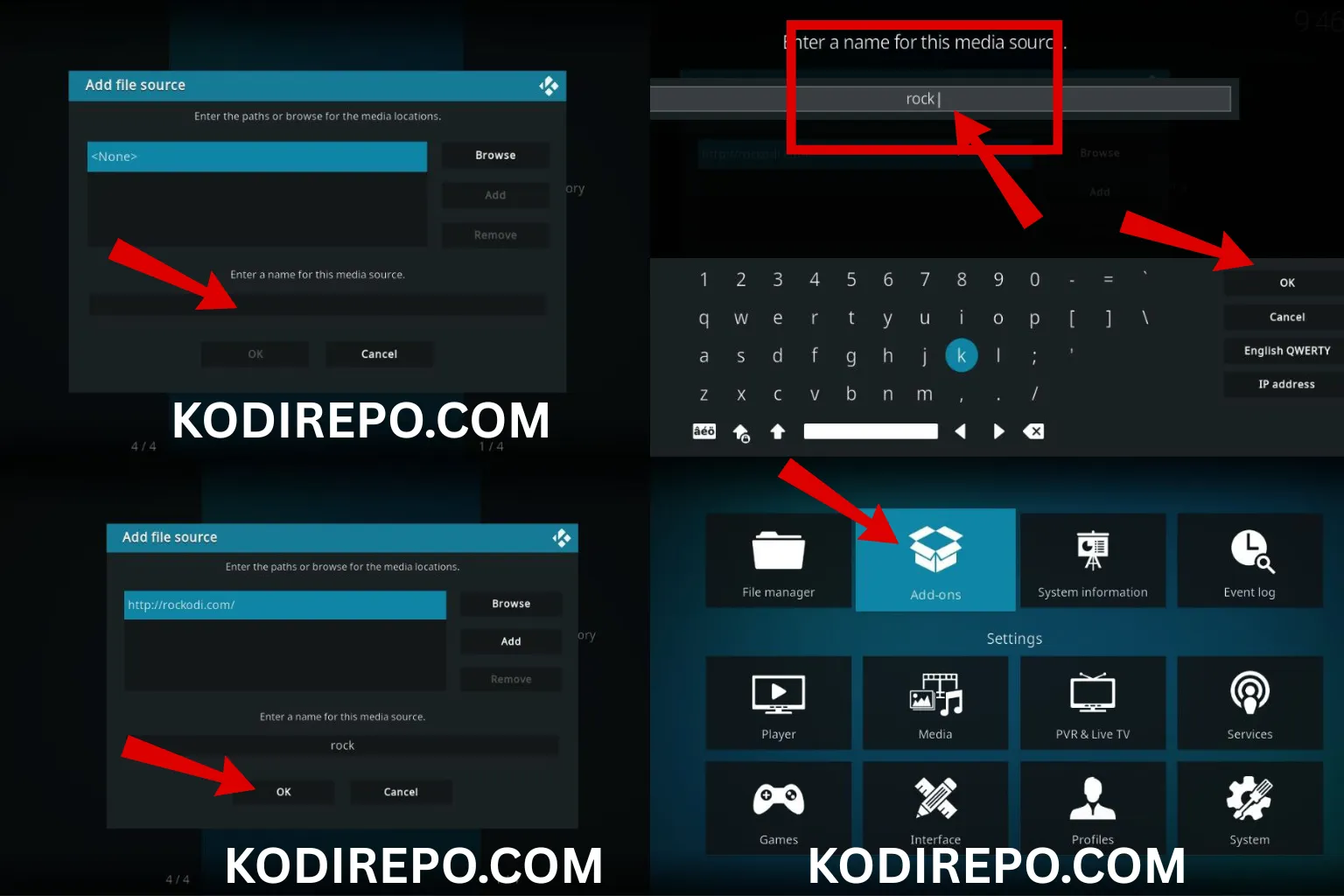
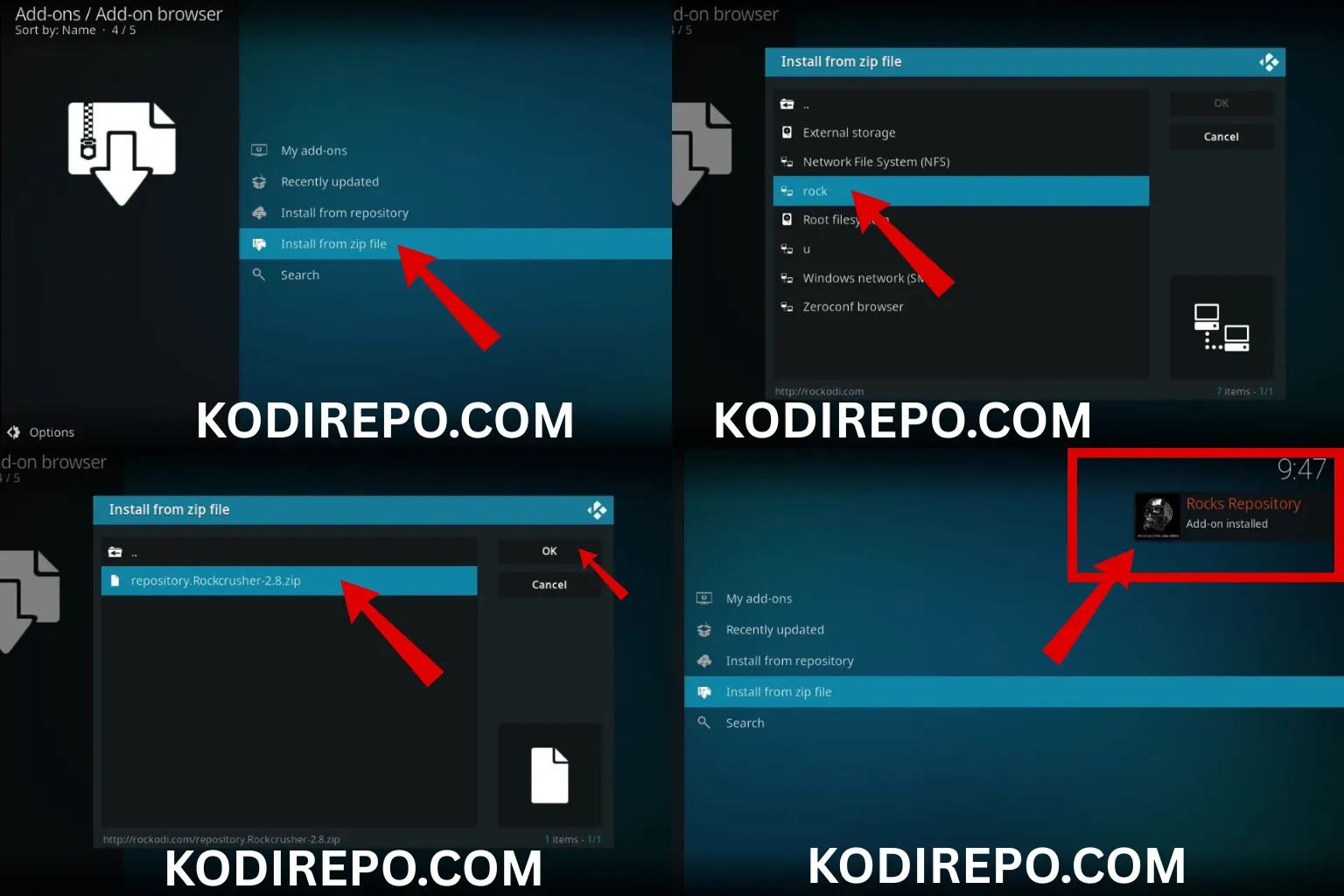
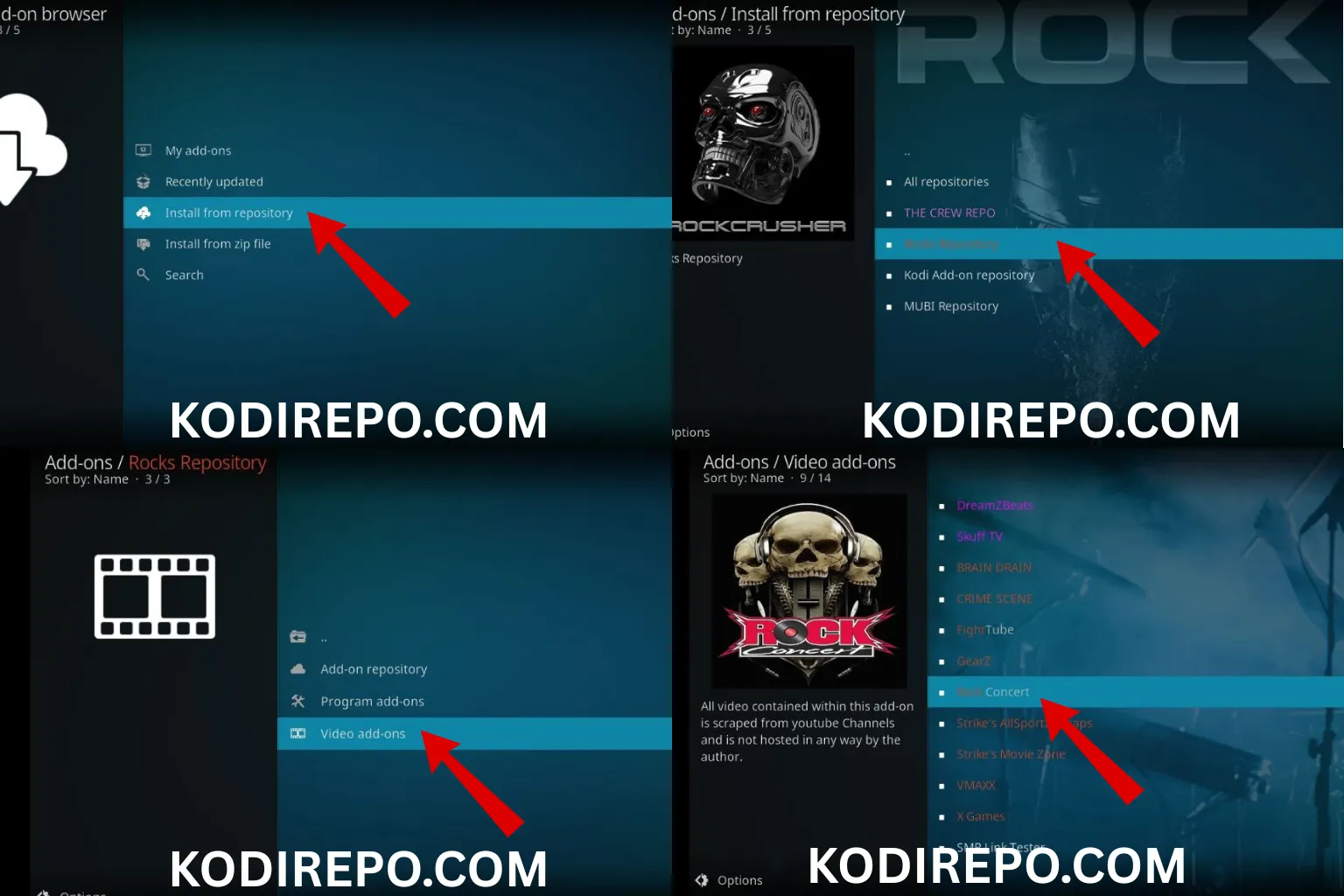
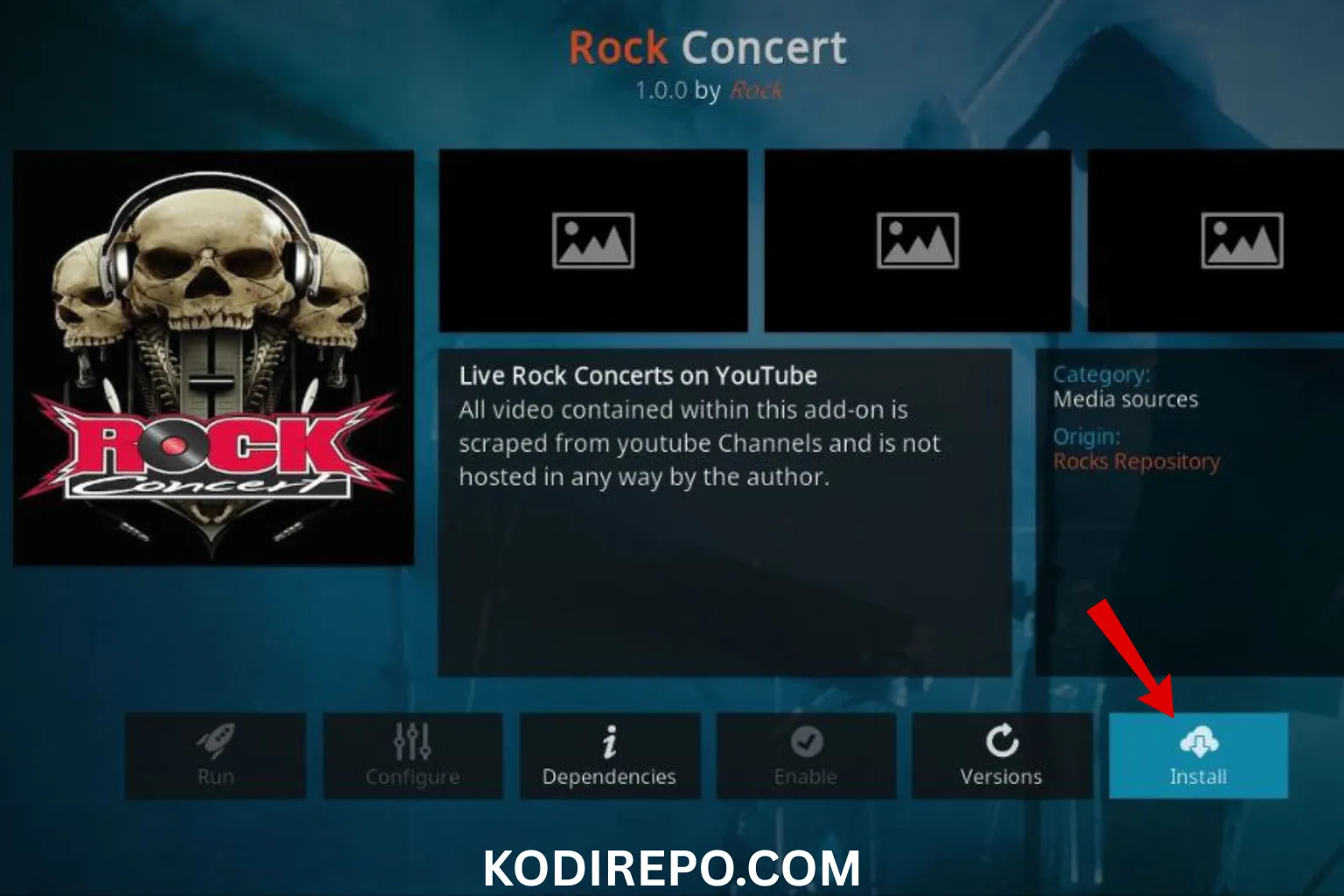
- Open Kodi and navigate to the Settings icon.
- Click on File Manager and then Add Source.
- Enter the URL of the repository where the addon is hosted.
- Return to the Home Screen and select Add-ons.
- Click on the Package Installer icon and choose Install from zip file.
- Select the repository you added earlier and install the desired addon.
Tips for Optimizing Your Kodi Live TV Experience
To get the most out of your Kodi live TV addons, consider the following tips:
- Use a VPN: Protect your privacy and access geo-restricted content by using a reliable VPN service.
- Keep Addons Updated: Regularly update your addons to ensure they function properly and include the latest features.
- Optimize Streaming Quality: Adjust Kodi’s settings for optimal streaming quality based on your internet speed.
- Organize Your Channels: Use Kodi’s PVR features to organize and manage your live TV channels effectively.
Conclusion
With the right live TV addons for Kodi, you can transform your media center into a powerful streaming hub. The 13 best live TV addons for Kodi in 2026 listed above offer a diverse range of channels and features, catering to all types of viewers. Whether you’re into sports, news, or international content, these addons ensure you never miss out on your favorite live TV.
By following the installation guide and optimization tips, you’ll be well on your way to enjoying a seamless live TV experience on Kodi. Happy streaming!