Drag the slider to adjust text size.
If you’re looking for a powerful and versatile Kodi addon that can rival the popular Venom addon, the Umbrella Kodi addon is worth your attention. Known as a Venom clone, Umbrella offers a similar interface and content library, making it a favorite among streaming enthusiasts. In this guide, we’ll walk you through the step-by-step process of installing the Umbrella Kodi addon on your FireStick device.
🔒 Protect Your Kodi Streaming
Avoid ISP tracking and stream Kodi safely using one of the fastest and most trusted VPN services.
✔ Works with Kodi & Firestick
✔ No Logs Privacy Protection
✔ 30-Day Money Back Guarantee
Recommended for safe and private Kodi streaming
What is the Umbrella Kodi Addon?
The Umbrella Kodi addon is a third-party streaming addon designed for Kodi that provides access to a wide range of movies, TV shows, live TV, and more. It’s often referred to as a Venom clone because it closely mirrors the Venom addon’s layout, features, and content sources. This makes it an excellent alternative for users who enjoyed Venom but are looking for something fresh or more reliable.
Why Choose Umbrella Kodi Addon?
Before diving into the installation process, let’s explore why the Umbrella Kodi addon stands out:
- Extensive Content Library: Access thousands of movies, TV shows, and live channels.
- User-Friendly Interface: The addon features an intuitive design similar to Venom, making navigation easy.
- High-Quality Streams: Enjoy HD and 4K streaming options for a superior viewing experience.
- Regular Updates: The developers frequently update the addon to ensure smooth performance and fresh content.
Prerequisites for Installation
Before you begin, ensure you have the following:
- A FireStick device with Kodi installed.
- A stable internet connection.
- Enable Unknown Sources in Kodi settings to allow third-party addon installations.
- A reliable VPN (recommended for privacy and security).
Step-by-Step Guide to Install Umbrella Kodi Addon on FireStick
Step 1: Enable Unknown Sources
- Open Kodi on your FireStick.
- Navigate to Settings (gear icon) in the top-left corner.
- Click on System (or Add-ons depending on your Kodi version).
- Select Add-ons from the left menu.
- Toggle on Unknown Sources and confirm the warning message.
Step 2: Install a File Manager
To install the Umbrella addon, you’ll need a file manager like Zentur or Kodistuff Repository.
- Go back to the Kodi home screen.
- Click on Add-ons > Browser (box icon).
- Select Install from repository.
- Choose Kodi Add-on Repository > Program Add-ons > File Manager.
- Click Install and wait for the installation to complete.
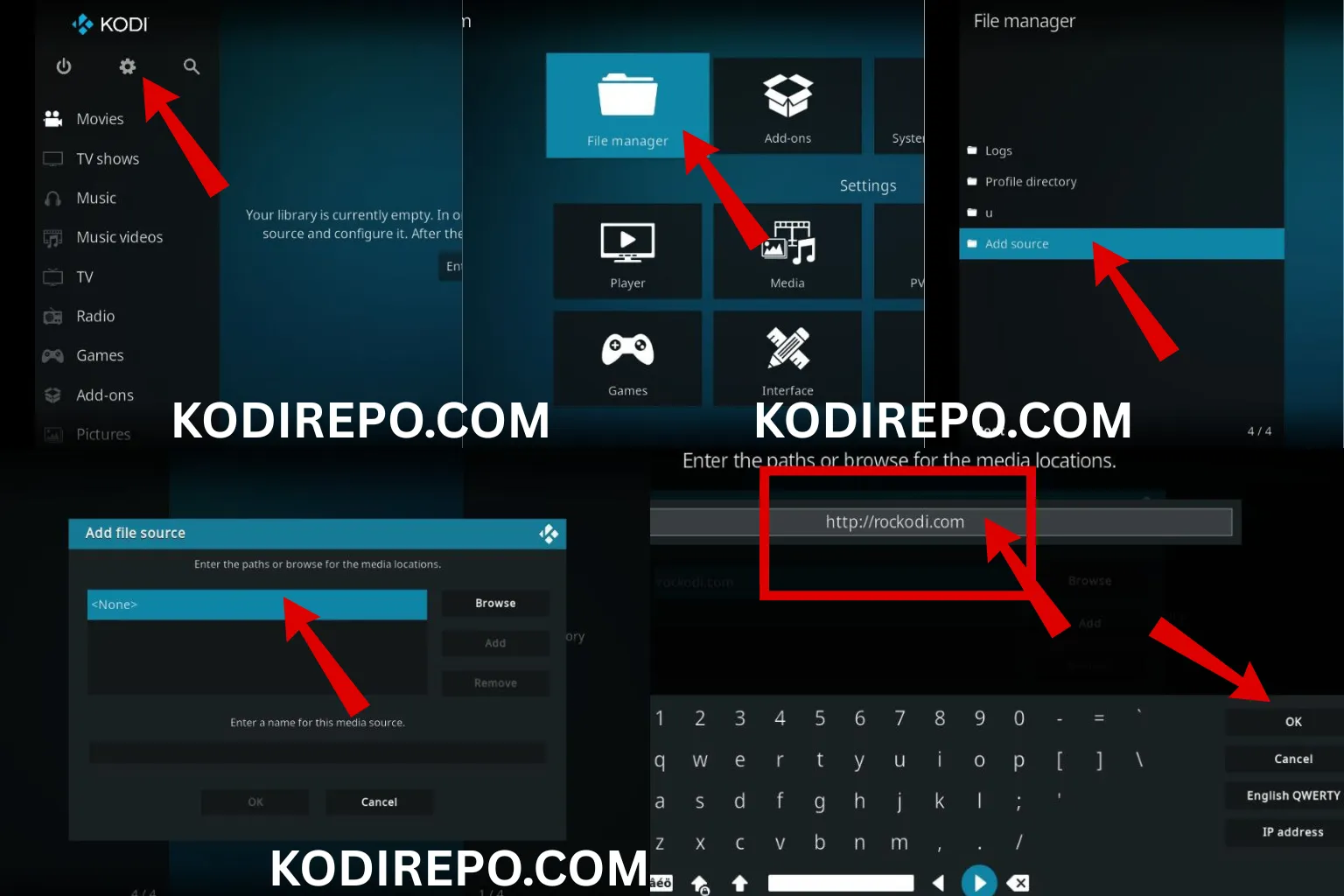
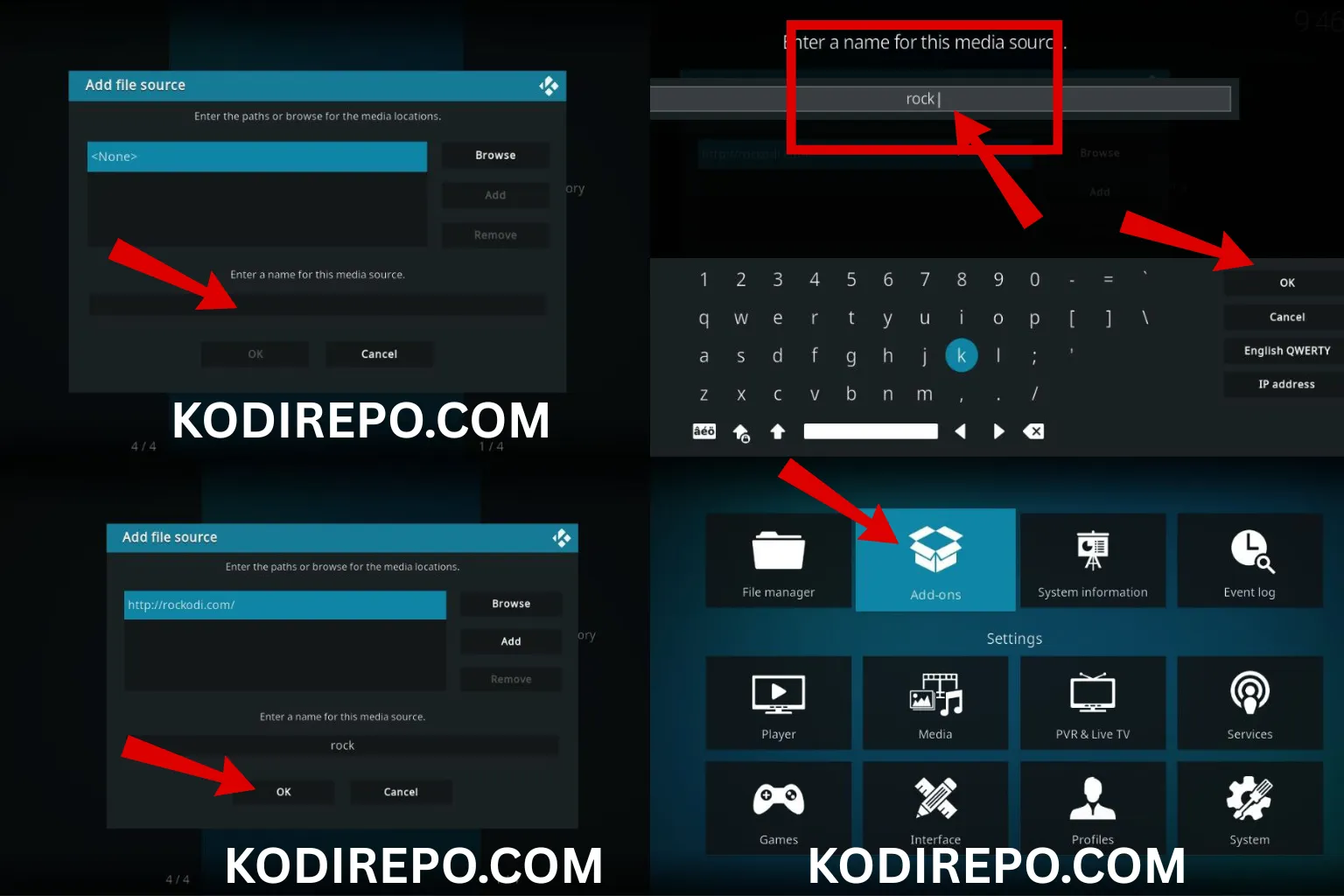
Step 3: Add the Source URL
⚠️ WARNING: Before installing this Kodi addon, it is strongly recommended to use a VPN to protect your privacy while streaming.
👉 Get 76% NordVPN Deal- Open the File Manager you just installed.
- Click on Add Source (plus icon).
- Enter the source URL:
https://umbrellaplug.github.io(or the latest repository URL). - Name the source (e.g., “Umbrella Repo”) and click OK.
Step 4: Install the Umbrella Repository
- Return to the Kodi home screen.
- Click on Add-ons > Browser (box icon).
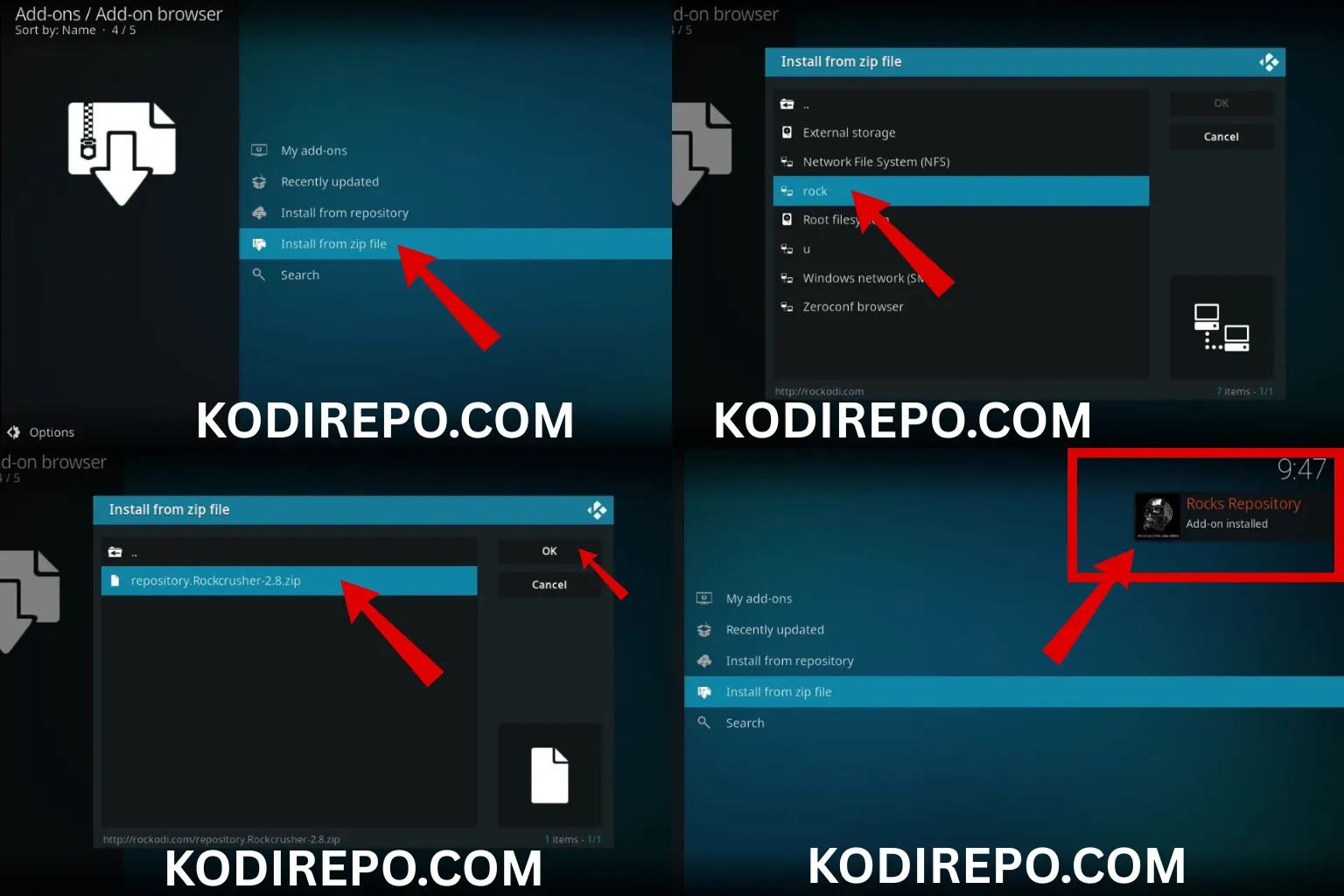
- Select Install from zip file.
- Choose the source you added (e.g., “Umbrella Repo”).
- Select the repository file (e.g.,
repository.umbrella.zip). - Wait for the repository to install.
Step 5: Install the Umbrella Addon
- Go to Add-ons > Browser (box icon).
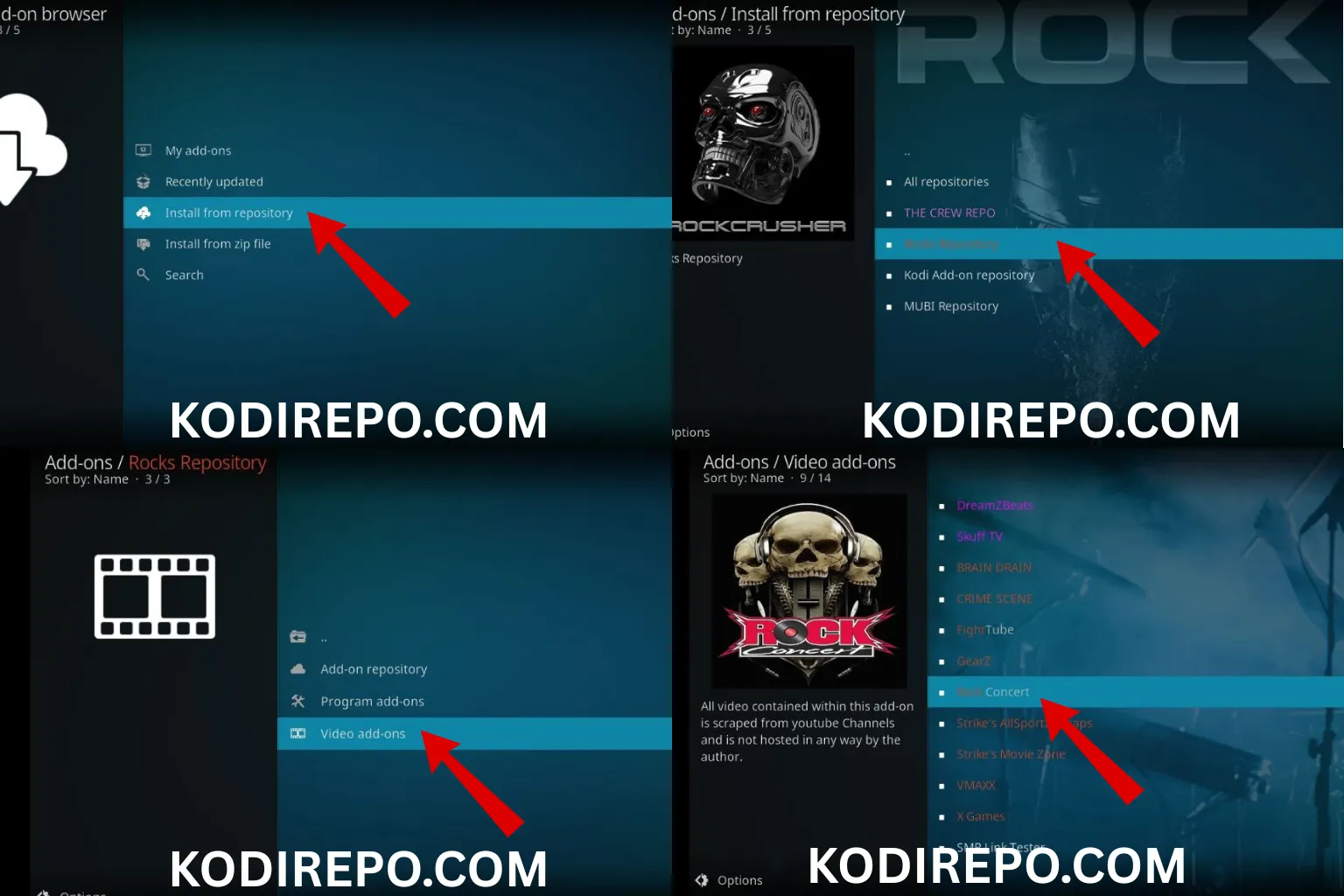
- Select Install from repository.
- Choose Umbrella Repository.
- Click on Video Add-ons > Umbrella.
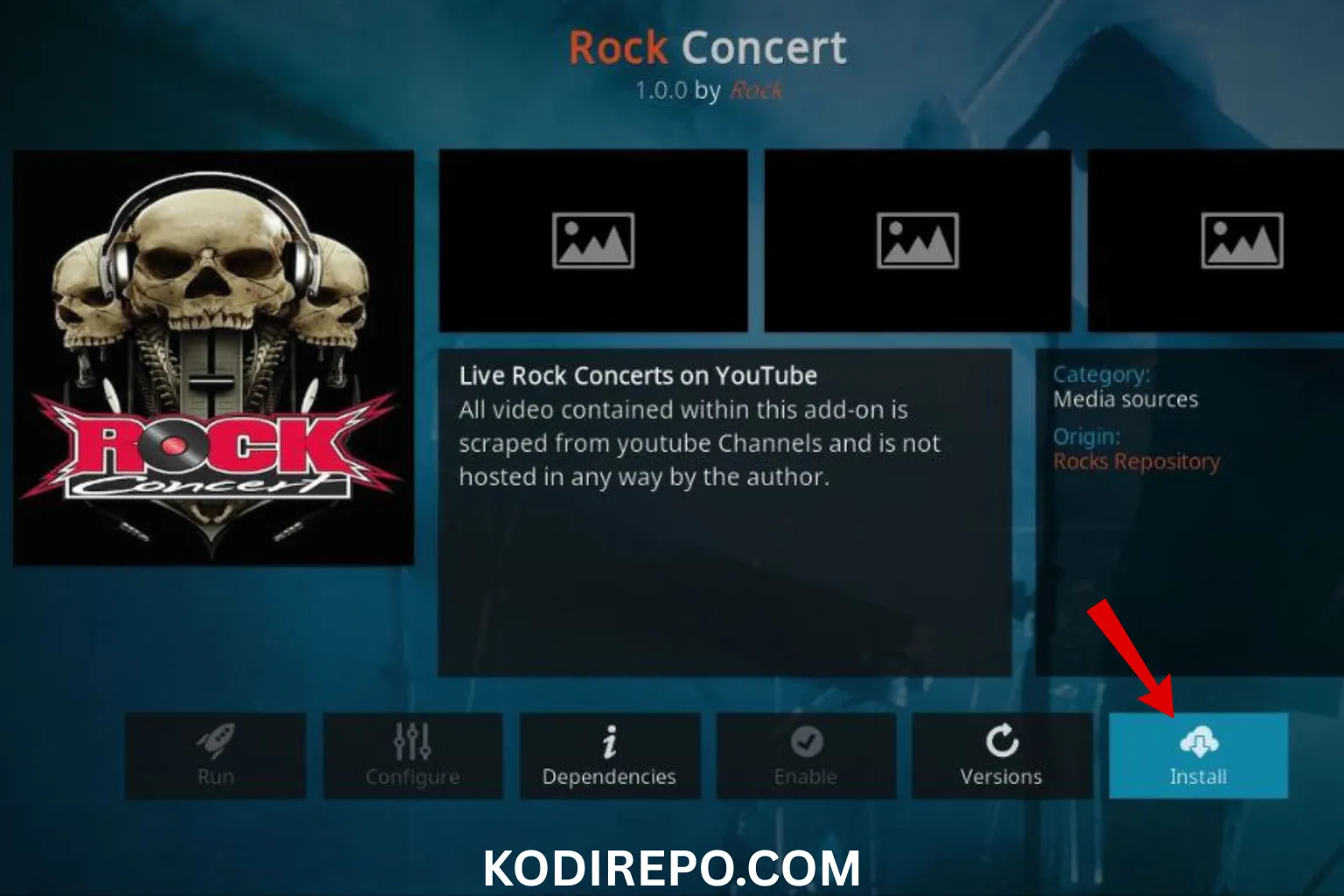
- Select Install and wait for the addon to download and install.
Step 6: Launch the Umbrella Addon
- Once installed, go to Add-ons > Video Add-ons.
- Click on Umbrella to launch the addon.
- Explore the content library and start streaming!
Troubleshooting Common Issues
If you encounter any issues during installation, here are some quick fixes:
- Addon Not Installing: Ensure the source URL is correct and up-to-date.
- Stream Not Loading: Check your internet connection or try a different stream source.
- Addon Crashing: Clear Kodi cache or reinstall the addon.
Is Umbrella Kodi Addon Safe?
While the Umbrella Kodi addon is popular, it’s essential to use a VPN when streaming to protect your privacy. Third-party addons can sometimes access copyrighted content, so a VPN ensures your online activity remains anonymous.
Conclusion
The Umbrella Kodi addon is a fantastic Venom clone that offers a seamless streaming experience on FireStick. By following this guide, you can easily install and enjoy its vast library of movies, TV shows, and live TV. Remember to use a VPN for added security and always stream responsibly.
FAQs
Q: Is Umbrella Kodi Addon free?
A: Yes, the Umbrella Kodi addon is free to install and use.
Q: Can I install Umbrella on other devices?
A: Yes, you can install it on any device that supports Kodi, including Android TV, Windows, and macOS.
Q: Do I need a VPN for Umbrella?
A: While not mandatory, using a VPN is highly recommended for privacy and security.
By following this guide, you’ll have the Umbrella Kodi addon up and running on your FireStick in no time. Happy streaming!