Drag the slider to adjust text size.
Wrestling Rewind is one of the most popular Kodi addons for streaming wrestling content, offering access to classic matches, pay-per-view events, and exclusive wrestling programming. This guide will walk you through the complete installation process step by step.
🔒 Protect Your Kodi Streaming
Avoid ISP tracking and stream Kodi safely using one of the fastest and most trusted VPN services.
✔ Works with Kodi & Firestick
✔ No Logs Privacy Protection
✔ 30-Day Money Back Guarantee
Recommended for safe and private Kodi streaming
What is Wrestling Rewind Addon?
Wrestling Rewind is a third-party Kodi addon that specializes in wrestling content from various promotions including WWE, AEW, NJPW, and independent circuits. The addon provides users with access to archived matches, documentaries, and special events that wrestling fans crave.
Why Use Wrestling Rewind on Kodi?
Kodi users choose Wrestling Rewind for several reasons:
– Extensive library of wrestling content spanning decades
– Regular updates with new matches and events
– High-quality streams with multiple resolution options
– User-friendly interface designed specifically for wrestling fans
– Free access to premium wrestling content
Prerequisites Before Installation
Before installing Wrestling Rewind, ensure you have:
– Kodi installed on your device (Windows, Mac, Android, or Firestick)
– Unknown Sources enabled in Kodi settings
– A stable internet connection for downloading and streaming
– Sufficient storage space for the addon
Step-by-Step Installation Guide
Step 1: Enable Unknown Sources
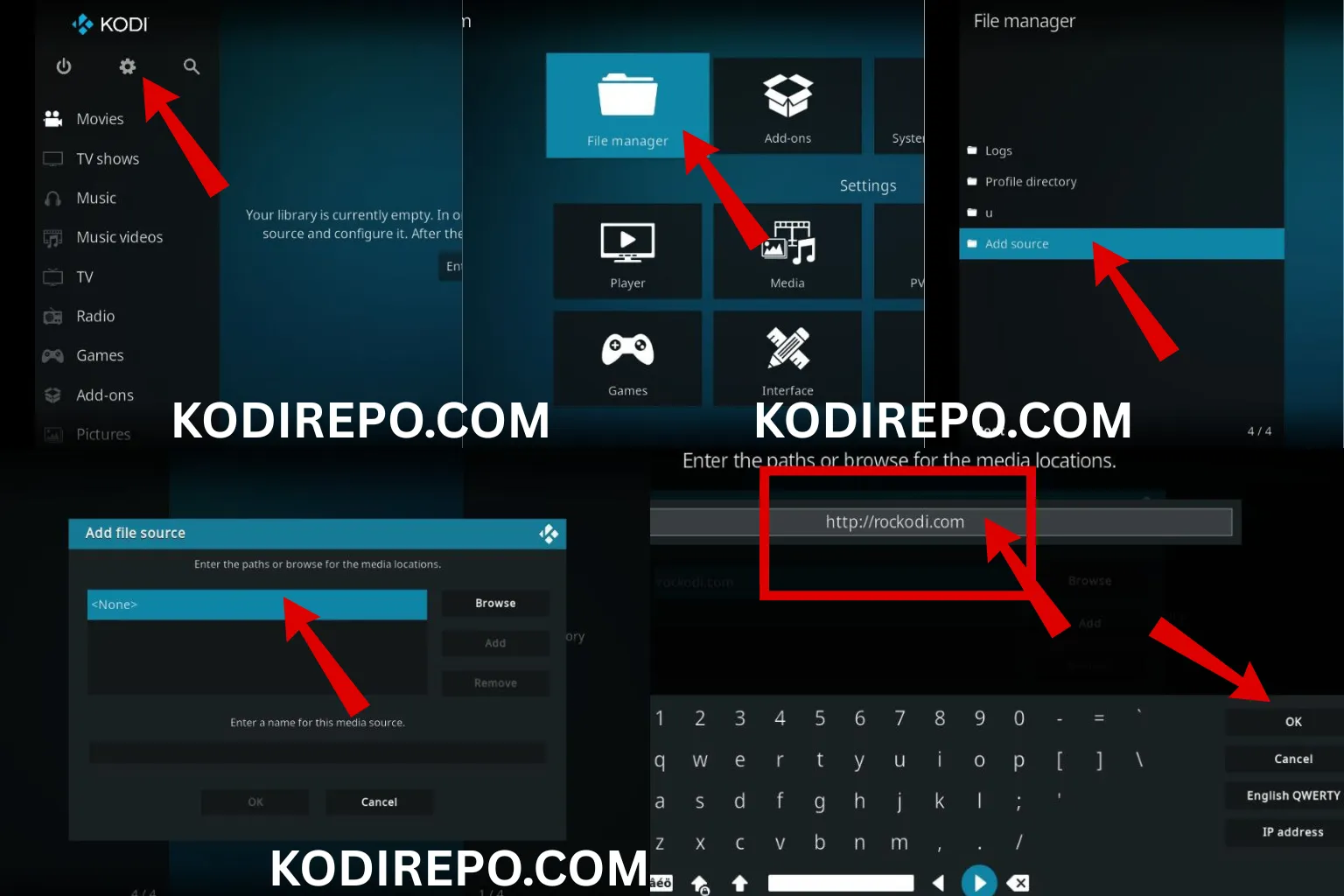
Navigate to Kodi settings and enable installation from unknown sources. This allows you to install third-party addons like Wrestling Rewind.
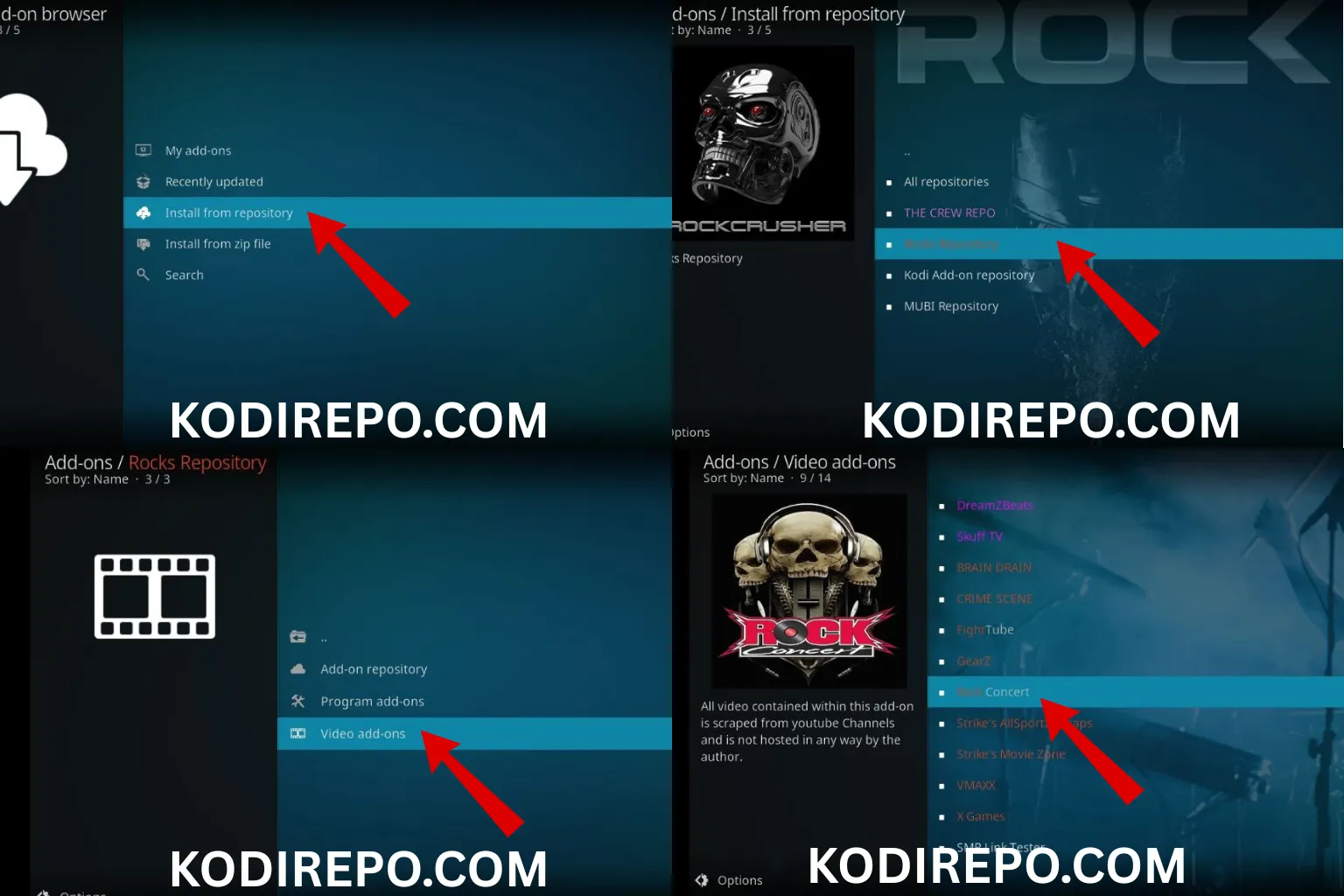
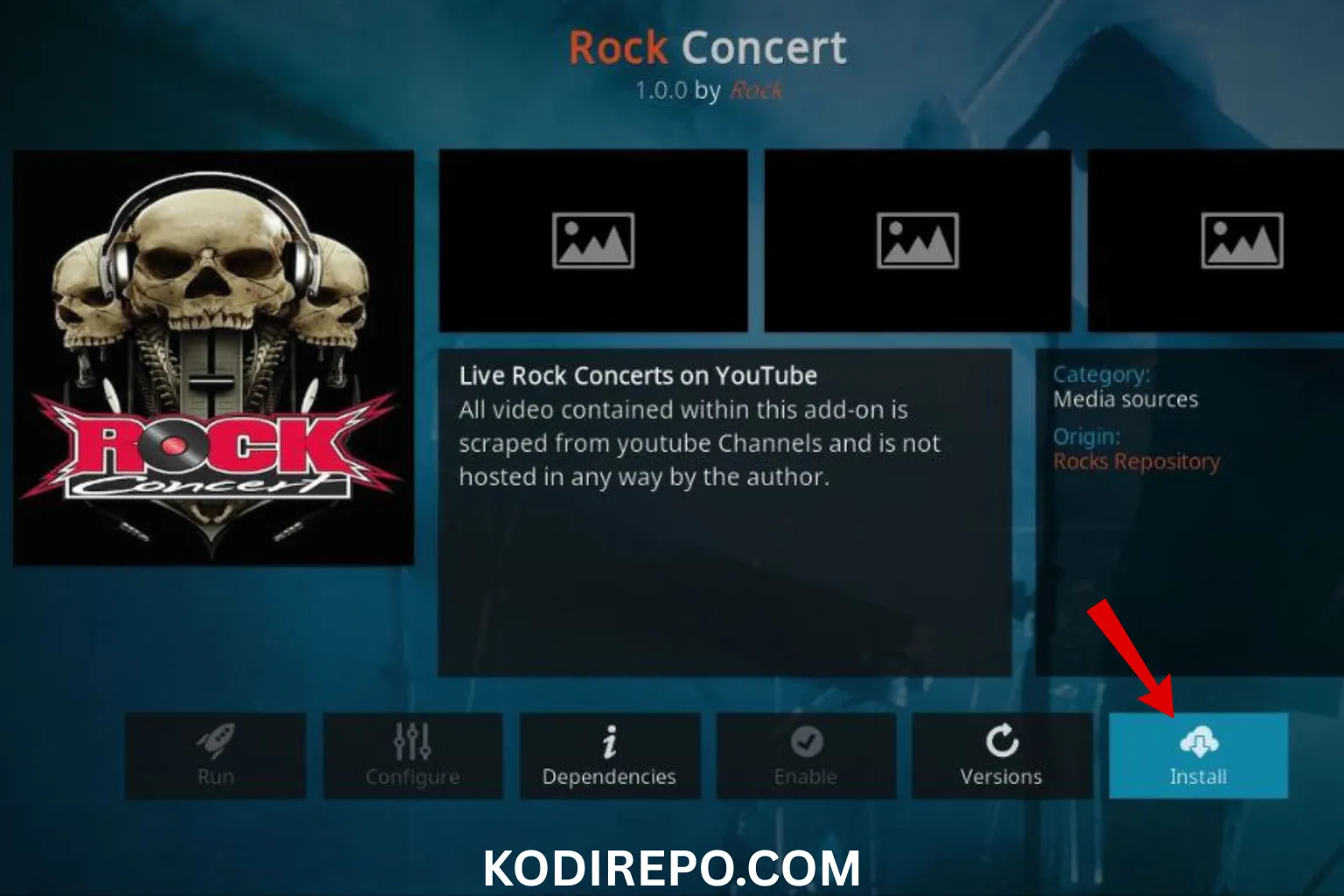
Step 2: Add the Source Repository
⚠️ WARNING: Before installing this Kodi addon, it is strongly recommended to use a VPN to protect your privacy while streaming.
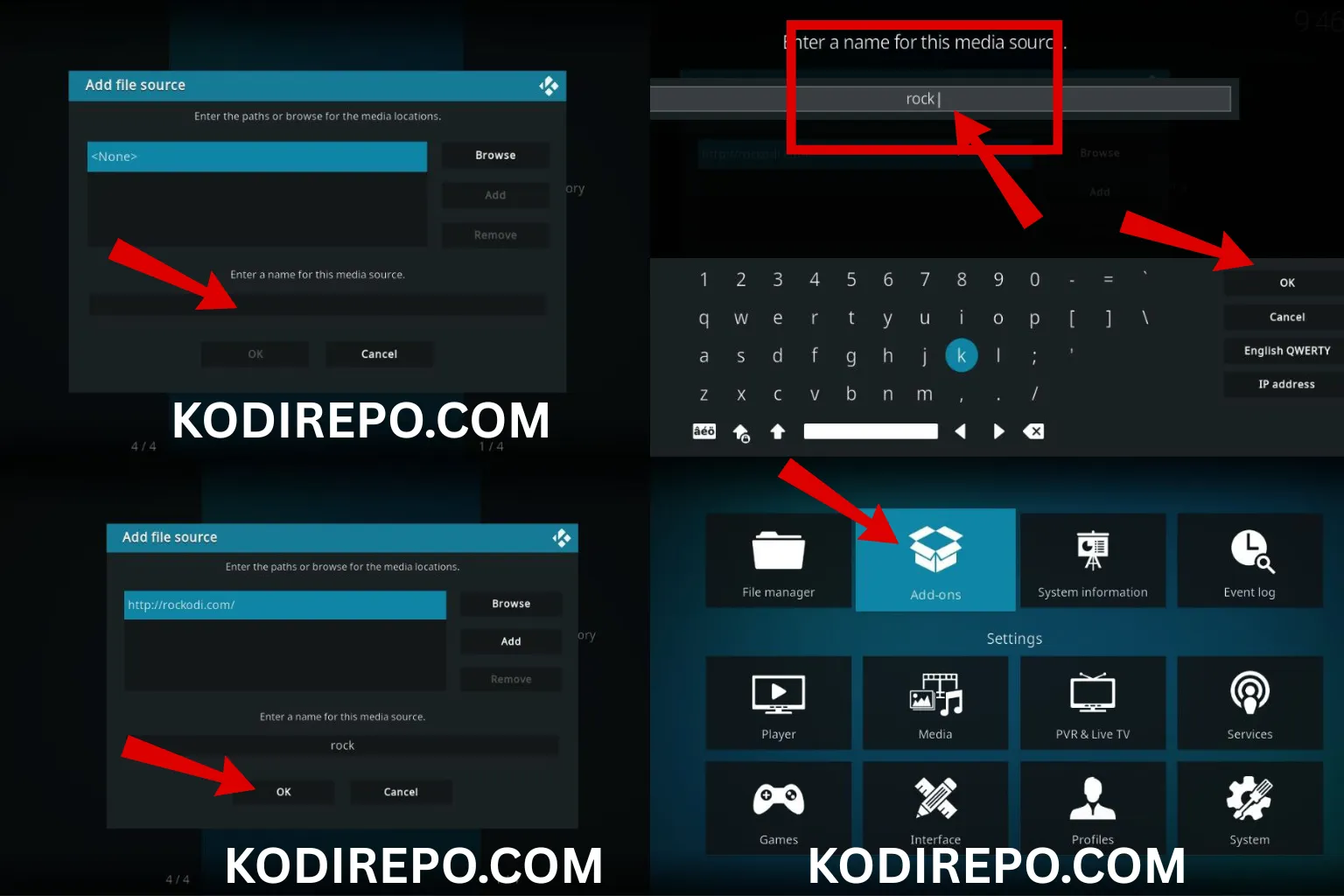
👉 Get 76% NordVPN DealThe Wrestling Rewind addon requires a specific repository. Add the repository source URL to your Kodi system through the file manager. ( https://mylostsoulspace.co.uk/repo/ )
Step 3: Install the Repository
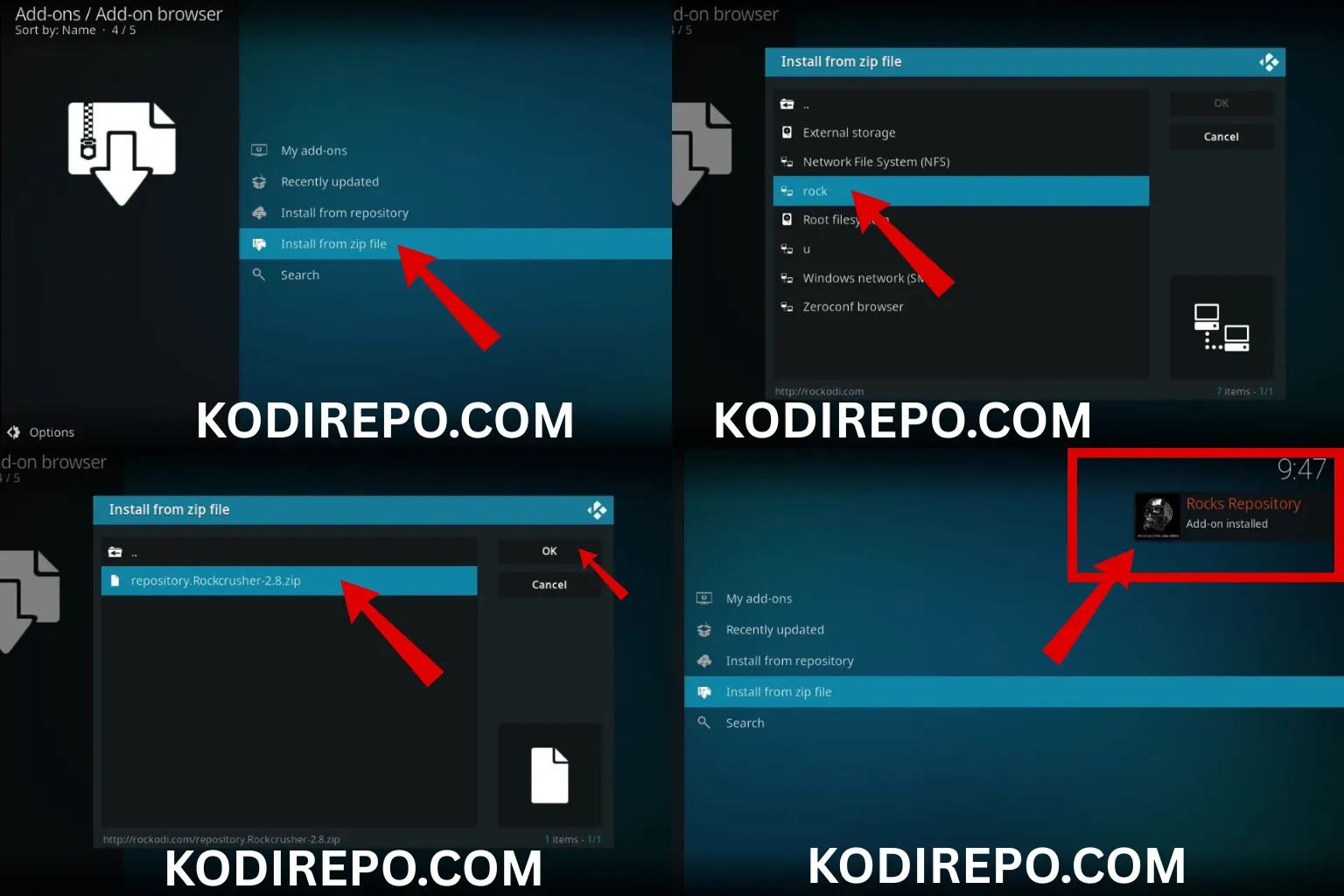
Once the source is added, install the repository package. This serves as the foundation for installing Wrestling Rewind and any related addons.
Step 4: Install Wrestling Rewind Addon
From the installed repository, locate and install the Wrestling Rewind addon. The installation process typically takes a few minutes depending on your internet speed.
Troubleshooting Common Installation Issues
If you encounter problems during installation:
– Check your internet connection stability
– Verify the repository URL is correct and current
– Clear Kodi cache if installation gets stuck
– Try a different Kodi build if persistent issues occur
Best Practices for Using Wrestling Rewind
For optimal experience with Wrestling Rewind:
– Use a VPN to protect your privacy while streaming
– Clear cache regularly to maintain performance
– Update the addon when new versions become available
– Test different streams if one doesn’t work properly
Alternative Wrestling Addons for Kodi
While Wrestling Rewind is excellent, consider these alternatives:
– Pro Wrestling addon for additional content sources
– Fight Club for combat sports including wrestling
– The Wrestling Network for specialized wrestling streams
Legal Considerations
Always be aware of your local laws regarding streaming content. Using official sources and paid subscriptions supports the wrestling industry and ensures legal compliance.
Conclusion
Installing Wrestling Rewind on Kodi opens up a world of wrestling content for enthusiasts. By following this guide, you can enjoy classic matches, current events, and exclusive programming right from your Kodi interface. Remember to maintain your system and use best practices for the best streaming experience.
Frequently Asked Questions
Q: Is Wrestling Rewind free to use?
A: Yes, the addon itself is free, though some content may require additional subscriptions.
Q: Can I install Wrestling Rewind on Firestick?
A: Absolutely. The installation process is identical across all Kodi-supported devices.
Q: How often is Wrestling Rewind updated?
A: The addon receives regular updates with new content and bug fixes, typically every few weeks.
Q: Do I need a VPN for Wrestling Rewind?
A: While not mandatory, using a VPN is highly recommended for privacy and security when streaming through third-party addons.
This comprehensive guide ensures you can successfully install and enjoy Wrestling Rewind on your Kodi system, bringing premium wrestling content directly to your screen.