Drag the slider to adjust text size.
The Ezra Kodi addon has quickly gained popularity as a reliable FEN clone, offering users a familiar interface and robust streaming capabilities. If you’re looking to enhance your Kodi experience on FireStick, this guide will walk you through the installation process step by step.
🔒 Protect Your Kodi Streaming
Avoid ISP tracking and stream Kodi safely using one of the fastest and most trusted VPN services.
✔ Works with Kodi & Firestick
✔ No Logs Privacy Protection
✔ 30-Day Money Back Guarantee
Recommended for safe and private Kodi streaming
What is Ezra Kodi Addon?
Ezra is a third-party Kodi addon designed to replicate the functionality of the now-discontinued FEN addon. It provides access to a wide range of movies, TV shows, and live TV streams, all within a user-friendly interface. As a FEN clone, Ezra maintains the same layout and features that made FEN a favorite among Kodi users.
Why Choose Ezra Addon?
- Familiar Interface: If you were a fan of FEN, Ezra offers a nearly identical experience.
- Extensive Content Library: Access to a vast collection of movies, TV shows, and live channels.
- Regular Updates: The developers frequently update the addon to ensure smooth performance and access to the latest content.
- Compatibility: Works seamlessly on FireStick, Android devices, and other Kodi-supported platforms.
Prerequisites Before Installation
Before installing Ezra, ensure you have the following:
- Kodi Installed: Make sure Kodi is installed on your FireStick. If not, download it from the Amazon App Store.
- Unknown Sources Enabled: Go to Settings > System > Add-ons and enable Unknown Sources.
- File Manager Access: You’ll need to add a source URL to Kodi’s file manager.
Step-by-Step Installation Guide
Step 1: Enable Unknown Sources
- Open Kodi on your FireStick.
- Navigate to Settings (gear icon).
- Select System.
- Click on Add-ons and toggle on Unknown Sources.
- Confirm the warning message.
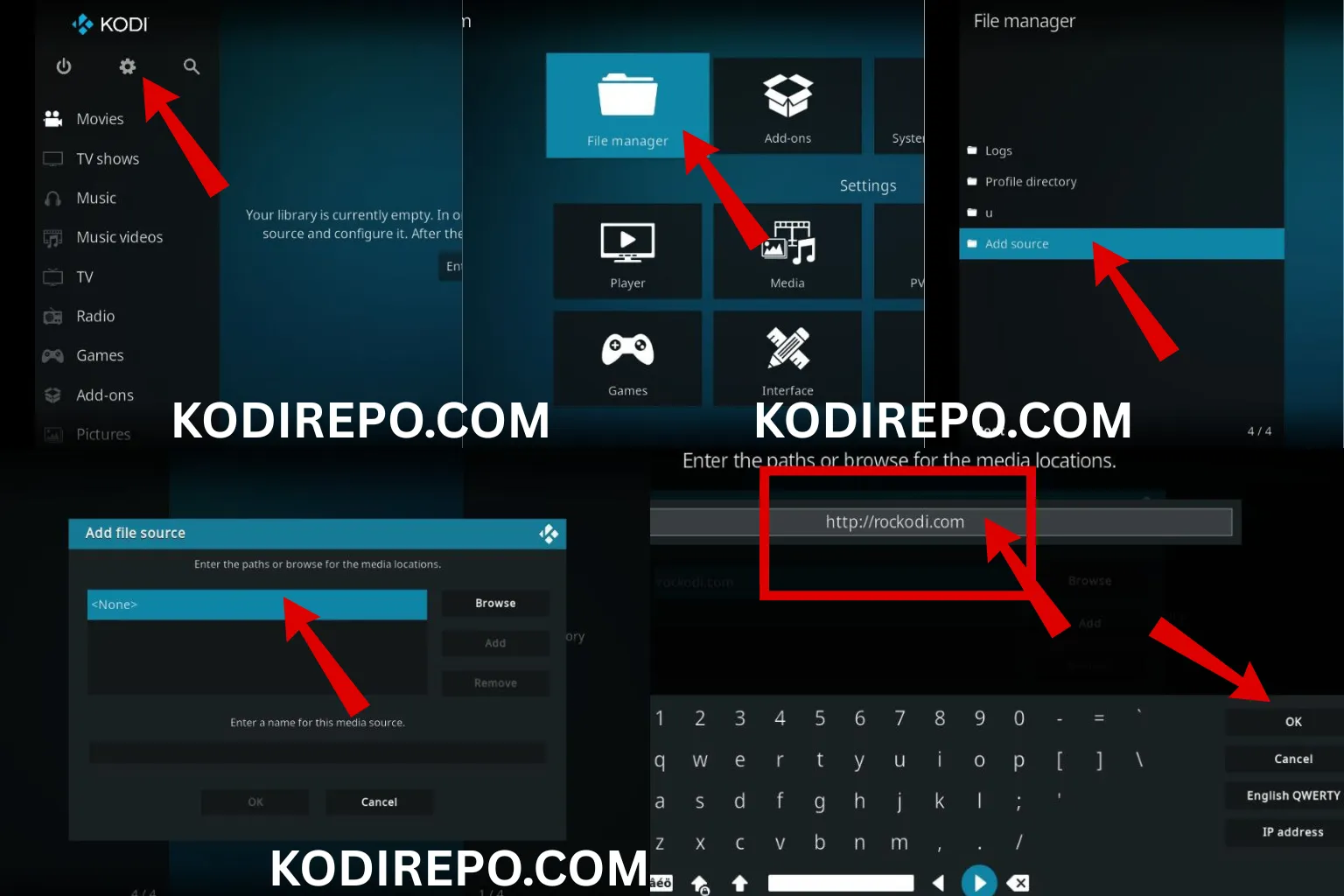
Step 2: Add the Repository Source
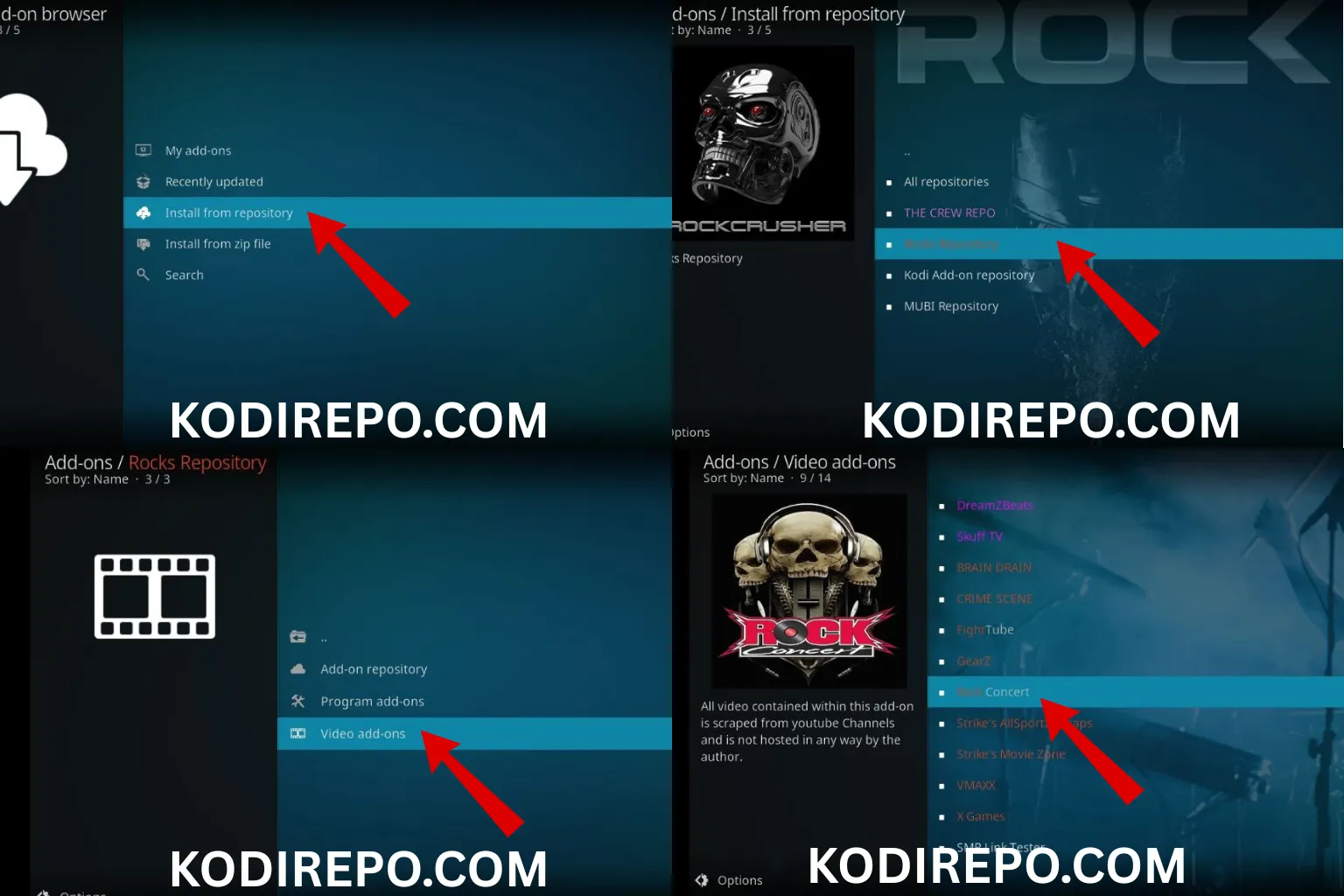
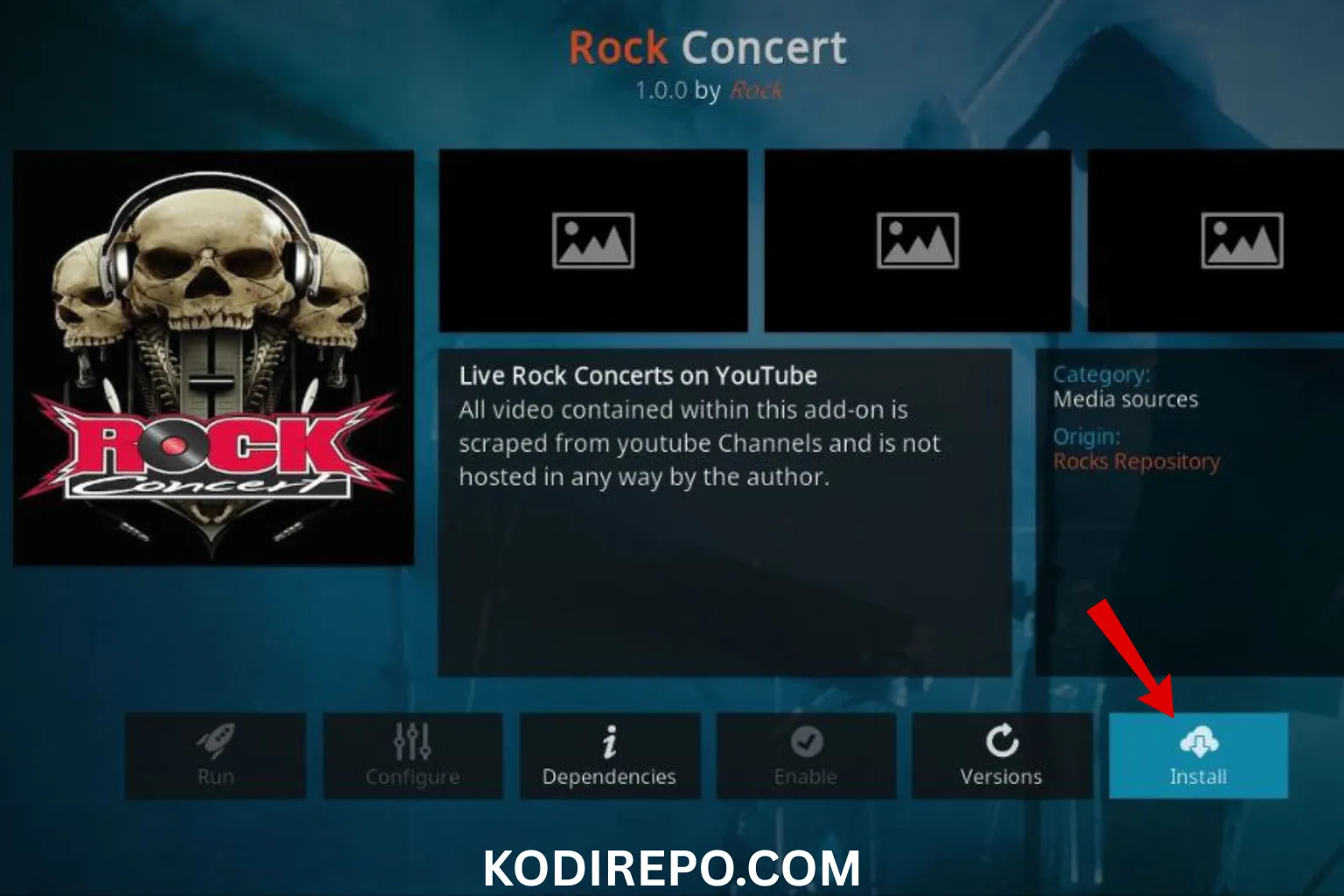
⚠️ WARNING: Before installing this Kodi addon, it is strongly recommended to use a VPN to protect your privacy while streaming.
👉 Get 76% NordVPN Deal- Go back to Settings and select File Manager.
- Click on Add Source.
- Enter the repository URL:
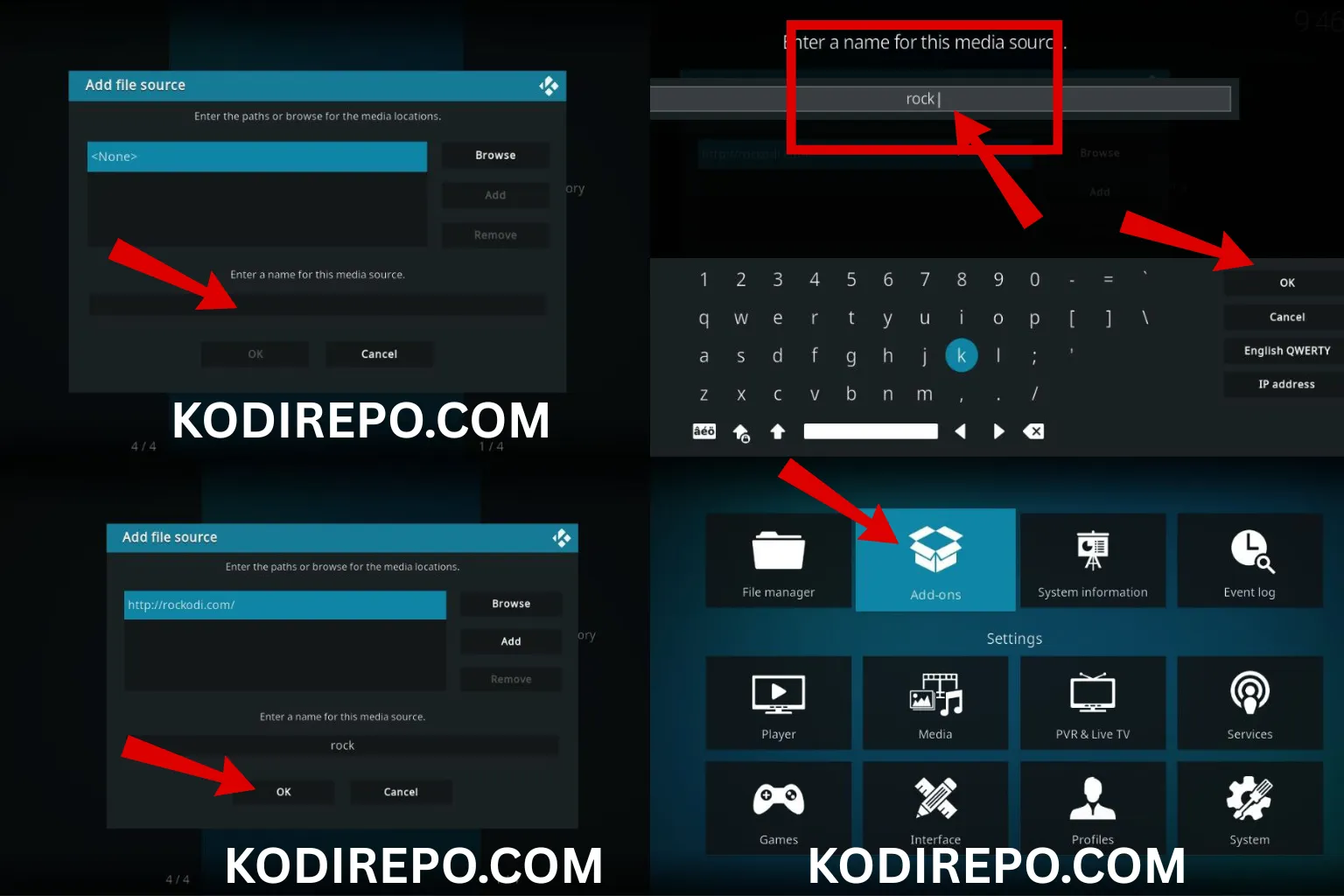
https://ezra-hubbard.github.io/ - Name the source (e.g., “Ezra Repo”) and click OK.
Step 3: Install the Repository
- Return to the Kodi home screen.
- Select Add-ons from the menu.
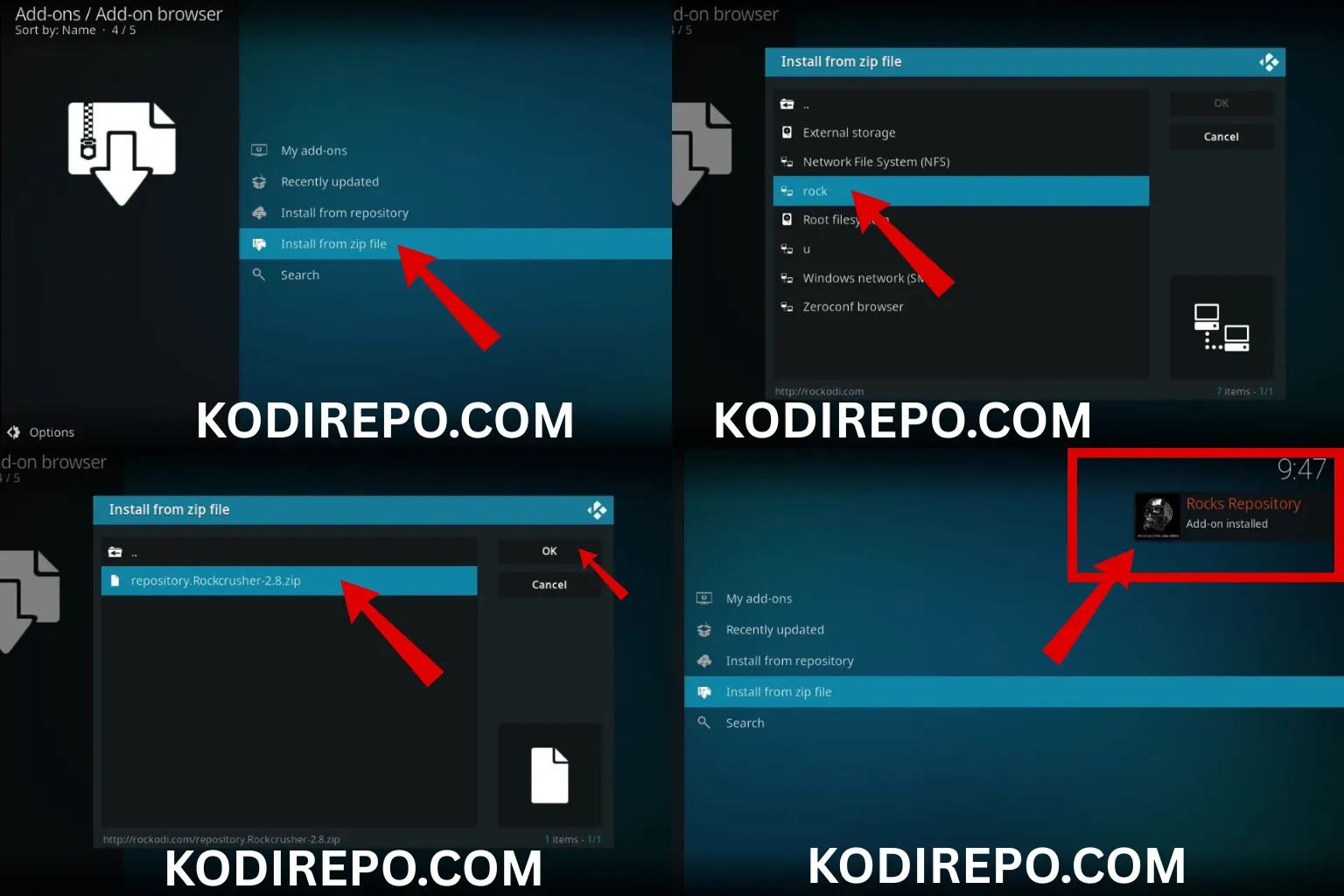
- Click the Package Installer icon (top-left corner).
- Choose Install from zip file.
- Select the source you added (e.g., “Ezra Repo”).
- Click on the repository zip file (e.g.,
repository.ezra.zip). - Wait for the notification confirming the repository installation.
Step 4: Install Ezra Addon
- After installing the repository, go back to Add-ons.
- Click Install from repository.
- Select Ezra Repository.
- Navigate to Video add-ons.
- Find and click on Ezra.
- Click Install and wait for the addon to download and install.
Step 5: Launch Ezra Addon
- Once installed, return to the Kodi home screen.
- Go to Add-ons > Video add-ons.
- Click on Ezra to launch it.
Troubleshooting Common Issues
- Addon Not Working: Ensure you’ve installed the latest version of the repository and addon.
- No Streams Available: Check your internet connection and try different sources within the addon.
- Buffering Issues: Use a VPN to improve streaming speed and bypass ISP throttling.
Is Ezra Addon Legal?
Ezra is a third-party addon, and its legality depends on the content you access. Always use a VPN to protect your privacy and ensure you’re streaming content legally.
Conclusion
Installing the Ezra Kodi addon on FireStick is a straightforward process that can significantly enhance your streaming experience. As a FEN clone, it offers a familiar interface and access to a wide range of content. Follow the steps outlined in this guide, and you’ll be enjoying your favorite movies and TV shows in no time.
Pro Tip: Regularly update the addon to access the latest features and content. Happy streaming!