
As you already know, Kodi can be installed on pretty much any device. Also, this means that you could use your smartphone to play Kodi’s contents on a much
Category: Tutorial
Master Kodi with step-by-step tutorials for beginners and advanced users. Learn how to install addons, builds, repositories, and optimize Kodi for better streaming.
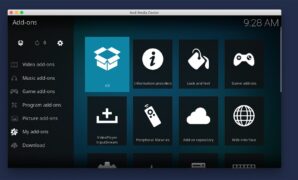
Official vs. Unofficial Kodi Addons – What Are They, How to Install Them & Which Ones Should You Use?
The question of whether to install official vs. unofficial Kodi addons has plenty of different implications. We’re not only talking about their content lib

How to Restore Accidentally Deleted Menu Items on Kodi 18
Once you install and open Kodi for the very first time, you’ll see a blank canvas (so to say). This home theater software comes without any ‘sample’ conten

How to Install Kodi Addons from GitHub in 2026
There are multiple different ways to install Kodi addons from GitHub. However, we believe the most straightforward method available is via the ‘Git Browser
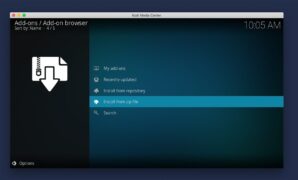
How to Install Kodi Addons from ZIP Files in 2026
Kodi supports installing different kinds of add-ons from external sources (outside of Kodi’s official repository). For that purpose, the add-on you plan to

How to Set Up User Profiles in Kodi 18 in 2019
Did you know that you can easily create different Kodi profiles? This is an often-overlooked feature that brings numerous helpful options. When it comes to

How to Watch 2026’s Super Bowl on Kodi – The Best NFL Addons
This year’s Super Bowl is just around the corner. What this means is that many of us are getting ready for a full night of sports excitement. As you know,

How to Setup Kodi Remote on iOS and Android Devices
Kodi comes with a very intuitive interface, as you surely know. The same applies to its controls. If you’re running Kodi on a computer, you can use your ke
How to Use Kodi Legally? – We’ll Teach You How to Be on the Safe Side of the Law When Using Kodi!
It’s no secret that Kodi is often associated with piracy. However, it would be a shame to think of Kodi as a gateway to copyright infringement, especially

How to Update Kodi to the Latest Version Without Losing Your Addons
You’re probably used to updating applications from within their interface, typically by going into a menu and choosing ‘Check for Update.’ The situation re