Drag the slider to adjust text size.
Are you looking for a reliable way to stream live sports content on Kodi? The Loop is a popular sports addon that offers a wide variety of channels, including football, basketball, tennis, and more. In this guide, we’ll walk you through the process of installing the The Loop addon on your Kodi device, step by step.
🔒 Protect Your Kodi Streaming
Avoid ISP tracking and stream Kodi safely using one of the fastest and most trusted VPN services.
✔ Works with Kodi & Firestick
✔ No Logs Privacy Protection
✔ 30-Day Money Back Guarantee
Recommended for safe and private Kodi streaming
What is The Loop Addon?
The Loop is a third-party Kodi addon designed specifically for sports enthusiasts. It provides access to live sports channels, replays, and highlights from around the world. Whether you’re a fan of soccer, NBA, NFL, or other major sports, The Loop addon delivers high-quality streams directly to your Kodi interface.
Is The Loop Addon Safe and Legal?
Before proceeding, it’s important to note that The Loop is a third-party addon. While it is widely used, it is not available in the official Kodi repository. Always ensure you’re accessing content legally and consider using a VPN for added privacy and security when streaming.
Prerequisites
Before installing The Loop, make sure you have:
– Kodi installed on your device (Windows, Mac, Android, or Firestick)
– A stable internet connection
– Unknown sources enabled in Kodi settings
Step-by-Step Guide to Install The Loop Addon
Step 1: Enable Unknown Sources
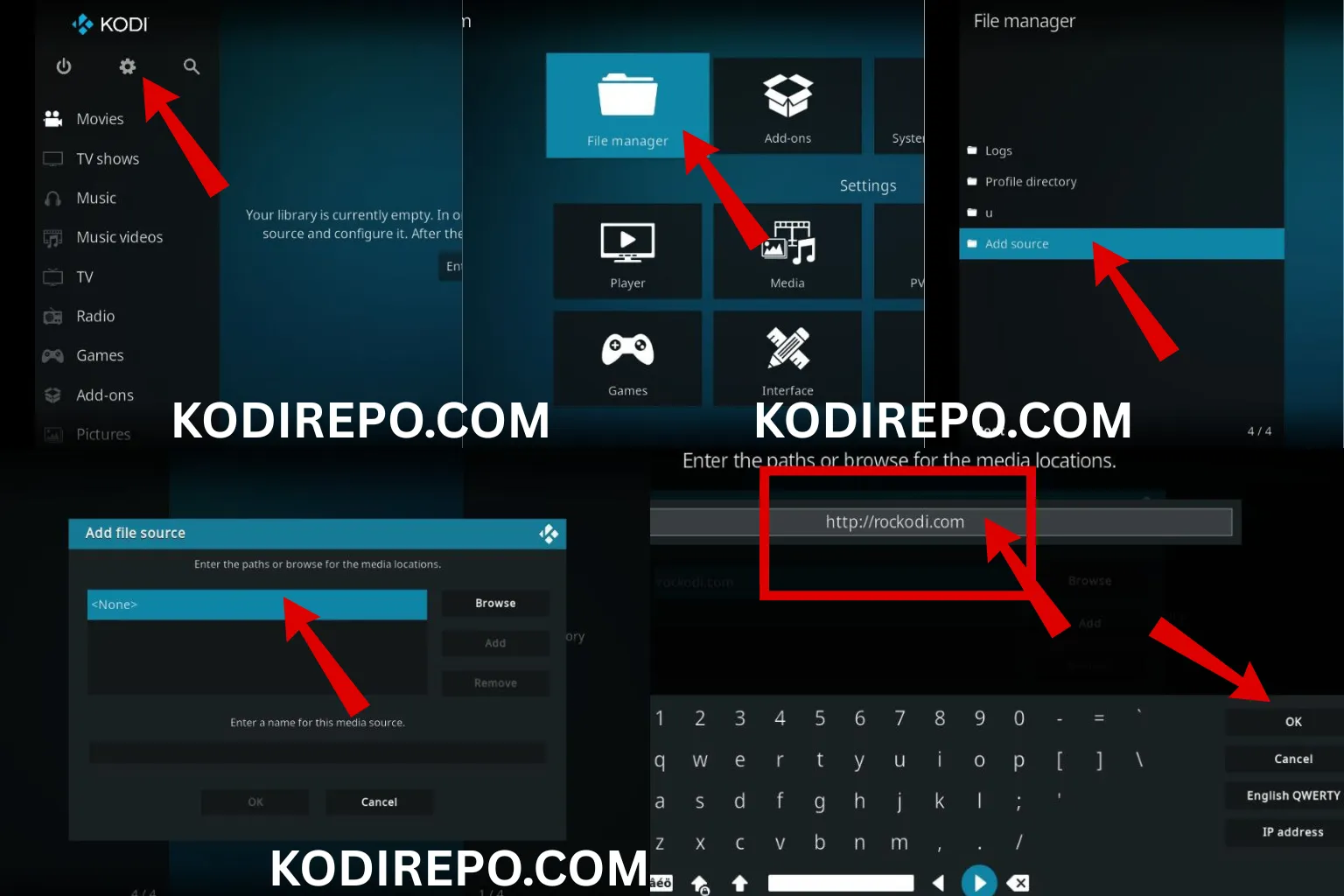
- Open Kodi and click the Settings (gear) icon on the top left.
- Go to System > Add-ons.
- Toggle on Unknown sources and confirm the warning message.
Step 2: Install a Repository (If Required)
The Loop may require a specific repository to be installed first. Common repositories include:
– The Loop Repository
– Sports Repository
Search online for the latest repository URL and download it to your device.
Step 3: Add the Repository Source
⚠️ WARNING: Before installing this Kodi addon, it is strongly recommended to use a VPN to protect your privacy while streaming.
👉 Get 76% NordVPN Deal- Go back to Settings > File Manager.
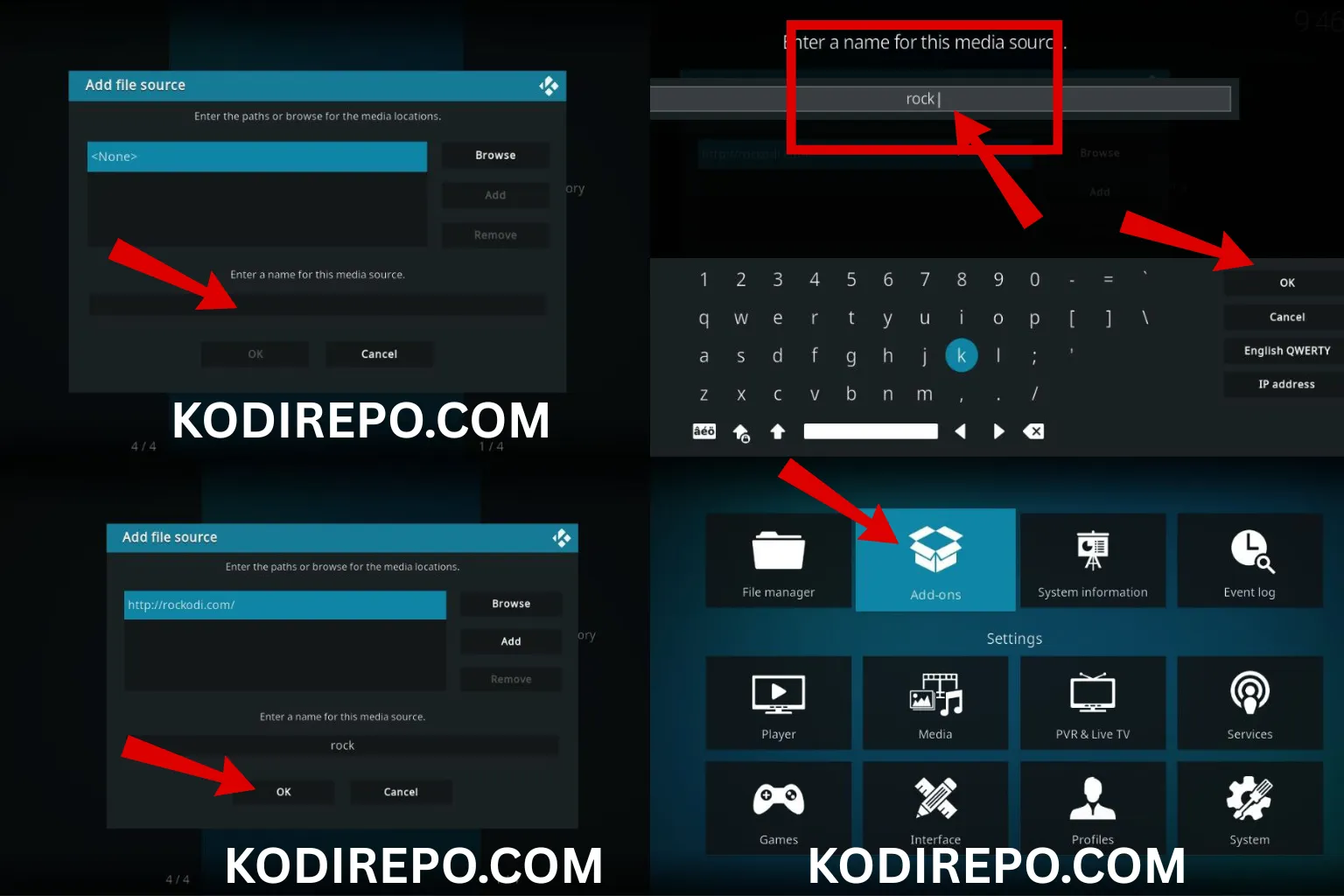
- Click Add source and enter the repository URL ( https://loopaddon.uk/theloop/ ).
- Name the source (e.g., “The Loop”) and click OK.
Step 4: Install The Loop Addon
- Return to the Settings menu and select Add-ons.
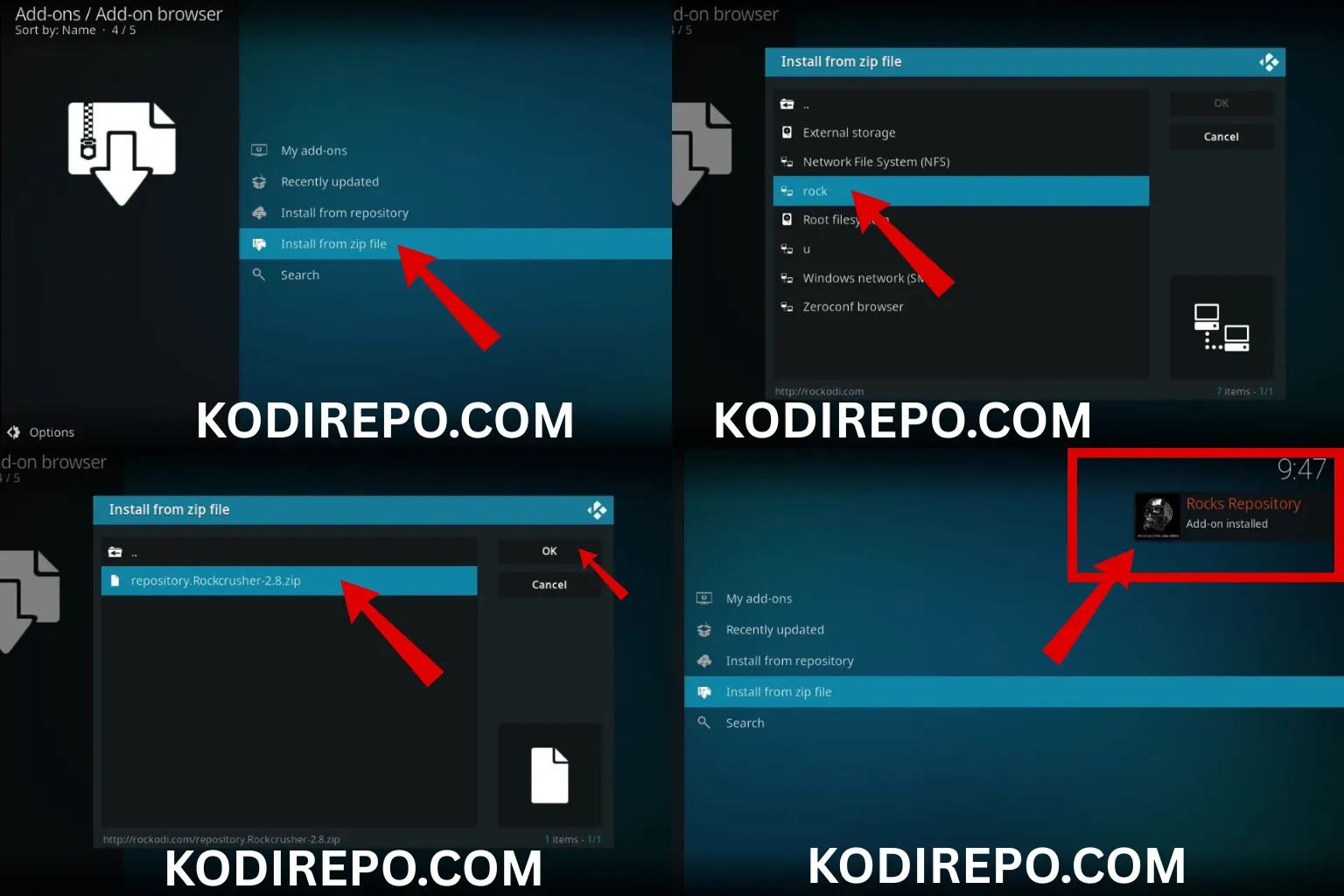
- Click the Install from zip file option.
- Navigate to the source you added (e.g., “The Loop”) and select the repository zip file.
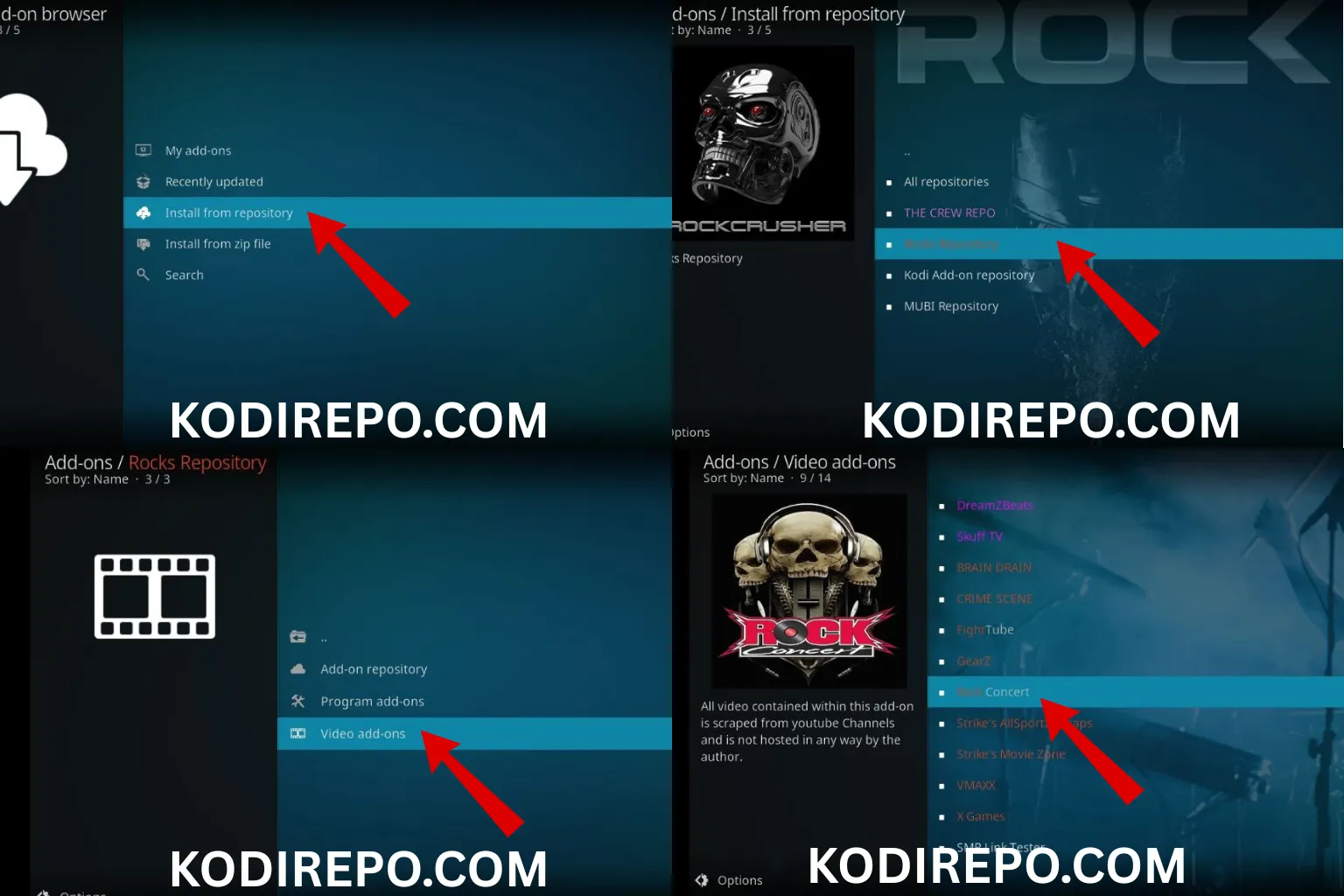
- Wait for the repository to install, then go to Install from repository.
- Find the repository you just installed, open it, and select Video add-ons.
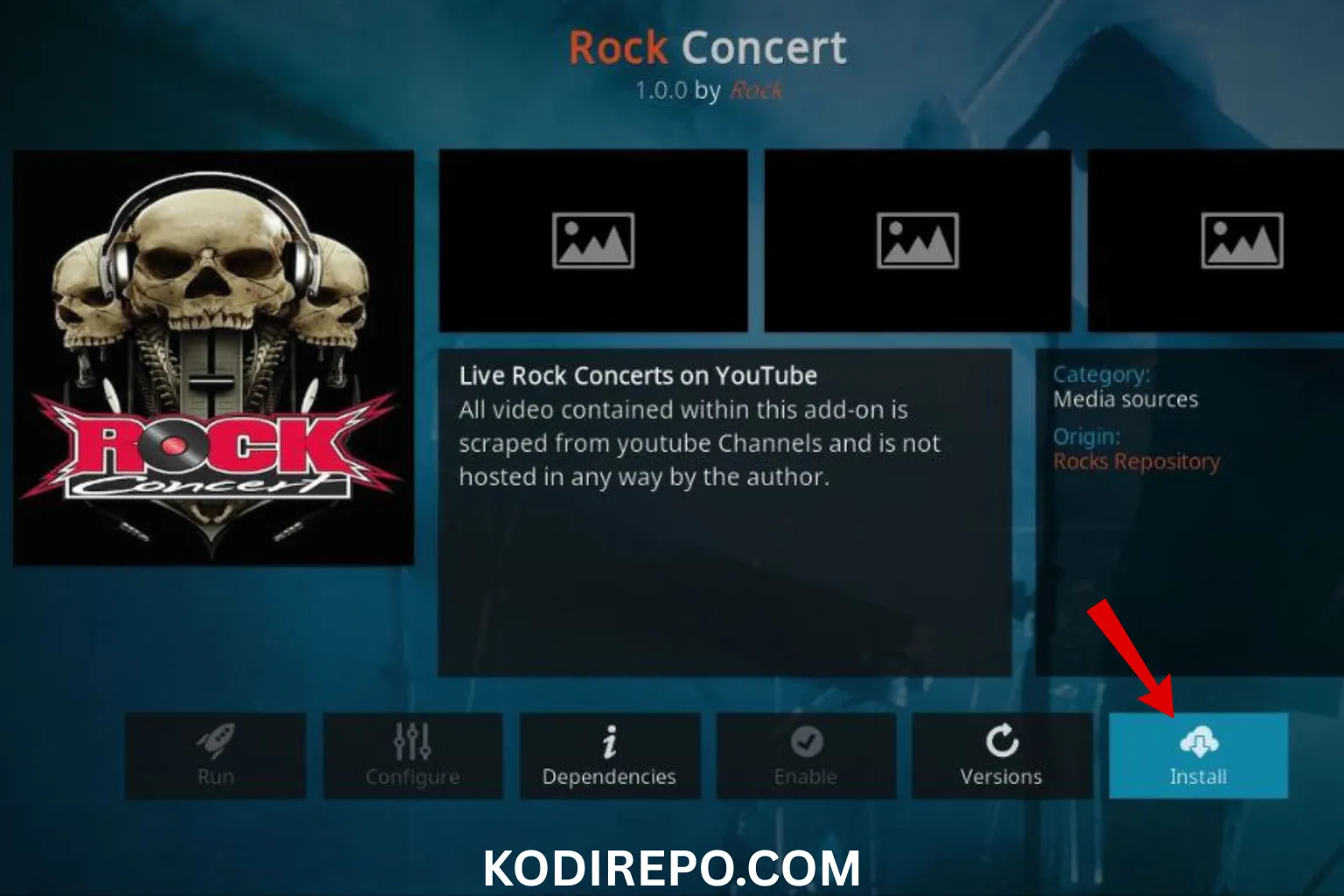
- Locate The Loop and click Install.
Step 5: Launch The Loop
Once installed, you can find The Loop in the Add-ons section. Open it, browse the available sports channels, and start streaming.
Troubleshooting Common Issues
- Addon not working: Ensure your repository is up to date.
- Streams not loading: Check your internet connection or try a different stream source.
- No content available: Some streams may be region-locked or temporarily offline.
Tips for Better Streaming Experience
- Use a VPN to access geo-restricted content.
- Clear Kodi cache regularly to improve performance.
- Keep your Kodi and addons updated for the latest features and security patches.
Conclusion
Installing The Loop addon on Kodi is a straightforward process that unlocks a world of sports content. By following this guide, you can enjoy live matches, replays, and highlights from the comfort of your home. Always prioritize safety and legality when using third-party addons.
Keywords used naturally: The Loop addon, The Loop, sports addon, Kodi addon, install The Loop, streaming sports, live sports, Kodi repository, third-party addon, sports channels.
Related LSI keywords included: Kodi sports addon, live sports streaming, sports channels, third-party addons, Kodi repository, streaming addon, sports content, Kodi installation, sports streaming, Kodi setup.