Drag the slider to adjust text size.
If you’re looking for a reliable way to stream Latin American content on Kodi, the Sr Regio Addon is a popular choice among users. This addon offers a wide variety of live TV channels, movies, and shows, especially tailored for Spanish and Latin American audiences. In this guide, we’ll walk you through the step-by-step process of installing the Sr Regio Addon on Kodi, ensuring you can enjoy your favorite content without hassle.
🔒 Protect Your Kodi Streaming
Avoid ISP tracking and stream Kodi safely using one of the fastest and most trusted VPN services.
✔ Works with Kodi & Firestick
✔ No Logs Privacy Protection
✔ 30-Day Money Back Guarantee
Recommended for safe and private Kodi streaming
What is the Sr Regio Addon?
The Sr Regio Addon is a third-party Kodi addon designed to provide access to a vast library of Latin American content. It includes live TV channels, on-demand movies, series, and more, all in Spanish. This addon is particularly popular among users who want to watch regional sports, news, and entertainment from Latin America.
Why Use the Sr Regio Addon?
Before diving into the installation process, it’s important to understand why the Sr Regio Addon stands out:
- Extensive Content Library: Access to a wide range of Latin American channels and on-demand content.
- User-Friendly Interface: Easy to navigate, even for beginners.
- Regular Updates: The addon is frequently updated to ensure smooth streaming and new content additions.
Is the Sr Regio Addon Safe and Legal?
As with any third-party Kodi addon, it’s essential to consider safety and legality. The Sr Regio Addon is not available in the official Kodi repository, which means it must be installed from a third-party source. To protect your privacy and security, it’s highly recommended to use a VPN (Virtual Private Network) while streaming. A VPN encrypts your internet connection, keeping your online activity private and secure.
How to Install the Sr Regio Addon on Kodi
Now, let’s get into the installation process. Follow these steps carefully to install the Sr Regio Addon on Kodi:
Step 1: Enable Unknown Sources
Before installing any third-party addon, you need to enable the installation of addons from unknown sources.
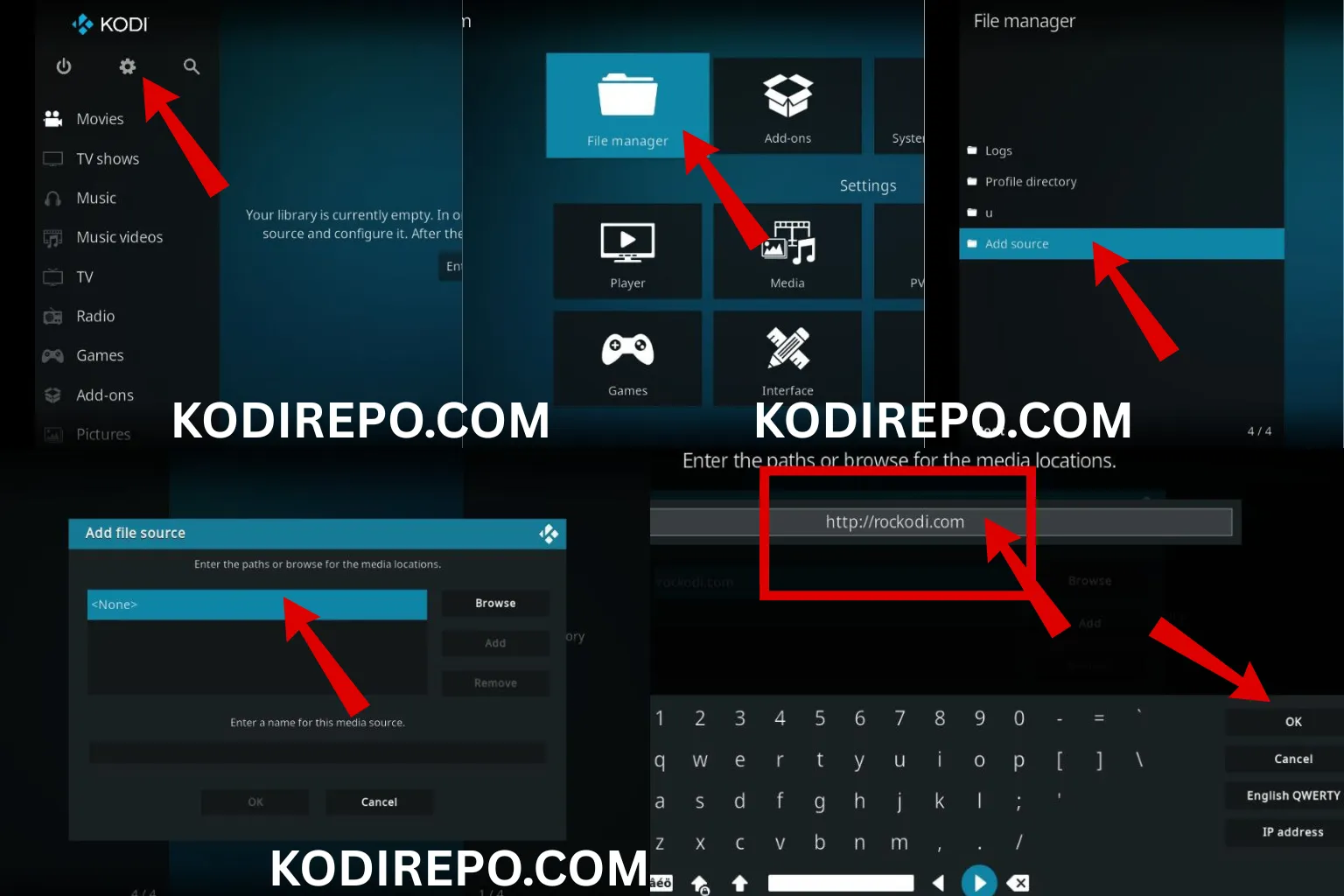
- Open Kodi and click on the Settings (gear icon) in the top-left corner.
- Go to System Settings > Add-ons.
- Toggle on Unknown Sources and confirm the warning message.
Step 2: Install a File Manager Addon
To install the Sr Regio Addon, you’ll need a file manager addon like Zenturio Repository.
⚠️ WARNING: Before installing this Kodi addon, it is strongly recommended to use a VPN to protect your privacy while streaming.
👉 Get 76% NordVPN Deal- Go back to the Settings menu and select File Manager.
- Click on Add Source and then .
- Enter the URL: https://t.me/SrRegioGrupo/292977 (or the source where Sr Regio is hosted).
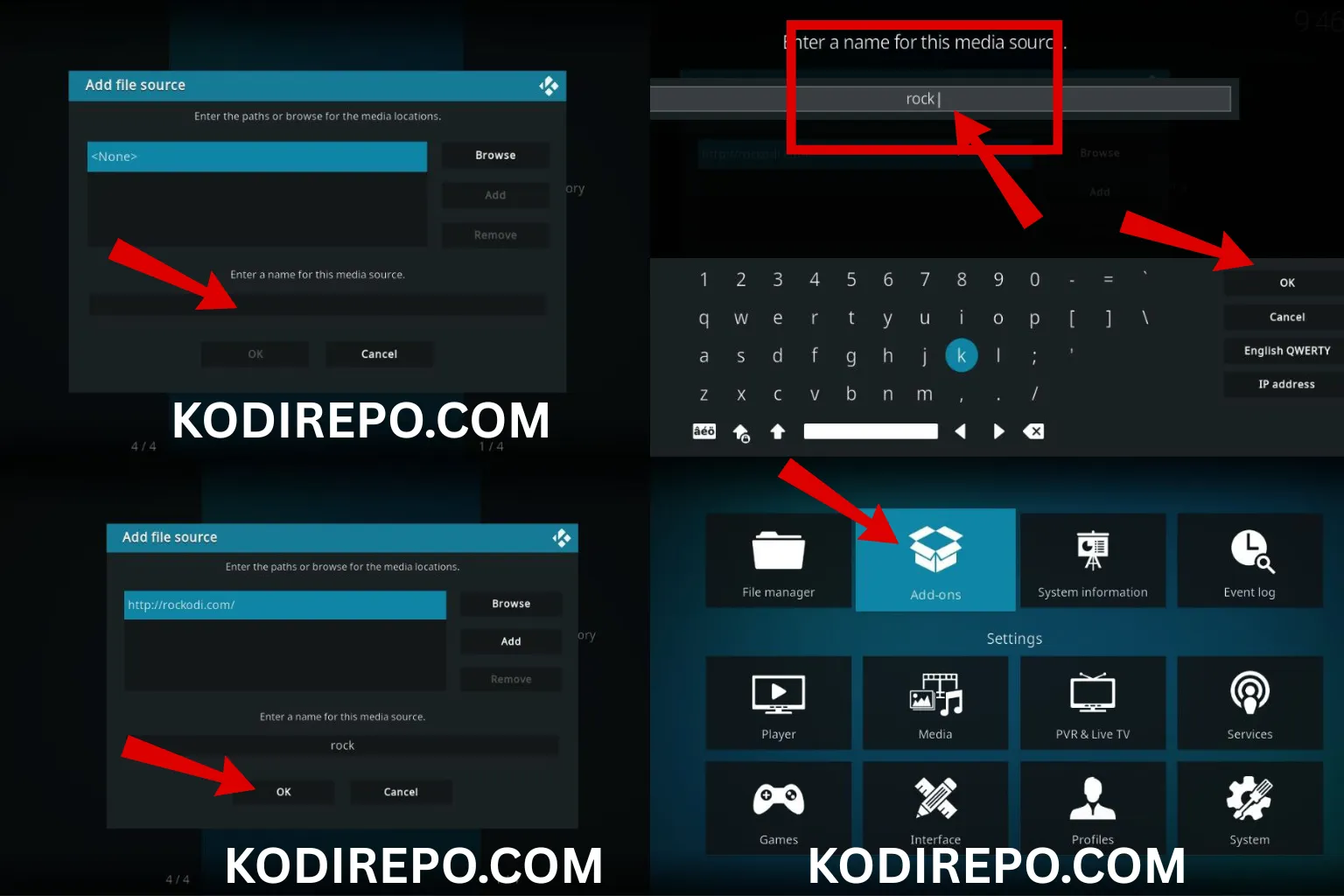
- Name the source (e.g., “Zenturio”) and click OK.
Step 3: Install the Repository
- Return to the Settings menu and select Add-ons.
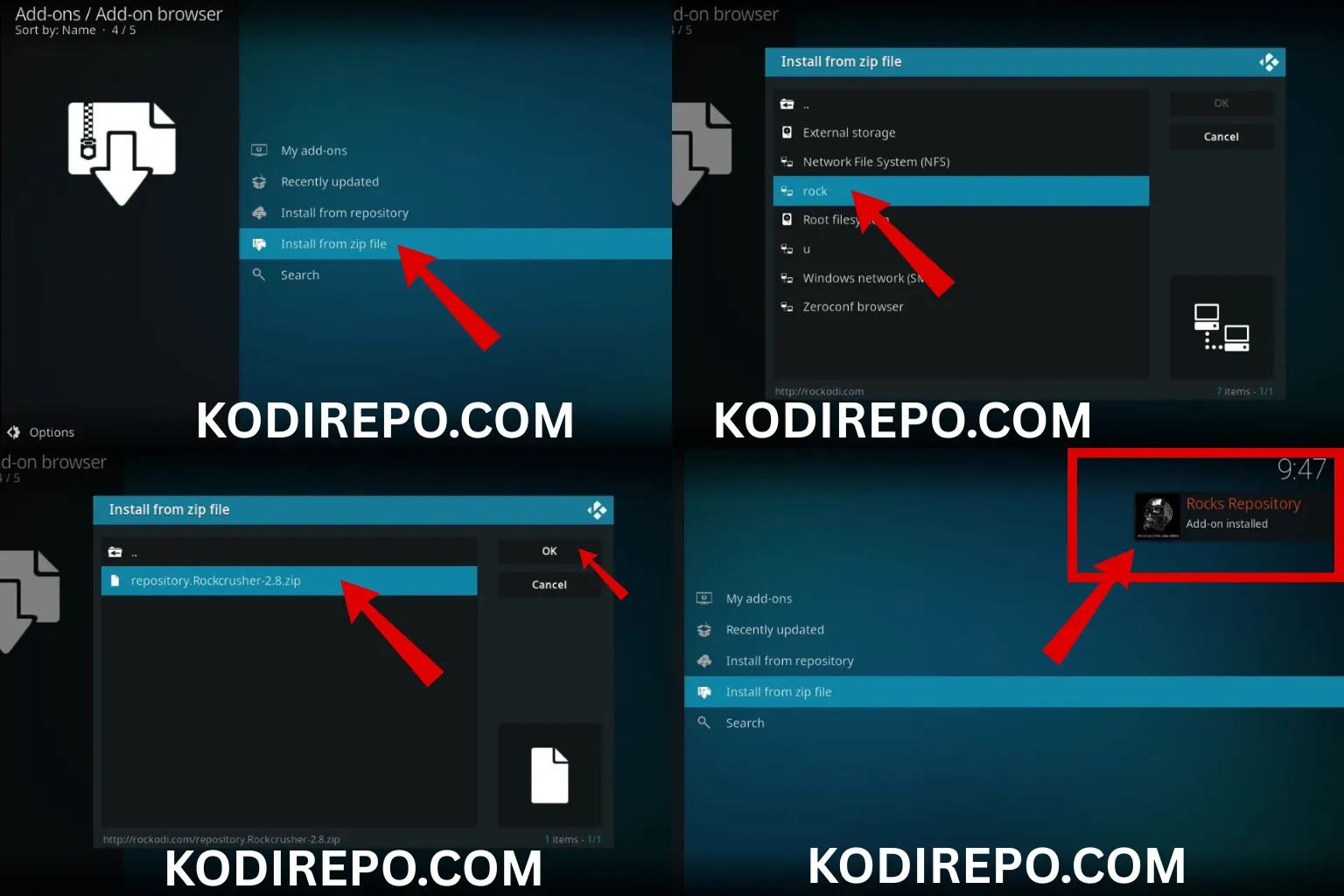
- Click on Install from zip file.
- Select the source you added (e.g., “Zenturio”) and choose the repository.zenturio.zip file.
- Wait for the notification confirming the repository installation.
Step 4: Install the Sr Regio Addon
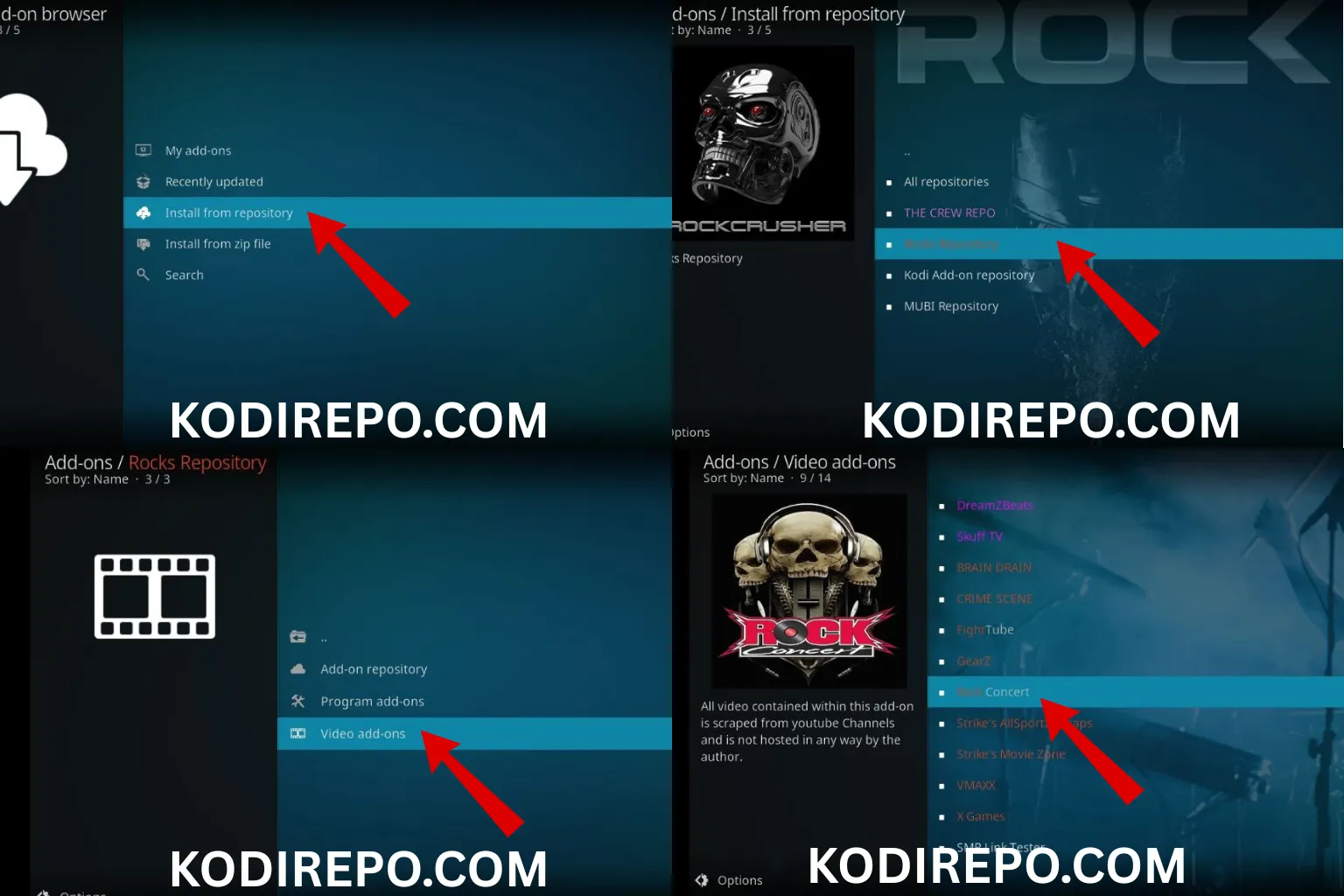
- Go back to Add-ons and select Install from repository.
- Choose Zenturio Repository (or the repository you installed).
- Navigate to Video Add-ons and find Sr Regio.
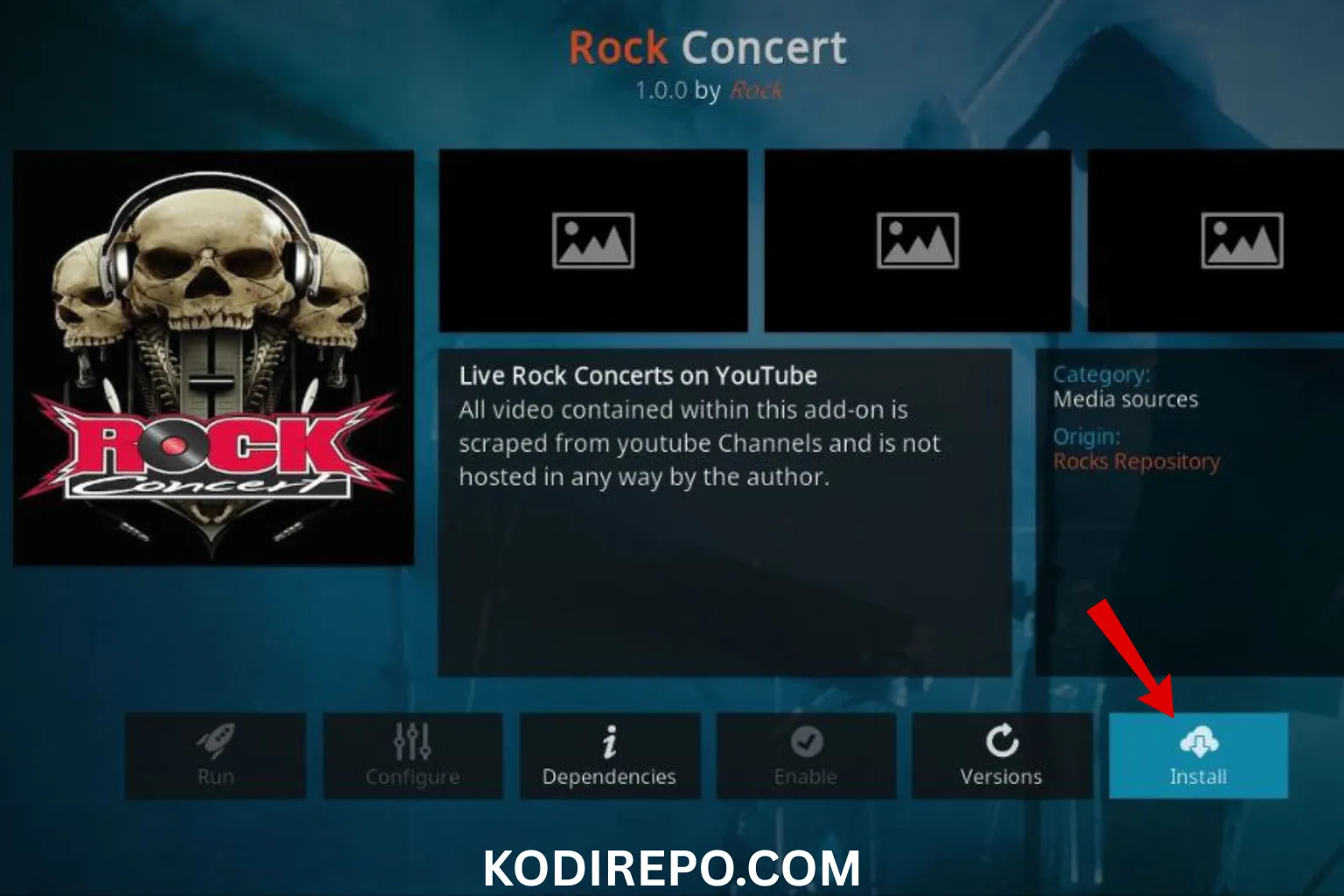
- Click on Install and wait for the addon to be installed.
Step 5: Launch the Sr Regio Addon
Once installed, you can find the Sr Regio Addon in the Add-ons section. Launch it, and you’re ready to start streaming Latin American content.
Troubleshooting Common Issues
If you encounter any issues during or after installation, here are some quick fixes:
- Addon Not Working: Ensure you’ve installed the latest version of the addon and repository.
- Buffering Issues: Check your internet connection or try using a VPN for better streaming speeds.
- Source Not Available: The addon may have been moved to a different repository. Search for updated sources online.
Tips for Using the Sr Regio Addon
To enhance your streaming experience, consider the following tips:
- Use a VPN: Protect your privacy and access geo-restricted content.
- Clear Cache Regularly: This helps maintain smooth performance.
- Check for Updates: Regularly update the addon to access new features and content.
Conclusion
The Sr Regio Addon is an excellent choice for Kodi users who want to enjoy Latin American content. By following the steps outlined in this guide, you can easily install and start using the addon. Remember to prioritize your online security by using a VPN and keeping your Kodi installation up to date. Happy streaming!
Disclaimer: This guide is for educational purposes only. Ensure you comply with your local laws and regulations when using third-party addons.